
 Worksheets
TLE 3RD QUARTER (PRESENTATIONS)
Total questions: 126
Worksheet time: 1hrs 29mins
The process of creating a three-dimensional object or shape using a software.
(a)
The name given to the actual manufactured object
made through modeling.
(a)
Which of the following are uses of 3D models?
for visualizing
to simulate
to render graphic designs
to avoid testing
In which fields is 3D modeling used?
film and television
astrology and therapy
science and medical industries
architecture and building
video games and product development
Modeling without depth that lead to the creation of
2D blueprints, sketches and floor plans.
(a)
Computer graphics was first used in the early 1960s,
while CGI was used in the later 1960s.
What does CGI stand for?
(a)
The first commercially available
solid modeler application released in 1969.
(a)
Which of the following statements are TRUE about 3D models?
A 3D model becomes a finished real object without any further process.
3D models can be used for grading and site layout.
3D models hold more data than 2D models.
3D models depict how the final piece will look in the actual world.
To create 3D Models, advanced computer technologies are utilized
to combine data from which sources?
LIDAR
GPS
SONAR
photogrammetry
What does the acronym LIDAR stand for?
(a)
What does the acronym GPS stand for?
(a)
The science of making precise measurements
and creating 3D models from photographs.
(a)
Principles of 3D Modeling
It says that complex figures are a combination of simple shapes.
Principle of Form
Principle of Detail
Principle of Scaling
Principle of Adaptation
Principles of 3D Modeling
Which for the following principles are TRUE?
You can reuse as much of the mesh to maximizing efficiency instead of always starting from scratch.
You should follow non-destructive modeling which means things are easily changeable.
You should apply transformations immediately to make the model more realistic and easier to edit later.
The model size makes a lot of difference, so scaling has to be realistic and proportional.
What are the 3 VIEWS of 3D Modeling?
Symmetrical Modeling
Wireframe Modeling
Surface Modeling
Solid Modeling
3 VIEWS of 3D Modeling
A skeletal representation of a 3D object using lines and curves.
(a)
3 VIEWS of 3D Modeling
A modeling technique that defines the shape of an object
using surfaces without assigning volume.
(a)
3 VIEWS of 3D Modeling
A 3D modeling method where objects have actual mass and volume.
It is fully enclosed, watertight geometry. It supports simulation,
3D printing, and engineering analysis.
(a)
Which of the following statements are TRUE about Shapes and Models?
Understanding shapes and models is essential in designing and creating projects.
Shapes act as the foundation of most structures and products.
Using references ensures accuracy and better results.
A 3D model shows the exact real-world size of an object without any need for scaling or adjustment.
Shapes and models are essential parts of designing.
These are the outlines or forms of objects that can be 2D or 3D.
(a)
This is a representation of an object based on a reference
that is used to visualize, test, or demonstrate ideas.
(a)
Which of the following are TRUE about Reference Images?
Reference images guide the creation of accurate shapes and models.
A reference image always provides complete details of an object from every angle.
Reference images help in getting proportions, details, and structure right.
Using reference images ensure accuracy and better results.
1What is “modeling based on a reference”?
Creating shapes without any guide
Using images or objects as a visual guide for accuracy
Rendering a completed 3D scene
Animating a finished model
Which of the following can be used as reference
when creating a model?
photo
imagination
sketch
blueprint
Which of the following cannot be used as reference
when creating a model?
a 3D object
real-life objects
image in memory
a diagram
What does a “3D modeling workflow” refer to?
The steps for exporting a video
The step-by-step process of creating a 3D
model
A tool used for sculpting
A shortcut for editing shapes
What are the 3 Processes
in Editing and Creation of models?
Shape creation
Editing shapes
Rendering
Shadowing
Refers to forming the initial structure of an object in digital modeling
by generating basic forms that serve as the foundation of a model.
(a)
The process of modifying a model’s structure by
adjusting its points, edges, and surfaces to refine its form,
improve detail, and achieve the intended design.
(a)
The final process of generating a realistic or stylized visual output of a model
by applying lighting, materials, textures, shadows, and camera settings.
(a)
There are 7 things included in the Rendering Process.
Choose all that applies.
Effects
Lighting
Shadows
Colors
Textures
There are 7 things included in the Rendering Process.
Choose all that applies.
Materials
Reflections
Background
Text
Keyframes
What are the 2 Types of Shapes in 3D Modeling?
Uniform
Basic
Custom
Complex
Basic Shapes is 3D Modeling is also called:
(a)
Which of the following is not a Primitive Shape?
Plane
Torus
Cylinder
Clover
Sphere
Which of the following are Primitive Shapes in 3D Modeling?
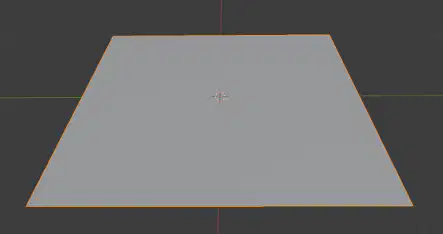
Plane
Plane
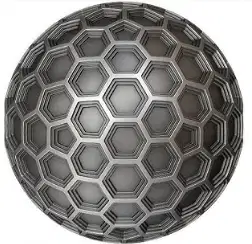
Sphere with patterns
Sphere with patterns

Rounded Cube
Rounded Cube

Torus Knot
Torus Knot
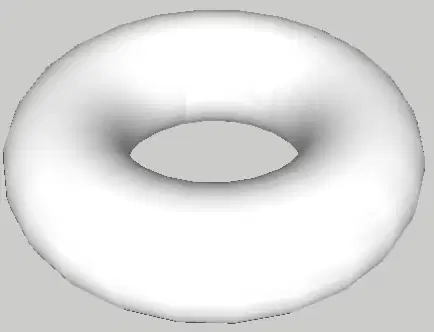
Torus
Torus
What are Common Shape Editing Techniques
in 3D Modeling?
Rendering
Vertex Editing
Edge Editing
Sculpting
Shape Editing Technique used for
adjusting single points for fine shaping.
(a)
Shape Editing Technique used for
organic shapes like faces, animals, clothes.
(a)
Shape Editing Technique used for
modifying edges, and controlling curves and angles.
(a)
Rendering is the process of:
Modifying vertices
Turning the 3D model into a final realistic/ stylized image
Cutting shapes with the knife tool
Making animation keyframes
Sculpting tools like Smooth, Grab, and Crease are mainly for:
Making mechanical parts
Organic shapes like characters and
animals
Adding blueprints
Creating cameras
Which of the following are Sculpting Tools?
Smooth
Inflate
Grab
Crease
Scale
3D Digital Tools
Easy 3D design for buildings and interiors

Blender
Blender

SolidWorks
SolidWorks

SketchUp
SketchUp

AutoCAD
AutoCAD
3D Digital Tools
Precise 3D design for engineering and architecture
Blender
Blender
SolidWorks
SolidWorks
SketchUp
SketchUp
AutoCAD
AutoCAD
3D Digital Tools
Free 3D tool for modeling and animation
Blender
Blender
SolidWorks
SolidWorks
SketchUp
SketchUp
AutoCAD
AutoCAD
3D Digital Tools
Accurate 3D modeling for machines and parts.
Blender
Blender
SolidWorks
SolidWorks
SketchUp
SketchUp
AutoCAD
AutoCAD
2D Digital Tools
Used to design, edit, and document mainly 2D drawings for construction,
manufacturing, and design projects with exact measurements and details.
AutoCAD 2D
AutoCAD 2D

LibreCAD
LibreCAD

DraftSight
DraftSight

TinkerCAD
TinkerCAD
2D Digital Tools
A free, open-source 2D computer-aided design (CAD) software
used for creating technical drawings such as floor plans,
diagrams, mechanical parts, maps, and architectural layouts.
AutoCAD 2D
AutoCAD 2D
LibreCAD
LibreCAD
DraftSight
DraftSight
TinkerCAD
TinkerCAD
The process of turning flat drawings (top, front, side views)
to a full three-dimensional model.
2D to 3D Conversion
3D Rendering
3D to 2D Conversion
2D Animation
Object assembly happens inside CAD or 3D modeling software.
Digital-world object assembly
Real-world object assembly
Parts must fit correctly, and errors can lead to wasted material or reworking.
Digital-world object assembly
Real-world object assembly
Involves physically connecting parts using tools, fasteners, machines, or manual labor.
Digital-world object assembly
Real-world object assembly
Parts are connected virtually using constraints, mates, and alignment tools.
Digital-world object assembly
Real-world object assembly
Handled by machinists, engineers, and assembly workers.
Digital-world object assembly
Real-world object assembly
Handled by designers and engineers.
Digital-world object assembly
Real-world object assembly
Digital-World Object Assembly
Game asset assembly
Manufacturing
Robot Simulations
Virtual appliance assembly
Real-World Object Assembly
Constructing buildings
Manufacturing
Robot Simulations
Building furniture
Which of the following is an advantage of using
digital world object assembly over real world?
It reduces errors and improves communication
It eliminates the need for measurements
It replaces engineers in design
It only works for paper printing
Why is the skill of understanding object assembly important for jobs?
Because it allows anyone to draw without training
Because it makes the parts lighter
Because it is required for modern manufacturing and CAD-related careers
Because it removes the need for inspections
Which are TRUE about Adding dimensions to a 3D model?
Ensures that jobs are open for 3D artists
It shows the exact size and shape of each part of an object.
It helps others understand the design clearly.
Ensures accuracy when creating or building the models.
Key techniques in adding dimension:
It measures straight-line distances such as length width or height.
(a)
Key techniques in adding dimension:
Measures the angle between two selected lines or faces.
(a)
Key techniques in adding dimension:
Used for circles and cylinders.
(a)
Key techniques in adding dimension:
Measures from the same starting point or reference line.
(a)
Key techniques in adding dimension:
Uses X and Y coordinates instead of separate dimension lines.
(a)
Which are TRUE about Digital Objects?
Objects that exist only within a computing environment, comprising information and data.
They are not physical, have no mass.
They can be interacted with, copied and be manipulated by the user.
They cannot be accessed through electronic devices.
Which are TRUE about Real Objects?
They are referred to as physical objects.
Tangible items that we can feel, touch and see around us.
They can be physically moved to the digital space by dragging and dropping.
They have weight and takes up space.
What is a real object in action?
The object’s properties, such as its position, color, or content that is being updated on the screen over time.
The object is stationary and its position doesn’t change.
It is any digital data that is stored and not actively being used.
Is any tangible object that is currently undergoing motion, meaning its position is changing over time.
What is a digital object at rest?
The object’s properties, such as its position, color, or content that is being updated on the screen over time.
The object is stationary and its position doesn’t change.
It is any digital data that is stored and not actively being used.
Is any tangible object that is currently undergoing motion, meaning its position is changing over time.
What is a real object at rest?
The object’s properties, such as its position, color, or content that is being updated on the screen over time.
The object is stationary and its position doesn’t change.
It is any digital data that is stored and not actively being used.
Is any tangible object that is currently undergoing motion, meaning its position is changing over time.
What is a digital object in action?
The object’s properties, such as its position, color, or content that is being updated on the screen over time.
The object is stationary and its position doesn’t change.
It is any digital data that is stored and not actively being used.
Is any tangible object that is currently undergoing motion, meaning its position is changing over time.
Which of the following are true about hinges and pivots?
Hinges and pivots are essential mechanical components
that enable relative rotational movement between two
parts.
Creating hinges and pivots is the same in the real-world and in the digital world.
Creating hinges and pivots in the real world involves either using pre-made hardware or fabricating custom
ones.
Understanding how to model hinges and pivots is a key skill for
both digital design and real-world fabrication
Key Techniques & Tools in Creating Hinges and Pivots in CAD:
Done using the 'Coordinates' panel in your software.
Also called UCS Manipulation.
(a)
Key Techniques & Tools in Creating Hinges and Pivots in CAD:
Done using Control key modifier to get exact distances between points.
(a)
Key Techniques & Tools in Creating Hinges and Pivots in CAD:
Can be done using Digital Sculpting, Boolean Operations, and Topology.
(a)
Methods in 3D Model Assembly
Designing each component of the assembly individually
then the parts are connected to form larger components.
(a)
Which of the following are TRUE for Top-Down Assembly?
This is is the simplest, the most immediate and intuitive technique in Model Assembly.
This approach starts with a master plan, like
a "skeleton" model.
Individual components are
designed within the context of the overall assembly.
Components are linked together through
dimensional relationships and external constraints.
Which of the following is TRUE for Bottom-Up Assembly?
This is is the simplest, the most immediate and intuitive technique in Model Assembly.
This approach starts with a master plan, like
a "skeleton" model.
Individual components are
designed within the context of the overall assembly.
Components are linked together through
dimensional relationships and external constraints.
METHODS OF 3D ASSEMBLY
Rigid Assembly (Grouping)
Hierarchical Assembly
(Parenting)
Positional Assembly
(Alignment & Snapping)
Constructive Assembly
(Boolean Operations)
Forced Assembly (Extruding)
METHODS OF 3D ASSEMBLY
Used when parts don't need independent movement.
Example: Table top and four legs are combined as one.
Rigid Assembly (Grouping)
Hierarchical Assembly
(Parenting)
Positional Assembly
(Alignment & Snapping)
Constructive Assembly
(Boolean Operations)
METHODS OF 3D ASSEMBLY
Useful for connected moving parts.
Example: A robot arm
Rigid Assembly (Grouping)
Hierarchical Assembly
(Parenting)
Positional Assembly
(Alignment & Snapping)
Constructive Assembly
(Boolean Operations)
METHODS OF 3D ASSEMBLY
Useful for holes, cutouts and detailed features.
Example: Creating a window from the wall
Rigid Assembly (Grouping)
Hierarchical Assembly
(Parenting)
Positional Assembly
(Alignment & Snapping)
Constructive Assembly
(Boolean Operations)
METHODS OF 3D ASSEMBLY
Ensures proper fitting.
Example: Adding a door that fits an entryway exactly
Rigid Assembly (Grouping)
Hierarchical Assembly
(Parenting)
Positional Assembly
(Alignment & Snapping)
Constructive Assembly
(Boolean Operations)
METHODS OF 3D ASSEMBLY
Also called Alignment & Snapping
Rigid Assembly
Hierarchical Assembly
Positional Assembly
Constructive Assembly
METHODS OF 3D ASSEMBLY
Also called Parenting
Rigid Assembly
Hierarchical Assembly
Positional Assembly
Constructive Assembly
METHODS OF 3D ASSEMBLY
Also called Boolean Operations
Rigid Assembly
Hierarchical Assembly
Positional Assembly
Constructive Assembly
METHODS OF 3D ASSEMBLY
Also called Grouping
Rigid Assembly
Hierarchical Assembly
Positional Assembly
Constructive Assembly
A method 3D Assembly that
combines multiple objects so they move, rotate, and scale as one unit.
(a)
A method 3D Assembly that
creates a parent–child relationship where child objects follow the parent’s movement.
(a)
A method 3D Assembly that
positions objects accurately by snapping them to points, edges, or surfaces.
(a)
A method 3D Assembly that
combines or modifies objects by adding, subtracting, or intersecting shapes.
(a)
Types of Digital Objects
Digital Objects that contains text or written information.
Examples: E-books, Word documents, Notes and Chat messages
Textual Digital Objects
Visual Digital Objects
Audio Digital Objects
Video Digital Objects
Types of Digital Objects
Digital Objects that shows motion or animation.
Textual Digital Objects
Visual Digital Objects
Audio Digital Objects
Video Digital Objects
Types of Digital Objects
Digital Objects that store or produce sound.
Examples: Music files, Podcasts, Voice recordings and Sound effects
Textual Digital Objects
Visual Digital Objects
Audio Digital Objects
Video Digital Objects
Types of Digital Objects
Digital Objects that can be seen as images or graphics.
Examples: Photos, Icons, Stickers and Infographics
Textual Digital Objects
Visual Digital Objects
Audio Digital Objects
Video Digital Objects
Types of Digital Objects
Digital Objects that users can manipulate or control.
Examples: Game characters, Buttons, Filters and 3D models
Interactive Digital Objects
Data Digital Objects
Audio Digital Objects
Video Digital Objects
Types of Digital Objects
Digital Objects that store information in organized form.
Examples: Databases, Spreadsheets, QR codes and Sensor data
Interactive Digital Objects
Data Digital Objects
Audio Digital Objects
Video Digital Objects
Types of Real-World Simulations
Simulations that replicate biological processes or medical procedures.
Examples: Virtual surgeries, Anatomy Models, and Virus spread simulations
Physical Simulations
Mechanical Simulations
Environmental Simulations
Medical Simulations
Types of Real-World Simulations
Simulations that real-world physical behaviors like motion, force, or gravity.
Examples: Gravity experiments, Collisions, Simulations, and Motion of objects
Physical Simulations
Mechanical Simulations
Environmental Simulations
Medical Simulations
Types of Real-World Simulations
Simulations that show how machines and mechanical parts work together.
Examples: Gear systems, Engine operation, and Robotic joint movement.
Physical Simulations
Mechanical Simulations
Environmental Simulations
Medical Simulations
Types of Real-World Simulations
Simulations that model natural environments or conditions.
Examples: Weather forecasts, Climate models, and Earthquake simulations
Physical Simulations
Mechanical Simulations
Environmental Simulations
Medical Simulations
Types of Real-World Simulations
Simulations that replicate human tasks or activities for training or practice.
Examples: Driving simulators, Flight simulators, and sports simulations
Educational Simulations
Human Activity Simulations
Environmental Simulations
Medical Simulations
Types of Real-World Simulations
Simulations used in classrooms or learning environments to teach concepts interactively
Educational Simulations
Human Activity Simulations
Environmental Simulations
Medical Simulations
Types of Real-World Simulations
Simulations used in classrooms or learning environments to teach concepts interactively
Educational Simulations
Human Activity Simulations
Environmental Simulations
Medical Simulations
Refers to research and engineering practices
focused on producing accurate representations of real-world objects and
using them in simulated or controlled environments
to study behavior, performance, usability, or physical properties.
ACRONYM: ROMS
(a)
Objects that can be physical/tangible or digital
that can react when something happens.
The reaction can be a movement, bending, changing shape or position.
(a)
Running controlled simulations (virtual or physical)
that use recreated objects to evaluate behavior, interaction, or processes.
(a)
Which of the following are TRUE about ROMS?
Reacting Objects in ROMS are objects that do not change when forces or actions are applied to them
A mock-up simulation uses real and full-sized objects only to test designs.
ROMS helps students and designers test ideas in a safe and controlled environment.
Mock-up simulations are used to find and fix problems before making the final product.
2D to 3D Conversion Tools
Connects two or more shapes and creates a smooth transition between them.

Extrude
Extrude
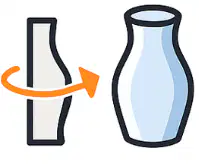
Lathe
Lathe
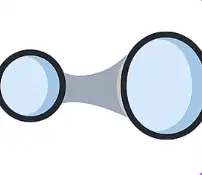
Loft
Loft

Booleans
Booleans
2D to 3D Conversion Tools
Turns a flat 2D shape into a solid 3D form by pulling it upward.
Extrude
Extrude
Lathe
Lathe
Loft
Loft
Booleans
Booleans
2D to 3D Conversion Tools
Rotates a 2D outline around a center axis to form round objects.
Extrude
Extrude
Lathe
Lathe
Loft
Loft
Booleans
Booleans
2D to 3D Conversion Tools
Combine or cut shapes using:
• Add
• Subtract
• Intersect
Extrude
Extrude
Lathe
Lathe
Loft
Loft
Booleans
Booleans
2D to 3D Conversion Tools
Use curved lines to create smooth outlines and shapes.
Extrude
Extrude
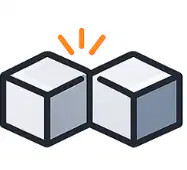
Welds
Welds
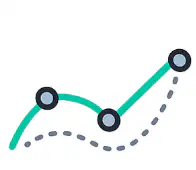
Spline Contours
Spline Contours
Booleans
Booleans
2D to 3D Conversion Tools
Merge two or more objects into a single solid model.
Extrude
Extrude
Welds
Welds
Spline Contours
Spline Contours
Booleans
Booleans
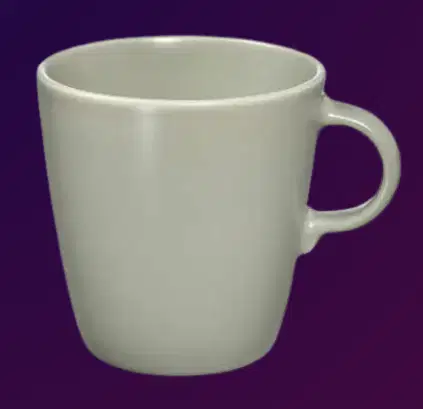
What tool is used to attach the handle of the mug?
extrude
lathe
welds
spline contours
What tool is used on the body of the mug?
extrude
lathe
welds
spline contours
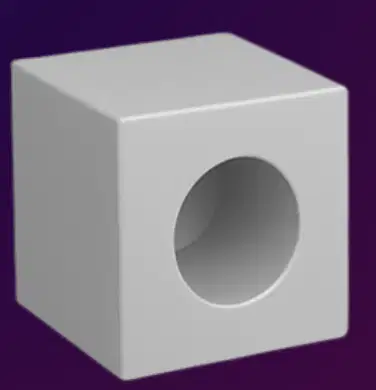
What tool is used to make a box?
extrude
lathe
welds
spline contours
What tool is used to make a hole on the box?
extrude
boolean
welds
spline contours
Refers to the use of polygons to build objects or the thing you’re trying to make.
Polygonal Modeling
Nurbs Modeling
Sculpting
Procedural
COMPLEX type of modelling, since it uses rules and math create an object instead of manually doing it.
It is used in making large and detailed environments such as a city.
Polygonal Modeling
Nurbs Modeling
Sculpting
Procedural
It works by using brushes to shape, smoothen, and add details to the model.
Polygonal Modeling
Nurbs Modeling
Sculpting
Procedural
Also called CURVE Modeling.
Perfect for highly smooth and accurate surfaces.
Polygonal Modeling
Nurbs Modeling
Sculpting
Procedural
What does the acronym NURBS stand for
in 3D Modeling?
(a)
Universal Language for 3D Objects.
ACRONYM: STL
(a)
Which step comes first in preparing a 3D object for simulations?
Import into CAD Software
Convert to STL
Run simulations
Validate dimensions

