
 Worksheets
Computer Hardware and Software Basics 2026
Total questions: 82
Worksheet time: 41mins
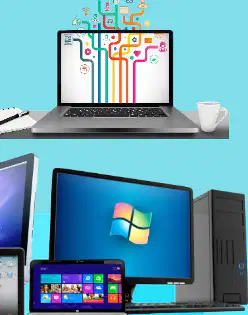
What are the two main elements discussed in the image related to computers?
Hardware and Software
Input and Output
Memory and Storage
Internet and Network
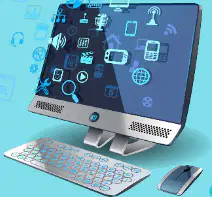
Which of the following is an example of computer hardware as shown in the image?
Monitor
Word Processor
Spreadsheet
Email Application

Which of the following is an example of computer software as depicted in the image?
Microsoft Word
Keyboard
Mouse
Monitor
Which of the following is an objective related to understanding computer systems?
Explain the parts of a computer system
Memorize the history of computers
Learn about ancient mathematics
Study the solar system
What should you be able to do regarding hardware after studying this material?
Describe the different hardware available and their functions
Draw pictures of hardware
Invent new hardware devices
Ignore hardware completely
Which of the following is NOT listed as an objective in the material?
Define software and list various types of software
Describe different types of translator: assembler, compiler, and interpreters
Learn how to build a computer from scratch
Explain the parts of a computer system
Which types of translators are mentioned in the objectives?
Assembler, compiler, and interpreters
Printer, scanner, and monitor
Router, switch, and hub
Keyboard, mouse, and speaker
What is one of the objectives related to software?
Define software and list various types of software
Write a novel about software
Ignore software in computer systems
Only use hardware for all tasks
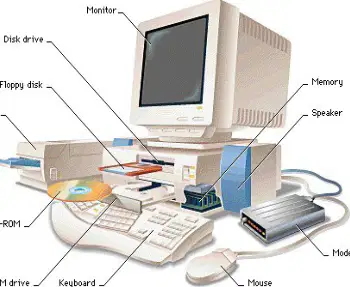
What are the four major units of a computer system?
Input Unit, Processing Unit, Output Unit, Storage Unit
Input Unit, Output Unit, Display Unit, Storage Unit
Processing Unit, Output Unit, Display Unit, Storage Unit
Input Unit, Processing Unit, Display Unit, Storage Unit
Why are the different units of a computer system connected with each other?
For smooth operation of the computer
To increase the size of the computer
To reduce the speed of the computer
To make the computer heavier
How are the units of a computer system connected with each other?
Via cables or other medium
By wireless signals only
By using batteries
By using magnets
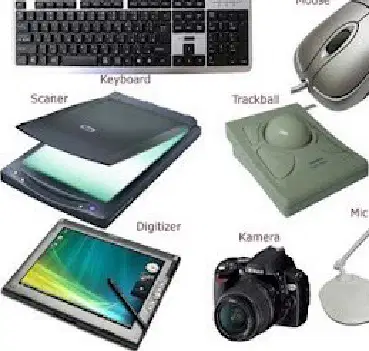
What is the main task of the Input Unit in a computer?
To process data in the computer
To input data into the computer
To store data in the computer
To display data from the computer
Which of the following is NOT an example of an input device?
Keyboard
Mouse
Monitor
Microphone
What is the process called when the input unit converts user data into a suitable form for the computer?
Decoding
Encrypting
Encoding
Compressing
Which device is used to scan images into a computer?
Printer
Scanner
Monitor
Speaker
What type of data can input units accept?
Only text
Only images
User data in various forms
Only numbers
What is the main task of the processing unit in a computer?
To store data permanently
To process data by performing calculations and comparisons
To display results on the monitor
To connect to the internet
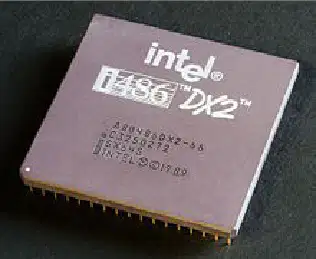
What is the processing unit often called?
Random Access Memory (RAM)
Central Processing Unit (CPU)
Hard Disk Drive (HDD)
Graphics Processing Unit (GPU)
Which of the following is NOT a sub-unit of the processing unit?
ALU
CU
MU
HDD
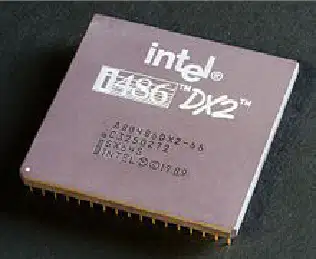
Which components constitute the processing unit?
Processors, co-processors, memory cards
Monitors, keyboards, mice
Printers, scanners, speakers
USB drives, CDs, DVDs
What does ALU stand for in a computer system?
Arithmetic and Logical Unit
Advanced Logic Unit
Automated Learning Unit
Arithmetic Learning Utility
What is the main function of the ALU in a computer system?
Storing data
Calculating and performing logical operations
Displaying information
Managing files
What does CU stand for in a computer system?
Central Unit
Control Unit
Computer Utility
Command Unit
Which unit is known as the nerve center of a computer system?
ALU
CU
RAM
ROM
What is the job of the Control Unit (CU) in a computer system?
To store data
To fetch instructions, decode them, and execute
To perform mathematical calculations
To display output
What is the Primary Memory Unit (MU) responsible for in a CPU?
Handling the storage facilities of data
Performing arithmetic operations
Displaying output on the monitor
Connecting to the internet
Which of the following is also known as internal memory?
Primary memory
Secondary memory
Cache memory
External hard drive
Why is primary memory called "primary"?
Because it is the only unit through which CPU accesses data directly
Because it is the largest memory in the computer
Because it stores data permanently
Because it is located outside the CPU
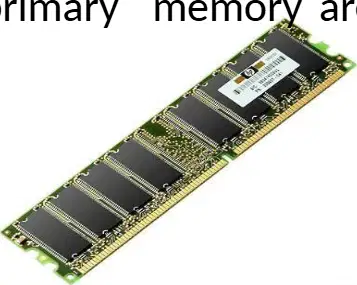
Which of the following are examples of primary memory?
RAM and ROM
Hard disk and SSD
CD and DVD
Flash drive and Blu-ray
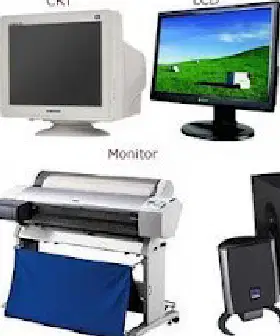
What is the main function of the output unit in a computer?
To process data
To store data
To provide results to the user in a suitable form
To input data into the computer
Which of the following is NOT an example of an output device?
Monitor
Printer
Keyboard
Speaker
What does the output unit do with the data received from the processing unit?
Stores it for future use
Converts it into a suitable form for the user
Deletes it
Encrypts it for security
Why is decoding important in the output unit?
It helps to encode the data for security
It converts the data into human readable form
It stores the data in memory
It sends the data to the input unit
What is the main purpose of a storage unit in a computer?
To process data
To display information
To store data safely for future use
To connect to the internet
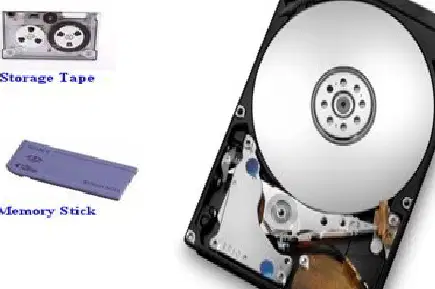
Which of the following is NOT a type of storage device shown in the image?
Flash
Floppy Disk
Printer
Memory Stick
Which storage device is used to store data on a small, portable card that can be inserted into computers or cameras?
Smart Cards
Storage Tape
DVD + RW
Zip Disk
Which of the following is an example of an optical storage device?
CD + RW
Floppy Disk
Micro Drive
Memory Stick
What type of storage device is used for online data storage?
Online Storage Site
Floppy Disk
Storage Tape
Removable Hard Drive
How many types of storage are mentioned in the material?
One
Two
Three
Four
Which of the following is NOT an example of secondary storage device?
Hard disk
Magnetic tape
RAM
Blu-ray disk
What is another name for secondary storage?
Main storage
Internal storage
Auxiliary storage
Primary storage
Which of the following is an example of a secondary storage device?
CPU
Paper tape
Monitor
Keyboard

What is the main function of primary storage in a computer?
To store memory for short periods while the computer is on
To permanently store all files and programs
To connect the computer to the internet
To display images on the monitor
Which of the following are examples of primary storage devices?
RAM and cache
Hard disk and SSD
CD and DVD
Printer and scanner
Why is primary storage considered the fastest type of memory in a computer?
Because it stores data while it's being used
Because it is cheaper than other types of memory
Because it can store data permanently
Because it is located outside the computer
What happens to data when you open a program on your computer?
Data is moved from secondary storage into primary storage
Data is deleted from the computer
Data is sent to the printer
Data is stored on the internet
What is secondary storage?
A storage medium that holds information only when the computer is powered on.
A storage medium that holds information until it is deleted or overwritten, regardless of computer power.
A storage medium that only stores temporary files.
A storage medium that cannot be overwritten.
Which of the following is an example of secondary storage?
RAM
Cache
Hard drive
CPU
Which of the following is NOT considered off-line storage?
CD-RW
USB thumb drive
Tape drive
RAM
What type of storage is RAM classified as?
Secondary storage
Off-line storage
Primary storage
External storage
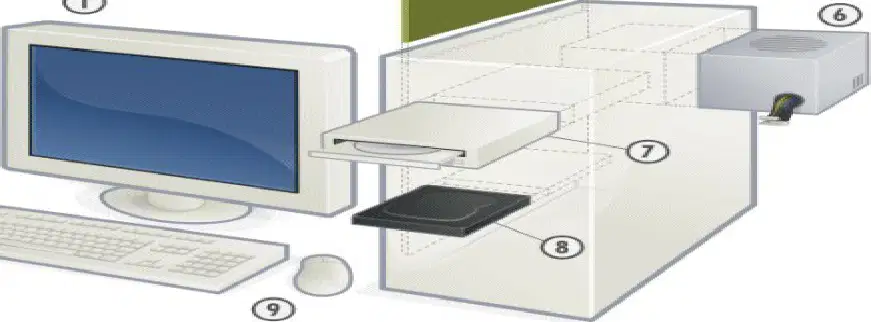
Which component of a personal computer system is responsible for displaying visual output?
Mainboard
Display unit
Power Supply Unit
Hard Disk Drive
What is the function of the Central Processing Unit (CPU) in a personal computer system?
Stores data permanently
Processes instructions and manages tasks
Provides power to the system
Displays images on the screen
Which component is used to store data permanently in a personal computer system?
Plug-in memory module
Hard Disk Drive
Mouse
Mainboard
Which of the following is NOT an input device in a personal computer system?
Keyboard
Mouse
Display unit
Plug-in memory module
What is the purpose of the Power Supply Unit in a personal computer system?
To process data
To store information
To provide electrical power to the system
To display images
What does the term 'bit' stand for in computing?
Binary Digit
Basic Information Token
Byte Information Type
Binary Integer Term
What is the smallest unit of data that can be stored by a computer?
Bit
Byte
Word
Nibble
How is each 'bit' represented in a computer?
As a binary number, either 1 (true) or 0 (false)
As a decimal number, either 1 or 0
As a letter, either A or B
As a color, either black or white
How many bits are there in a byte?
8
16
2
4
How many bits are there in a word, according to the diagram?
16
8
4
32
How many bits are there in a byte?
4
8
16
2

What is an example of how a byte could be stored?
101
11101001
110
1001
How much storage does a single keyboard character, such as the letter A or T, typically take up?
One bit
Two bytes
One byte
Four bits
What is software also known as?
Hardware or Device
Program or Code
Application or System
Machine or Tool
What does software consist of?
Physical devices
A set of instructions that tells the computer what to do
Only games
Only operating systems
Which of the following is NOT a main type of software?
System software
Application software
Hardware software
Both A and B
How is software different from hardware?
Software is a physical device
Software is executed by a computer, hardware is the physical device
Hardware is a set of instructions
Software cannot be changed

Which of the following is NOT a type of System Management Program?
Operating Systems
Database Management Systems
Word Processing
Telecommunications Monitors

Which category of software includes Word Processing and Electronic Spreadsheets?
System Management Programs
General-Purpose Application Programs
System Support Programs
Application-Specific Programs

What is an example of an Application-Specific Program?
Security Monitors
Accounting-General Ledger
Programming Language Translators
Operating Systems

Which of the following is a function of System Support Programs?
Performance Monitors
Word Processing
Accounting-General Ledger
Database Managers

Which type of software includes Programming Language Translators and CASE Packages?
System Management Programs
System Development Programs
Application-Specific Programs
General-Purpose Application Programs
What is the main function of system software in a computer system?
To manage and support computer resources and operations
To create graphic designs
To play music and videos
To write documents
Which of the following tasks is performed by system software?
Processing data and information
Drawing pictures
Sending emails
Browsing social media

System software helps in controlling which of the following?
Hardware components
Weather
Sports events
Cooking recipes

What does system software allow users to do?
Use application software
Watch television
Drive a car
Plant trees
What are system management programs responsible for managing?
Application software, computer hardware, and data resources
Only application software
Only computer hardware
Only data resources

Which of the following is considered the most important system management program?
Database management programs
Operating systems
Telecommunications monitor programs
Operating environment programs
Which of the following is NOT typically included as a system management program?
Operating systems
Database management programs
Word processing software
Telecommunications monitor programs

What are system support programs?
Programs that help the operations and management of a computer system.
Programs that create computer games.
Programs that design websites.
Programs that teach programming languages.

Which of the following is NOT a major system support program?
System utility programs
System performance monitor programs
System security monitor programs
Word processing programs

What is the main purpose of system security monitor programs?
To check for viruses
To play music
To edit videos
To create presentations

