
 Worksheets
Google Docs Basics
Total questions: 40
Worksheet time: 20mins

What does this button do?
Print the document
Save the document
Share the document
Open a new tab
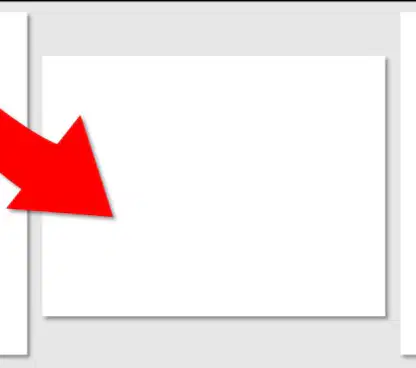
This paper is oriented in what way?
Landscape
Square
Diagonal
Reverse

This paper is oriented in what way?
Portrait
Landscape
Upside down
Folded

This is a logo of Google Docs.
True
False

What does this button do?
Change font size
Change page zoom
Change page size
Change line spacing
What shortcut allows you to SELECT ALL?
Ctrl A
Ctrl S
Ctrl P
Ctrl Z

What does this button do?
Create a numbered list
Create a bulleted list
Insert a table
Insert a link

What does this button do?
Change font color
Highlight text
Underline text
Bold text
What shortcut allows you to PASTE?
Ctrl V
Ctrl C
Ctrl X
Ctrl Z

What does this button do?
Run spell check
Print the page
Insert an image
Share the document

What does this tool do?
Add a textbox
Add a chart
Track changes
Translate text

What does this tool do?
Undo the last action
Redo the last action
Save the document
Open help

What does this icon do?
Highlight text
Underline text
Strike through text
Change font color

What does this icon do?
Cut
Copy
Paste
Undo

What does this icon create?
Bulleted list
Numbered list
Checklist
Table

What does this icon do?
Insert link
Delete image
Insert table
Insert page number

What does this icon create?
Numbered list
Bulleted list
Checklist
Outline
Can you insert a picture into a Google Doc?
Yes
No

What does this tool do?
Run spell check
Print the page
Insert image
Open settings

What does this tool do?
Undo the last action
Redo the last action
Save the document
Open help

What does this button do?
Insert image
Insert link
Insert table
Insert equation

Who teaches this class?
Mr. Brian
Ms. Taylor
Mrs. Lee
Mr. Patel

This icon does what?
Underline
Bold
Italic
Strike through

This icon does what?
Line Spacing
Page Margins
Zoom
Indent

Arial is Mr. Brian's favorite font.
True
False

_______ can be included in a Google Doc to keep track of what page you are on.
Page numbers
Headers
Footers
Margins
Information on the bottom of every page is called a _______________.
Footer
Header
Caption
Title
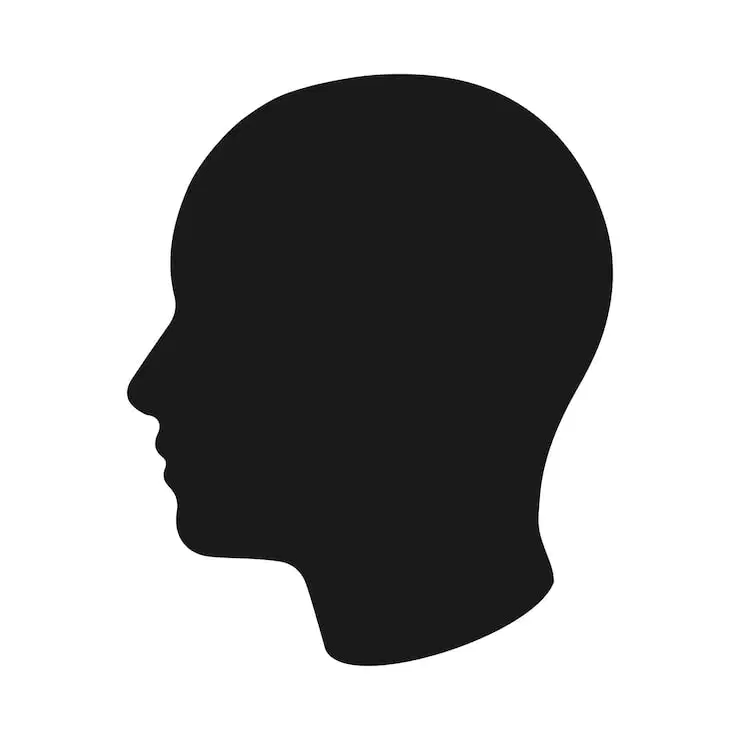
Information on the top of every page is called a ______________.
Header
Footer
Index
Title
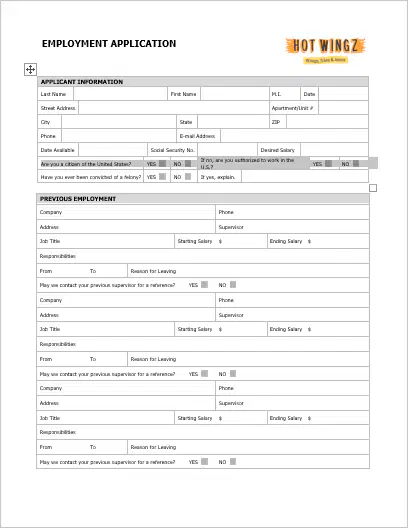
When your Google Doc is taller than it is wide it is said to be _________ orientation.
Portrait
Landscape
Diagonal
Square

When your Google Doc is wider than it is tall it is said to be ________ orientation.
Landscape
Portrait
Diagonal
Square

What does this button do?
Insert image
Insert link
Insert table
Insert comment
In a Google Doc, a word underlined in red indicates the word is spelled incorrectly.
True
False

What do we call an ordered list with numbers?
Numbered list
Bulleted list
Checklist
Outline
Which shortcut is used to COPY selected text in Google Docs?
Ctrl V
Ctrl X
Ctrl Z
Ctrl C
Which tool would you use to check for grammar mistakes in your document?
Spell check
Insert image
Page setup
Zoom
What does the 'Insert Table' option do in Google Docs?
Adds a table to your document
Changes the font style
Deletes a page
Checks spelling
Which button would you use to make text italic?
Highlight text
Underline text
Italicize text
Bold text
What does the 'Insert Table' tool allow you to do in a document?
Print the document
Change font color
Insert an image
Add a table with rows and columns
Which shortcut is used to CUT selected text in Google Docs?
Ctrl X
Ctrl V
Ctrl C
Ctrl Z
An example of a font type is...
Times New Roman
File - Page Setup
12
Double Spacing

