
Wayground
Binary Code Vocabulary - Printable Computers Worksheets - Wayground

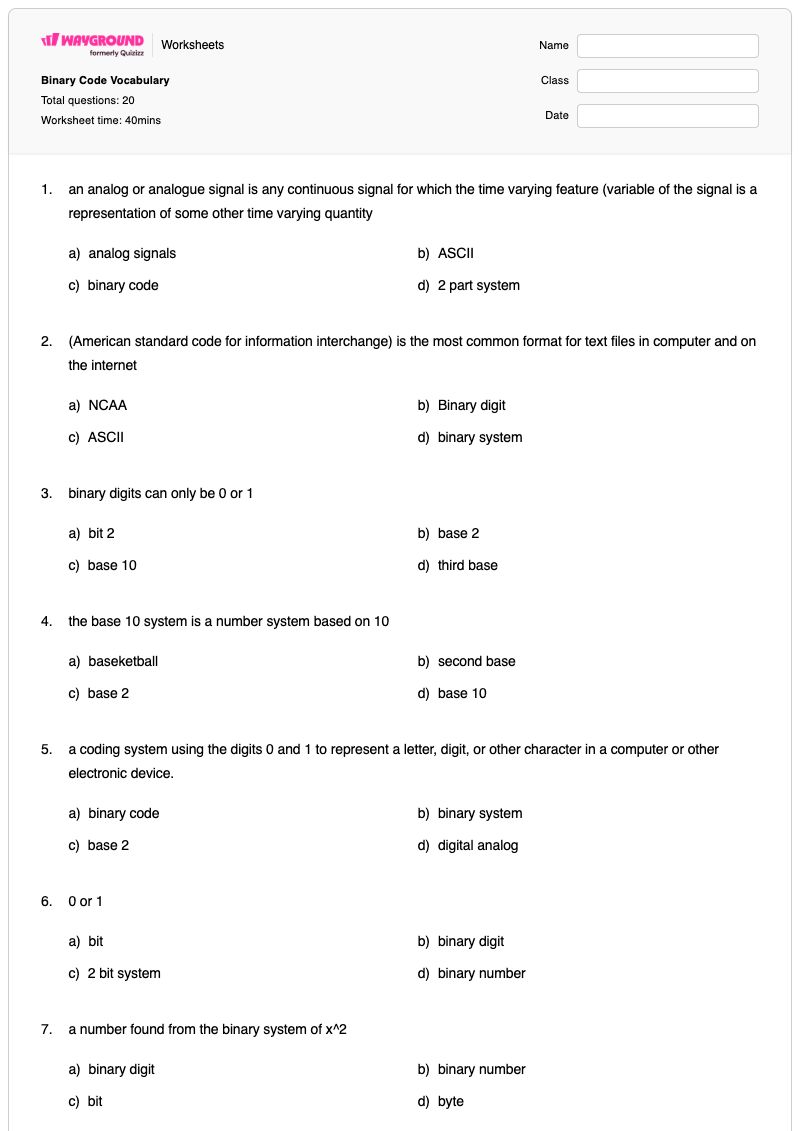
Binary Code Vocabulary

20 คำถาม

6th - 7th ระดับชั้น

Computers

แบบฝึกหัดคำศัพท์รหัสไบนารี เป็นแบบฝึกหัดวิชาวิทยาศาสตร์คอมพิวเตอร์สำหรับนักเรียนชั้นประถมศึกษาปีที่ 6-7 ที่ช่วยเสริมสร้างความเข้าใจของนักเรียนเกี่ยวกับคำศัพท์พื้นฐานที่ใช้ในการอธิบายวิธีการที่คอมพิวเตอร์แสดง จัดเก็บ และประมวลผลข้อมูล แบบฝึกหัดนี้ประกอบด้วยคำถามแบบเลือกตอบ 20 ข้อ นักเรียนจะต้องจับคู่คำจำกัดความและคำอธิบายของคำศัพท์ต่างๆ เช่น รหัสไบนารี ตัวเลขไบนารี บิต ไบต์ ฐาน 2 ฐาน 10 ASCII ยูนิโค้ด สัญญาณอนาล็อก สัญญาณดิจิทัล กิโลไบต์ ภาษาเครื่อง และระบบปฏิบัติการ แบบฝึกหัดนี้ช่วยให้นักเรียนแยกแยะคำศัพท์ที่เกี่ยวข้องกันอย่างใกล้ชิด เช่น บิตกับไบต์ ตัวเลขไบนารีกับรหัสไบนารี และสัญญาณอนาล็อกกับสัญญาณดิจิทัล นอกจากนี้ยังเชื่อมโยงระบบตัวเลขและการแสดงข้อมูลเข้ากับแนวคิดคอมพิวเตอร์ที่คุ้นเคย เช่น การเข้ารหัสข้อความ หน่วยความจำ คำสั่งการเขียนโปรแกรม และซอฟต์แวร์ระบบ แบบฝึกหัดที่พิมพ์ได้ฟรีนี้มีเฉลยคำตอบครบถ้วน ทำให้มีประโยชน์สำหรับการแนะนำคำศัพท์ การฝึกฝนด้วยตนเอง การทบทวน หรือการประเมินผลอย่างรวดเร็วในวิชาวิทยาศาสตร์คอมพิวเตอร์ระดับมัธยมต้น

การตั้งค่าแผ่นงาน

ขนาดตัวอักษร

S
M
L
XL
แผ่นงาน

Binary Code Vocabulary

คำถามทั้งหมด: 20

ชื่อ
ระดับ
วันที่
1.

an analog or analogue signal is any continuous signal for which the time varying feature (variable of the signal is a representation of some other time varying quantity

a)

analog signals

b)

ASCII

c)

binary code

d)

2 part system

2.

(American standard code for information interchange) is the most common format for text files in computer and on the internet

a)

NCAA

b)

Binary digit

c)

ASCII

d)

binary system

3.

binary digits can only be 0 or 1

a)

bit 2

b)

base 2

c)

base 10

d)

third base

4.

the base 10 system is a number system based on 10

a)

baseketball

b)

second base

c)

base 2

d)

base 10

5.

a coding system using the digits 0 and 1 to represent a letter, digit, or other character in a computer or other electronic device.

a)

binary code

b)

binary system

c)

base 2

d)

digital analog

6.

0 or 1

a)

bit

b)

binary digit

c)

2 bit system

d)

binary number

7.

a number found from the binary system of x^2

a)

binary digit

b)

binary number

c)

bit

d)

byte

8.

binary digit is the smallest unit of data in a computer

a)

bit

b)

bute

c)

byte

d)

megabyte

9.

a group of binary digits or bits (usually eight) operated on as a unit

a)

megabyte

b)

bit

c)

megabit

d)

byte

10.

A number that uses a notation in which each number is expressed in base 10 by using one of the first nine integers or 0 in each place and letting each place value be a power of 10.

a)

digital signal

b)

decimal system

c)

binary number

d)

binary digit

11.

an electrical signal that is converted into a pattern of bits. Unlike an analog signal has a discrete value at each sampling point.

a)

digital signal

b)

digital bit

c)

binary number

d)

binary digit

12.

a unit of memory or data equal to 1024 (210) bytes

a)

megabyte

b)

kilobyte

c)

terrabyte

d)

microbyte

13.

A computer programming language consisting of binary or hexadecimal instructions that a computer can respond to directly

a)

unicode

b)

operating system

c)

skynet

d)

machine language

14.

the software that supports a computer's basic functions, such as scheduling tasks, executing applications, and controlling peripherals.

a)

operating system

b)

two bit system

c)

binary system

d)

control system

15.

an international encoding standard for use with different languages and scripts, by which each letter, digit, or symbol is assigned a unique numeric value that applies across different platforms and programs.

a)

codebreakers

b)

unicode

c)

unicorn

d)

bitcode

16.

Who is this?

a)

Mr. Krabs

b)

Ms.Puff

c)

Spongebob

d)

Patrick

17.

what movie is this

a)

goosebumps

b)

barney

c)

monsters inc

d)

monsters uniersity

18.

who am i

a)

minnie

b)

mickey mouse

c)

jerry

d)

tom

19.
What is the name of the Reggae singing Caribbean crab in the Little Mermaid?
a)
Sonny
b)
Sebastian
c)
Scotty P
d)
Scooby
20.

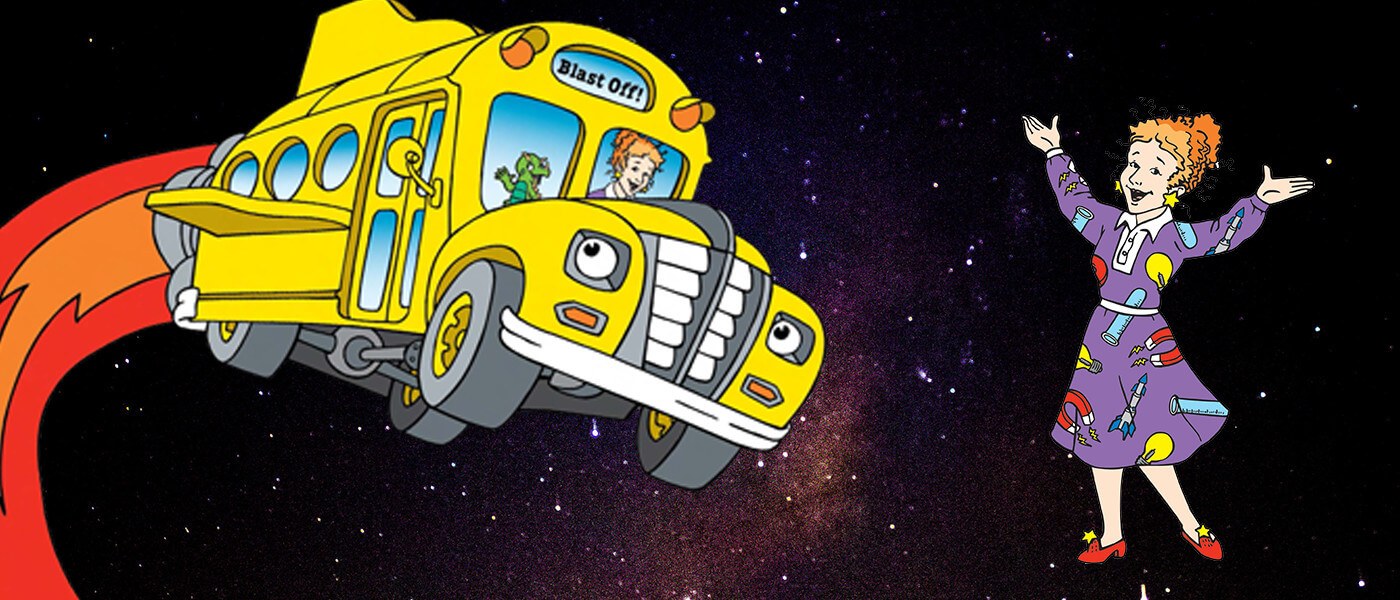
Name this show

a)

The Magic School Bus

b)

Ms. Frizzle and the 5th Graders

c)

Recess

d)

Animaniacs

แป้นคำตอบ

Binary Code Vocabulary

คำถามทั้งหมด: 20

1.
a)

analog signals

2.
c)

ASCII

3.
b)

base 2

4.
d)

base 10

5.
a)

binary code

6.
b)

binary digit

7.
b)

binary number

8.
a)

bit

9.
d)

byte

10.
b)

decimal system

11.
a)

digital signal

12.
b)

kilobyte

13.
d)

machine language

14.
a)

operating system

15.
b)

unicode

16.
c)

Spongebob

17.
c)

monsters inc

18.
b)

mickey mouse

19.
b) Sebastian
20.
a)

The Magic School Bus

คำถามที่พบบ่อย

แบบฝึกหัดคำศัพท์เกี่ยวกับรหัสไบนารีนี้ครอบคลุมเรื่องอะไรบ้าง?

แบบฝึกหัดคอมพิวเตอร์สำหรับนักเรียนชั้น ป.6-7 นี้ ประกอบด้วยคำถามแบบเลือกตอบ 20 ข้อ เพื่อประเมินคำศัพท์พื้นฐานเกี่ยวกับเลขฐานสองและการแสดงข้อมูลด้วยคอมพิวเตอร์ นักเรียนจะได้ระบุคำศัพท์ต่างๆ เช่น ฐาน 2, รหัสไบนารี, เลขฐานสอง, บิต, ไบต์, ASCII, ยูนิโค้ด, สัญญาณดิจิทัล, กิโลไบต์, ภาษาเครื่อง และระบบปฏิบัติการ จากคำอธิบาย ซึ่งจะช่วยเสริมสร้างความสามารถในการแยกแยะแนวคิดทางคอมพิวเตอร์ที่เกี่ยวข้อง

ฉันจะใช้แบบฝึกหัดนี้สอนคำศัพท์เกี่ยวกับรหัสไบนารีได้อย่างไร?

เริ่มแนะนำแบบฝึกหัดโดยจัดกลุ่มคำศัพท์ต่างๆ เป็นหมวดหมู่ ได้แก่ ระบบตัวเลข หน่วยข้อมูล มาตรฐานการเข้ารหัส สัญญาณ และซอฟต์แวร์คอมพิวเตอร์ ก่อนที่นักเรียนจะตอบคำถามแบบเลือกตอบ ให้พวกเขาอธิบายคู่คำที่มักทำให้สับสน เช่น บิตและไบต์ หรือเลขฐานสองและรหัสฐานสอง ใช้คำตอบที่เลือกเป็นจุดเริ่มต้นสำหรับการอภิปรายในชั้นเรียนสั้นๆ เกี่ยวกับวิธีที่ 0 และ 1 แทนอักขระ ตัวเลข และคำสั่งในระบบดิจิทัล

ฉันควรระวังข้อผิดพลาดอะไรบ้างเมื่อนักเรียนทำแบบฝึกหัดคำศัพท์เลขฐานสองนี้?

นักเรียนอาจสับสนระหว่างเลขฐานสองหรือบิต ซึ่งแทนค่า 0 หรือ 1 และเป็นหน่วยข้อมูลที่เล็กที่สุด กับไบต์ ซึ่งโดยปกติจะเป็นกลุ่มของแปดบิต นอกจากนี้ พวกเขาอาจเลือกใช้รหัสไบนารีเมื่อคำจำกัดความอธิบายถึงฐาน 2 หรืออาจสับสนระหว่าง ASCII และ Unicode ในฐานะมาตรฐานการเข้ารหัส สำหรับคำถามเกี่ยวกับสัญญาณ ให้ตรวจสอบว่านักเรียนสามารถแยกแยะสัญญาณอนาล็อกแบบต่อเนื่องออกจากสัญญาณดิจิทัลที่แสดงด้วยรูปแบบบิตแบบไม่ต่อเนื่องได้หรือไม่

ฉันจะมอบหมายและตรวจงานแบบฝึกหัดคำศัพท์รหัสไบนารีอย่างไร?

คุณสามารถมอบหมายแบบฝึกหัดนี้เป็นไฟล์ PDF ที่พิมพ์ได้ หรือเป็นแบบทดสอบดิจิทัลบน Wayground แบบฝึกหัดนี้มีเฉลยคำตอบครบถ้วนสำหรับตรวจสอบคำตอบแบบเลือกตอบ 20 ข้อ และสามารถตรวจงานของนักเรียนที่พิมพ์ออกมาได้โดยการสแกนด้วยแอป Wayground for Teachers รูปแบบที่พิมพ์ได้ยังช่วยให้โรงเรียนมีตัวเลือกในการลดเวลาการใช้หน้าจอระหว่างการฝึกฝนคำศัพท์อีกด้วย

ฉันจะปรับแบบฝึกหัดคำศัพท์รหัสไบนารีนี้ให้เหมาะสมกับนักเรียนของฉันได้อย่างไร?

ในการตั้งค่าขั้นสูงของแบบฝึกหัด ให้ปรับระยะห่างระหว่างตัวอักษรหรือเลือกขนาดตัวอักษรที่ใหญ่ขึ้นเพื่อให้ข้อสอบปรนัย 20 ข้อที่อิงตามคำจำกัดความอ่านง่ายขึ้น นอกจากนี้ คุณยังสามารถเปิดใช้งานแบบอักษรที่เป็นมิตรต่อผู้ที่มีภาวะดิสเล็กเซียสำหรับนักเรียนที่ได้รับประโยชน์จากแบบอักษรนั้น หรือแปลแบบฝึกหัดคำศัพท์คอมพิวเตอร์เป็นภาษาอื่นได้ ตัวเลือกเหล่านี้จะเปลี่ยนแปลงไฟล์แบบฝึกหัดในขณะที่ยังคงรักษาโค้ดไบนารีและแบบฝึกหัดคำศัพท์คอมพิวเตอร์ไว้

ฉันจะหาแบบฝึกหัดแบบนี้เพิ่มเติมได้ที่ไหนบน Wayground?

Wayground นำเสนอชุดแบบฝึกหัดและโจทย์ฝึกหัดฟรีที่ครอบคลุมทุกวิชา พร้อมไฟล์ PDF และเฉลยคำตอบ เพื่อช่วยเสริมสร้างทักษะและความเข้าใจในแนวคิดสำคัญ ดูแหล่งข้อมูลเพิ่มเติมได้ที่ https://wayground.com/en-us/worksheets