
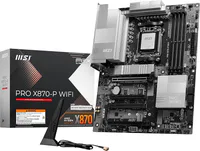
2.2 Motherboards

Flashcard
•
Computers
•
9th - 12th Grade
•
Practice Problem
•
Easy

Stephen McGowan
Used 1+ times
FREE Resource
Student preview

15 questions
Show all answers
1.
FLASHCARD QUESTION
Front
Which object is installed between the back side of the system case and the motherboard's ports?
Back
I/O shield
Answer explanation
The I/O shield (also called a faceplate) is placed between the motherboard and the system case. The shield protects the case from dust and debris. Standoffs are placed between the motherboard and the case and prevent the motherboard circuits from touching the system. Fans are installed in the system case but not between the system case and the back I/O panel. Heat spreaders are placed on memory modules to help cool them.
2.
FLASHCARD QUESTION
Front
What should be done when disassembling a computer to ensure correct reconnection of header connectors?
Back
Document the position and orientation of connectors.
Answer explanation
Documenting the position and orientation of connectors using diagrams or photos is recommended to ensure correct reassembly, as labels can sometimes be small or difficult to interpret. Simply relying on connector color or assuming they fit one way can lead to improper connections.
3.
FLASHCARD QUESTION
Front
What type of devices commonly use capture cards for video input?
Back
Gaming consoles, cameras, and computers
Answer explanation
A capture card is primarily used to record or stream video input, such as gameplay or footage from HDMI sources, by saving it as a file or streaming it live. Generating an output for a monitor, increasing graphics processing power, and serving as the main video card in gaming computers are functions associated with graphics cards, not capture cards.
4.
FLASHCARD QUESTION
Front
Which expansion slots are most commonly used for video cards in modern computer systems?
Back
PCIe
Answer explanation
The PCIe (or PCI Express) expansion buses are most commonly used for video cards in modern computer systems. PCI buses are most commonly used for devices such as sound cards, modems, network cards, and storage device controllers. While you can use PCI for video, better performance is obtained from PCI Express. CNR is a legacy on-motherboard slot to support networking, wireless communication, sound, or modem functions. AMR slots are legacy buses on some motherboards that are used by riser cards to support sound or modem functions.
5.
FLASHCARD QUESTION
Front
How does the type of motherboard affect a computer system?
Back
It affects the range of devices and adapter cards that can be installed.
Answer explanation
The type of motherboard impacts system speed and dictates which devices, CPU models, and adapter cards can be installed, affecting compatibility and expandability. Motherboards do not directly control RAM size for open applications, nor do they support any CPU model without compatibility considerations. Storage options are also influenced by the motherboard's specifications and connections.
6.
FLASHCARD QUESTION
Front
Which expansion bus uses a point-to-point dedicated connection and provides a serial full-duplex method of transmission?
Back
PCIe
Answer explanation
PCIe was developed to replace PCI, PCI-X, and AGP. Instead of a shared bus, each PCIe slot links to a switch that prioritizes and routes data through a point-to-point dedicated connection and provides a serial full-duplex method of transmission. The VESA local bus was a short-lived expansion bus that worked alongside the then-dominant ISA bus to provide a standardized high-speed conduit intended primarily to accelerate video (graphics) operations. VESA utilized a shared bus.
7.
FLASHCARD QUESTION
Front
Why does a motherboard typically support only a limited range of CPU models?
Back
Different CPUs require unique power delivery and socket designs.
Answer explanation
Modern CPUs are designed with specific electrical, physical, and technological requirements. These include the type of socket (e.g., LGA1200, AM4) and the power delivery systems that the motherboard provides. A motherboard must match these specifications to ensure proper communication and operation with the CPU. For example, an AMD Ryzen processor cannot be installed in an Intel motherboard because of incompatible sockets and architectures. While the BIOS plays a critical role in recognizing and supporting a CPU, it can often be updated to support newer CPUs within the same socket and architecture. Software restrictions are not typically the main factor in CPU compatibility. Hardware design (such as socket type, chipset, and power delivery) are the primary limits. Performance level alone does not determine compatibility. Many motherboards are designed to support CPUs with varying performance levels within a given socket and architecture.
Access all questions and much more by creating a free account
Create resources
Host any resource
Get auto-graded reports

Continue with Google

Continue with Email

Continue with Microsoft
or continue with

%20(1).png)
Apple

Others
Already have an account?



