
Search Header Logo
Module 1 Lesson 2: Input, Output and Storage Devices

Module 1 Lesson 2: Input, Output and Storage Devices

Assessment

Presentation

Computers

10th Grade

Practice Problem

Easy

Created by

Gene Paul Cruz

Used 43+ times

FREE Resource

9 Slides • 8 Questions

1

Module 1 Lesson 2: Input, Output, Processing and Storage Devices

by Gene Paul Cruz

2

​Input Devices

  • ​Devices that helps us put data into the computer.

  • ​Devices that helps us interpret what we command to the computer.

media

3

​Keyboard

  • ​Used to enter data.

  • ​Allows you to type chracters and symbols.

media

Mouse

Microphone

media
media
  • Primary pointing device used to open, select, execute a program/document.

  • Allows you to input/record sounds like speech and songs.

4

Joystick

  • ​Used to enter data.

  • ​Allows you to type chracters and symbols.

media

Scanner

Webcam

media
media
  • Copies pictures and pages and turns them into soft/digital copies.

  • Capture images and videos and converts them to digital form.

5

Open Ended

Question image

List five (5) input devices not included in the discussion separated by comma.

6
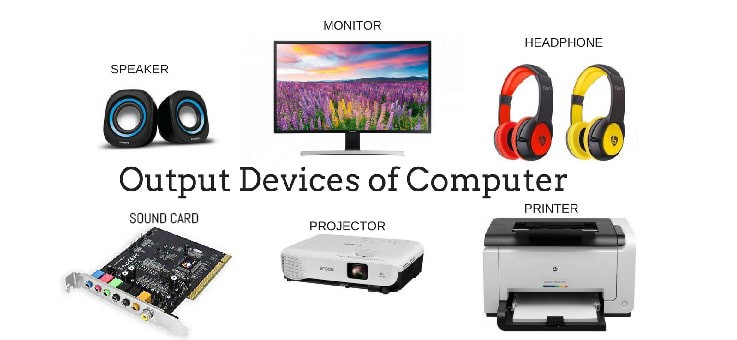
Output devices

  • ​Devices that shows the result of processing.

  • Ex. Microsoft Word - we created a resume and printed it. The output device we used is the printer, the output is the resume.

media

7

Monitor

  • A TV like screen. It shows whatever you type on the keyboard or draw with the mouse.

media

Speaker

Printer

media
media
  • It produces sounds processed by the computer.

  • Prints the results of work from the computer.

8

Open Ended

Question image

Type in five (5) output devices not mentioned in the lecture separated by comma.

9

Processing Device

  • It processes all inputs stored in the computer.

  • ​Ex. The CPU as the brain of the computer lets all application installed interact with each other.

  • ​When making a resume, we use Microsoft word, the CPU then allows the app to do its functions. Thus, the app can interact with the printer etc.

media

10

​The CPU

  • ​The Central Processing Unit or the brain of the computer does the processing of all input and outputs.

  • ​It lets application interact according to their functions.

media

11

​Storage Devices

  • ​They help in storing any work done on a computer permanently or temporarily.

  • ​Ex. Flashdrive

media

12

Open Ended

Question image

Mention five (5) storage devices that are necessarily needed for school activities.

13

Fill in the Blank

Question image

Identify the computer part if it is input or output device

14

Fill in the Blank

Question image

Identify the computer part if it is input or output device

15

Fill in the Blank

Question image

Identify the computer part if it is input or output device

16

Fill in the Blank

Question image

Identify the computer part if it is input or output device

17

Fill in the Blank

Question image

Identify the computer part if it is input or output device

Module 1 Lesson 2: Input, Output, Processing and Storage Devices

by Gene Paul Cruz

Show answer

Auto Play

Slide 1 / 17

SLIDE
