

BridgeBuilding

Presentation
•
Science
•
9th - 12th Grade
•
Practice Problem
•
Easy

Jennifer Bertke
Used 3+ times
FREE Resource
9 Slides • 5 Questions
1


Final Design Steps
1
● Check to see that your
bridge is in spec.
● Save your chosen bridge
design as
yourNameFinal.
● Turn in this assignment
so I know to print your
template.
2
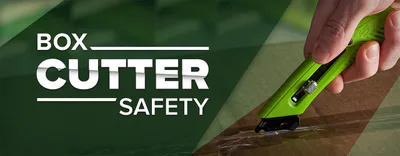
Remember you must be certified to use sharps prior to building.
3


Bridge building
8
See the Bridge
and Test tab
4
Multiple Choice

What should your best design file be named?
yourNameFinal
yourNameWorst
WinnerWinnerChickenDinner
Tacoma Narrows
5


Assemble your template
2
Pieces of the
template will go
together at dashed
lines - MAKE SURE
YOU WILL HAVE
ENOUGH MATERIALS
Cut a piece
of cardboard
11.5 x 17
6
Multiple Choice
You will probably cut your cardboard with Mrs. Bertke. What size should it be?
as big as possible
11.5 x 17 inches
11.5 x 17 mm
11.5 x 8 inches
7
Fill in the Blanks
How many pieces of material can you have? Type the number.
Type answer...
8


Anchor your template
3
Arrange your
template so at
least 2 sides fit
and secure it
with tape
9


Label and cover
4
Write your
name at least 1”
tall and cover
with wax paper,
tapping it down
on the back
10


pieces
5
Starting with your
longest pieces,
mark them
against your
template and cut,
adhering it to the
board
11
Multiple Choice
How big and where should you put your name on your board before you cover it with wax paper?
the letters should be at least 1 inch tall, on the top on the board
the letters should be at least 1 foot tall, on the top on the board
the letters should be at least 1 inch tall, on the bottom on the board
what is a name but a limiting label, it should not be put on work ever
12


Glue & anchor pieces
6
Using tape and
pins hold the
pieces in place
and glue them
together
Remember
we must
have
space for
testing
13
Multiple Choice
How can you keep pieces in place while they dry?
use the force
tape them down or use pins
its impossible, your bridge is going to be free form art
ask the students who come in interrupt during their lunch
14


Additional sides
7
Repeat with the
other sides of the
bridge and
assemble
Final Design Steps
1
● Check to see that your
bridge is in spec.
● Save your chosen bridge
design as
yourNameFinal.
● Turn in this assignment
so I know to print your
template.
Show answer
Auto Play
Slide 1 / 14
SLIDE
Similar Resources on Wayground

10 questions
session 7
Presentation
•
9th - 12th Grade
10 questions
Karyotypes
Presentation
•
9th - 12th Grade
12 questions
Ecological Succession
Presentation
•
9th - 12th Grade
12 questions
Tragedy of the Commons
Presentation
•
9th - 12th Grade
9 questions
Mutations
Presentation
•
9th - 11th Grade
13 questions
Ilmu Pengetahuan Alam
Presentation
•
KG
11 questions
Earth Systems Interactions
Presentation
•
9th - 12th Grade
12 questions
Ocean Circulation and Climate
Presentation
•
10th - 12th Grade
Popular Resources on Wayground
10 questions
Safety Day 2026 – Student Review

Quiz
•
9th Grade
21 questions
Continents and Oceans
Quiz
•
6th Grade
20 questions
Parts of Speech
Quiz
•
5th Grade
16 questions
Subject & Predicate
Quiz
•
5th Grade
25 questions
Multiplication Facts
Quiz
•
5th Grade
12 questions
Map Skills
Quiz
•
3rd Grade
22 questions
Continents and Oceans
Quiz
•
5th Grade
15 questions
Rounding Decimals
Quiz
•
5th Grade
Discover more resources for Science
10 questions
Exploring Chemical and Physical Changes

Interactive video
•
6th - 10th Grade
20 questions
Atomic Structure
Quiz
•
9th Grade
10 questions
Exploring the Electromagnetic Spectrum for Middle School Science
Interactive video
•
6th - 10th Grade
10 questions
Exploring Force and Motion Concepts
Interactive video
•
6th - 10th Grade
10 questions
Exploring Air Masses and Weather Fronts
Interactive video
•
6th - 10th Grade
14 questions
Periodic Trends
Interactive video
•
11th Grade
10 questions
Exploring the States of Matter
Interactive video
•
6th - 10th Grade
10 questions
Exploring Forces: Net Force, Normal Force, Gravity, and Friction
Interactive video
•
6th - 10th Grade