
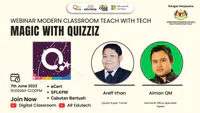
Teach & Tech | Magic and Awesome

Presentation
•
Education
•
9th - 12th Grade
•
Practice Problem
•
Hard

Areff Irhan
Used 2+ times
FREE Resource
58 Slides • 0 Questions
1


Magic With Quizizz
Areff Irhan
Super Trainer
2


Siapakah SAYA?
Nama: Mohamad Areef Irhan Idris
Mengajar: Kolej Komuniti Hulu Langat
Kepakaran: Jurulatih Pendidikan, Database
Pencapaian:
★
Kami Certified (2022)
★
Quizziz Super Trainer (2022)
★
Schoolytics Certified (2023)
★
Edpuzzle Level 1 & Level 2 (2022/2023)
★
Edpuzzle Trainer 2022/2023
★
Edpuzzle Coach 2022/2023
★
Lumio Ambassador (2023)
★
Mote Certified Educator (2023)
★
Wakelet Certified & Leader (2023)
★
Google Certified Educator Level 1 & Level 2 (2023)
3


Objektif (Pengisian)
★ Pegenalan & Kriteria Soalan
★ Mengenali Fungsi (Basic & Super)
★ Mencipta Soalan
★ Mencuba Kuiz, Soalan
★ Pensijilan Antarabangsa
4

5

●What is Quizizz? (Pegenalan)
●Interactive Question Types (Kriteria Soalan)
●Lessons (Fungsi Tambahan)
●Mastery Over Speed (Fungsi: Guru dan Pendidik)
●#youcanwithquizizz (Fungsi)
●Reports (Mengambil Laporan)
●Pedagogy (Kaedah & Cara)
●How Tos (Sumber Rujukan)
Intipati Perkongsian
6


What is Quizizz?
7


What is Quizizz?
Hint: It’s more than quizzes.
8


Quizizz is assessment,
instruction, and practice
that motivate every student
to mastery.
Quizizz has outgrown its name. No longer just
the leading quiz program for K-12, it’s a place
where any teacher can create, customize, and
deliver interactive learning materials that
students love. 💜
9


What is Quizizz?
In 30 Seconds
In 4 Minutes
10


Highlight Reel 🎥
Check out many of our favorite things about Quizizz
in two and half minutes!
11


10 teachers, 10 seconds each, why Quizizz?
Watch more here
12


Interactive
Question Types
It matters how you ask
13


You can also use this link to just play and
experience many of them for yourself!
Quizizz Quiz!
The next slides will show you
our interactive question types.
14


Upload images and have
students identify a specific area
in that image.
Great for marking out the right
organ in a diagram, finding
Alabama on a map or finding the
right geometric shape
Hotspot
15


Drag and drop labels onto any
picture! Great for math and
science diagrams, parts of a
sentence, maps and more!
Labeling
16


Students engage with concepts
physically as they match capital
cities with states, fractions with
their percentages, and more
Matching
17


Give students up to five possible
answers, with an option for
multiple correct answers
Multiple Choice
18


Students engage with concepts
physically as they arrange words
to form a sentence, order WWII
battles chronologically, and more
Reorder
19


Flexibly assign points for exact
words/numbers (e.g. for math
skills) or answers that contain
them (e.g. for defining
vocabulary)
Fill in the Blank
20


Combine the ease of multiple
choice with an added layer of
critical thinking as students pick
between multiple answer options
in multi-part questions
Drag and Drop & Dropdown
21


Give students a voice with a
prompt to recite a poem,
demonstrate reading skills,
and/or work on pronunciation
Audio Response
22


Let students really show what
they know by acting out a scene
from their reading, showing an
example of a science concept or
presenting on a topic
Video Response
23


Nurture creativity and recall as
students draw a plant cell, mark
locations on map, or use for SEL
Draw
24


Give students the ability to plot
a range of mathematical
relationships on a graph
(coordinate plane) and have
them automatically graded!
Graphing
25


Get opinions on current events
or provide an essay prompt as
students enter up to 1,000
characters
Open Ended
26


Students can use a math editor
to write responses in the form of
numericals, fractions,
expressions, equations, or
irregularities!
Math Response
27


For those times, where there is
no right answer and you want
real time feedback
Poll
28


Lessons
Combine our questions with content
for a fully interactive experience
29


Lessons - The “Why”
Combine the question types you love with content slides to
provide a lesson where student interact and give real time feedback
Experience a lesson yourself!
30


●Import right from Google Drive
●Insert Questions
●Embed your favorite sites
Lessons - The “How”
31


Lessons - Some extras
Spin the wheel for a fun way to
choose random students
Turn any slide into an
interactive whiteboard for
students
32


Mastery Over Speed
Because everyone moves at their own pace
33


Mastery Mode
●Teacher sets a goal
●Student re-attempt incorrect answers to reach the goal
Experience mastery mode yourself!
(Be sure to get a couple of wrong answers)
34


Students are able to retake questions
at the end for a chance to increase
their score
Experience redemption questions
yourself!
(Be sure to get a couple of wrong answers)
Redemption Questions
35


Adaptive Question Bank
Individualized practice so students are only answering question they need
Each round they get a mix of new questions and questions they got incorrect
Experience adaptive learning yourself!
(Be sure to play twice and get a couple of wrong answers)
36


Mastery Peak
A new and exciting live game mode where the entire class races to the top of a mountain.
●Students can compete with peers who are at their competency level.
●Students have more autonomy on choosing power-ups and mini-games throughout
37


Skip Questions
Students can revisit questions they need more time to think about later on in the quiz
38


#youcanwithquizizz
Some of our other favorite things you can do with Quizizz
39


Whatever topic you teach, it’s already
on Quizizz
Millions of Premade Quizzes and Lessons
40


Easily grab questions from the
Quizizz library
Teleport
41


Answer Explanations
After students answer a question, you have the option to explain the correct answer with
text, pics or video.
42


Import all your questions from a
Google form directly into Quizizz
Import from Google Forms
43


Have questions read aloud to students
Students can choose to turn on a setting that will have questions read aloud to them
44


Images and Gifs as answer choices
Use pics or gifs as answer options.
You can add text underneath any pictures too!
45


Insert Audio of a teacher reading a
question or other media next to a
question
Insert Audio, Video or Gifs next to questions
46


Easily provide paper copies for
student
Different options to print exactly what
you need
Customizable Printing Option
47


Use power-ups to increase the fun
and energy
Power-ups
48


Create questions with mathematical
symbols and expressions
Equation Editor
49


Students can turn a quiz into
Flashcards to practice content
Flashcards
50


Reports
Everything you need to drive instruction
51


●Clean and easy to use to drive
instruction
●Whole class or individual
●Align with standards
The power of Quizizz Reports
52


The power of Quizizz Reports
A deeper look into reports! (3 min)
53


See students’ progress over time with
Longitudinal Growth Graphs
Find these in “Classes”
Import from Google Forms
54


Pedagogy (Penggunaan Bilik Darjah)
Use Quizizz to support best practices
55


Differentiation - How Educators use Quizizz support a
differentiated classroom
56


How Tos (Rujukan & Panduan)
Everything from creating a Quiz to showing growth with Reports
57


●Create a Quiz (Video)
●Use Quizzes from the Quizizz Library
●Teleport and Combine
●Edit, Save, Share & Delete Quizzes
●Duplicate a Quiz
●Import from Google Forms
●Import from a Spreadsheet
●Host a Live Quiz
●Host a Quiz Asynchronously (Video)
●Host a Quiz in Focus Mode
●Setting up and using Classes
●Assign a quiz using Classes
●Change game Settings
How To…
●Create a lesson
●Host a lesson
●Use Lessons from the Library
●Import presentations from Google Drive to
Quizizz Lessons
●Importing Classes via Google Classroom
●Sort Reports
●Rename, print, and email reports
58

Thank you!
Follow @quizizz on Twitter for teacher updates and
opportunities to win swag!
Magic With Quizizz
Areff Irhan
Super Trainer
Show answer
Auto Play
Slide 1 / 58
SLIDE
Similar Resources on Wayground

51 questions
Nouns and Pronouns
Presentation
•
9th - 12th Grade
51 questions
9.1 Las Celebraciones
Presentation
•
9th - 12th Grade
51 questions
AKS 7 Review
Presentation
•
9th - 12th Grade
54 questions
3A2_CCE_NDL_05/08/25
Presentation
•
9th - 12th Grade
55 questions
Amendments 11-27
Presentation
•
9th - 12th Grade
53 questions
Programming Foundations Unit 1 Review
Presentation
•
9th - 12th Grade
52 questions
Category 3 Day 1 Review
Presentation
•
9th - 12th Grade
55 questions
Energy and Changes in State Lesson
Presentation
•
9th - 12th Grade
Popular Resources on Wayground
10 questions
How much do you know about our Portrait of an Eagle?

Quiz
•
10th Grade
10 questions
Fast Food Slogans
Quiz
•
6th - 8th Grade
21 questions
Continents and Oceans
Quiz
•
6th Grade
20 questions
Parts of Speech
Quiz
•
5th Grade
16 questions
Subject & Predicate
Quiz
•
5th Grade
25 questions
Multiplication Facts
Quiz
•
5th Grade
12 questions
Map Skills
Quiz
•
3rd Grade
22 questions
Continents and Oceans
Quiz
•
5th Grade