Search Header Logo
Quizziz workshop

Quizziz workshop

Assessment

Presentation

English

Professional Development

Practice Problem

Easy

Created by

Irina Karmazina

Used 8+ times

FREE Resource

34 Slides • 14 Questions

1

Quiz Whiz
Mastering Quizziz for dynamic learning

​Irina Karmazina

media

2

  1. What digital tools do you currently use for teaching?

  2. What kind of tools would you like to get to know?

menti.com
code: 5348 2380

media

3

Poll

How do you feel today?

4

Open Ended

What do you expect from this workshop?

5

What is Quizziz?

  • an online learning platform that uses gamified quizzes to support learning and teaching

  • allows educators to create and host custom quizzes, tests, and interactive lessons for both classroom and remote learning environments

  • The primary purpose of Quizizz is to make learning engaging, fun, and interactive, while also providing teachers with real-time feedback on student performance

media

6

Background

  • founded by two sofrware engineers in 2015 in Bangalore, India

  • desire to create a more engaging and interactive learning experience for students

media

7

Why Quizziz?

Engagement Through Gamification
- elements like points, leaderboards, and interactive feedback significantly increase student engagement;
- interactive learning;
- encouraging participation through fun and competitive nature of Quizizz.


Flexibility in Various Learning Environments:
- versatile use: in a classroom, as part of a flipped classroom model, for homework, or in remote learning situations;
- adaptability to different subjects and learning situations.

media

8

Why Quizziz?

Accessibility Across Devices and Platforms
- cross-plattform compatibility: computers, tablets, smartphones;
- no special hardware required;
- ease of access.


Tracking Progress and Performance:
- real-time feedback;
- progress tracking;
- detailed reports and analytics.

media

9

Features and functions

media
media

10

Features and functions

media
media

​A huge resource library with public quizes and lessons that can be saved, reused and modified

11

Features and functions

media

​Collaborative mode for sharing quizzes and lessons (available for school plans)


Organizing your stuff in collections to avoid the mix-up

media

12

Activity types:

media

​Lessons and quizes:
- lessons include slides with information, multimedia and interactive quiz questions
- quizes include different types of questions

media

13

Features and functions

media
media

14

Features and functions

media
media

15

Lessons

media
media
media

16

Lessons

media
media
media

17

Homework assignment

media
media

18

Creating activities

media
media

19

Creating lessons

media
media

​Multimedia integration

​Integrating complete quizes or selected questions from own library or public quizes

20

Creating lessons

media

​Multimedia integration

media

21

Creating quizes

media
media
media

22

Setting up your quiz

media
media

23

Setting up your quiz

media
media

24

Setting up your quiz

media
media
media

​Classic mode

25

Setting up your quiz

media
media
media

26

Setting up your quiz

media
media
media

27

Setting up your quiz

media
media
media

​memes are customizable

28

Setting up your quiz

media
media

If Power-ups have been enabled for an activity, students will get up to 3 Power-ups they can use. Each of these can only be deployed once, and it will impact only the question they are currently attempting. 

Students can see all their Power-ups lined up at the bottom of their screen in the form of icons. They can click on any one of them to activate it. Once activated, that particular Power-up will no longer be available for use. 

29

Setting up your quiz

media
media
media

​Mastery Peak

30

Setting up your quiz

media
media

31

media

Let's try out the questions!

media

32

Multiple Choice

Question image

What year was quizziz founded?

1

2013

2

2014

3

2015

4

2016

33

Fill in the Blanks

media image

34

Multiple Choice

Question image

Which of these features is NOT available on Quizizz?

1
  • Live quizzes

2
  • Video-based questions

3
  • Timed questions

4
  • Automatic essay grading

35

Hotspot

Where was Quizziz founded?

36

Match

Question image

Match the following

Customizable Quizzes

Multimedia Integration

Live and Asynchronous Modes

Quizzes that can be tailored to topics

Adding images and videos to questions

quizzes in real-time or as homework

37

Reorder

Question image

Put the following steps in order for creating a Quizizz quiz:

Create a new quiz

Add questions and answers

Choose the quiz settings

Share the quiz with students

1
2
3
4

38

Labelling

Identify the functions in the Quizziz interface:

Drag labels to their correct position on the image

collaboration

organizing stuff

my stuff

create a quiz

reports

search

39

Audio Response

Question image

What features would you add to Quizizz to make it more effective for language learning?

audio
Open Audio Recorder

40

Dropdown

Question image
Which feature is unique to Quizizz and enhances its interactive learning experience? ​ ​

41

Categorize

Options (13)

Customizable Memes

Cross-Platform Compatibility

Multimedia Integration

Instant Feedback

Increases Student Engagement

Real-time Performance Data

Enhances Flexibility in Teaching

Multiple Choice Questions

Fill in the Blank Questions

Drag and drop

Homework Assignments

Formative Assessments

Language Learning

Question image

Categorize the following items based on whether they are Features of Quizizz, Benefits of using Quizizz, or Types of Questions available in Quizizz.

Features of Quizziz
Benefits of using Quizziz
Types of Questions available in Quizizz
Quizizz's Educational Applications

42

Drag and Drop

Question image
Which of these is NOT a feature in Quizziz?​
Drag these tiles and drop them in the correct blank above
Real-Time Translation
Customizable Memes
Multimedia Integration
Gamification

43

Word Cloud

Question image

What 2 features of Quizziz do you find the most interesting?

44

Quizziz and AI

media
media
media
media

45

Quizziz and AI

media
media

46

Assignment :)

Time to try it all out!
Group 1:
- create a lesson
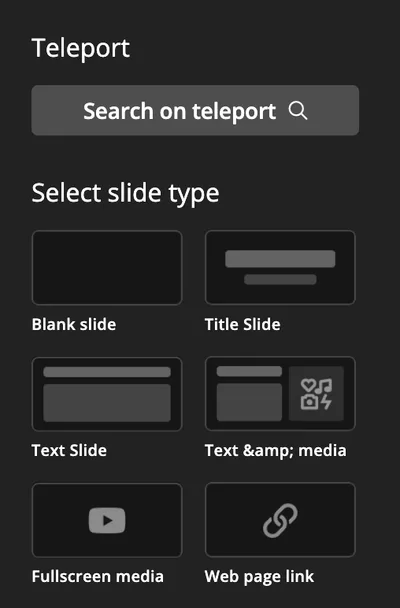
- make one slide with a fullscreen media
- make one slide with a link
- import something from a public quiz
- create 3 different question types

Group 2:
- create a quiz
- use at least 3 different question types
- play with the AI: enhance your questions
- create a short quiz from a link
- play with quiz settings

48

Thank you for your attention!

media

​Contact information:

irkarmazina@gmail.com

Quiz Whiz
Mastering Quizziz for dynamic learning

​Irina Karmazina

media

Show answer

Auto Play

Slide 1 / 48

SLIDE