

Input, Output & Processing

Presentation
•
Computers
•
6th - 8th Grade
•
Practice Problem
•
Medium

Layla Davis
Used 27+ times
FREE Resource
15 Slides • 15 Questions
1

2

3

4

5
Multiple Choice

A microphone is an input device. It sends _______ to the computer.
6

7
Multiple Choice

A mouse _____ information to the computer and tells it where to point the cursor.
8

9
Fill in the Blanks

It sends what
Type answer...
10

11
Open Ended

List five (5) input devices not included in the discussion separated by comma.
12
13

14

15
Multiple Choice

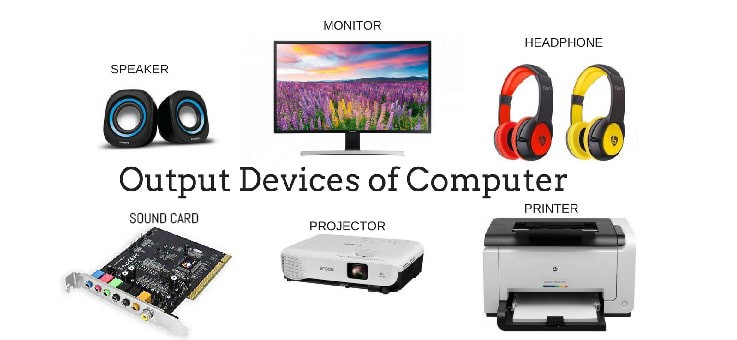
A Screen/TV is an output device. It sends out a(n) ________.
16

17
Fill in the Blanks

A computer
Type answer...
18
19
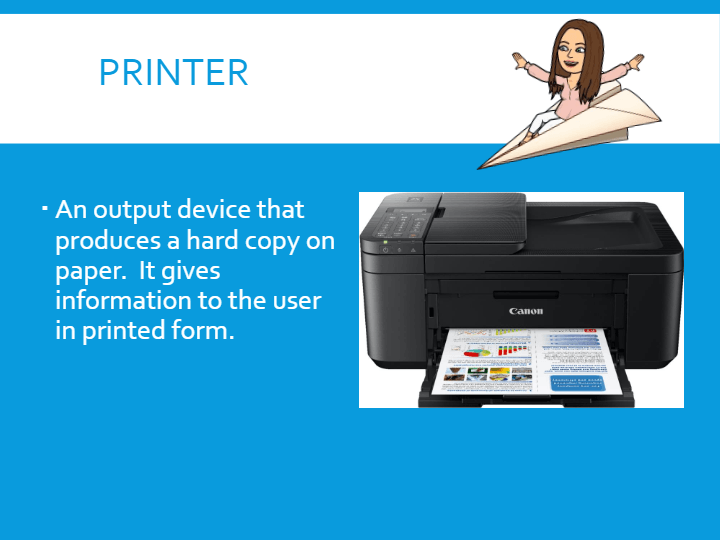
Fill in the Blanks

A computer
Type answer...
20
Open Ended

Type in five (5) output devices not mentioned in the lecture separated by comma.
21

22

23

24
Open Ended

Mention five (5) storage devices that are necessarily needed for school activities.
25
Fill in the Blanks

Identify the computer part if it is input or output device
Type answer...
26
Fill in the Blanks

Identify the computer part if it is input or output device
Type answer...
27
Fill in the Blanks

Identify the computer part if it is input or output device
Type answer...
28
Fill in the Blanks

Identify the computer part if it is input or output device
Type answer...
29
Fill in the Blanks
Identify the computer part if it is input or output device
Type answer...
30
Fill in the Blanks

Identify the computer part if it is input or output device
Type answer...
Show answer
Auto Play
Slide 1 / 30
SLIDE


