
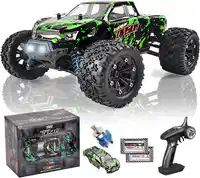
RC Car-Grade 6

Presentation
•
Instructional Technology
•
6th Grade
•
Practice Problem
•
Medium

Yahia Abdulkader
Used 25+ times
FREE Resource
14 Slides • 3 Questions
1

Robotics in Action
CCDI
Grade 6
2

Success
Criteria
Learning
Objective
1
Program the actions
of a robot in response
to sensory input.
1
Use a decision tree to
help create the program
3

Keyword
Robot
RC car
A machine that can
sense, compute and
act on its own
Radio Controlled
Car
4

Grade 6 / CCDI
Title
:
Robotics in Action
Objective
:
Program the actions of a
robot in response to sensory input.
Success Criteria
:
Students be able to
use a decision tree to help create the
program
Monday, February 5, 2024
Decision Trees
When a machine is learning about something or choosing what action to do it has to make
decisions. To make decisions machines will use the information you give them or
information from sensors. A machine can get information or choose what to do by asking
questions.
5

Grade 6 / CCDI
Title
:
Robotics in Action
Objective
:
Program the actions of a
robot in response to sensory input.
Success Criteria
:
Students be able to
use a decision tree to help create the
program
Monday, February 5, 2024
Decision Trees
The diagram below is an example of a decision tree. A decision tree is a way to show how a
machine can ask questions and make decisions.
In this example the questions are
about the qualities of animals. If a
machine is given these questions
and answers, then it can use the
information to make decisions.
The decisions in this example will
help the machine identify animal
who can fly, walk/run and swim.
6
Multiple Choice
Who Can Fly and has feathers ?
Lion
Dolphin
Falcon
Penguin
7

Activity 6:
Grade 6 / CCDI
Title
:
Robotics in Action
Objective
:
Program the actions of a
robot in response to sensory input.
Success Criteria
:
Students be able to
use a decision tree to help create the
program
Monday, February 5, 2024
ambient light sensor,
LED grid,
keyboard,
microcontroller,
servomotor,
wheel
Hint: Think of questions
that will separate the
components from each
other
Complete the decision tree to help a machine identify different components
8

Grade 6 / CCDI
Title
:
Robotics in Action
Objective
:
Program the actions of a
robot in response to sensory input.
Success Criteria
:
Students be able to
use a decision tree to help create the
program
Monday, February 5, 2024
Programming robot movements
After building a RC car how you will control its movements. What if you want to control the
servo motors installed in it? How will you use and take inputs from different sensors
installed in it? The answer is you will control the movements by creating programs.
Remember a robot is a machine that can sense, compute and act on its own.
9
Multiple Choice
It is processing ------ >
ambient light sensor
LED grid
wheel
microcontroller
10
Multiple Choice
It is used in input and found in robot ------>
servomotor
microcontroller
ambient light sensor
LED
11

Grade 6 / CCDI
Title
:
Robotics in Action
Objective
:
Program the actions of a
robot in response to sensory input.
Success Criteria
:
Students be able to
use a decision tree to help create the
program
Monday, February 5, 2024
You can create a basic robot movement program for a microcontroller using servomotors.
Here is an example program to control servomotors on a robot.
12

Activity 7:
Grade 6 / CCDI
Title
:
Robotics in Action
Objective
:
Program the actions of a
robot in response to sensory input.
Success Criteria
:
Students be able to
use a decision tree to help create the
program
Monday, February 5, 2024
Before you start programming, it is important to plan how your program will
work by creating an algorithm.
The basic robot movement program will:
• Set the pins connected to the servomotors.
• Move the robot forwards for 2 seconds.
• Stop the robot.
Create a flowchart algorithm for the basic robot movement program.
13

Activity 8:
Grade 6 / CCDI
Title
:
Robotics in Action
Objective
:
Program the actions of a
robot in response to sensory input.
Success Criteria
:
Students be able to
use a decision tree to help create the
program
Monday, February 5, 2024
Create the basic robot control program. Then, upload the program to the microcontroller.
The robot servomotor program will:
• Set the pins connected to the servomotors.
• Move the robot forwards for 2 seconds.
• Stop the robot.
Use your algorithm to help create the program.
Challenge
Add more parts to the program to:
• Move the robot left for 2 seconds.
• Move the robot right for 2 seconds.
• Move the robot backwards 2 seconds.
14

Grade 6 / CCDI
Title
:
Robotics in Action
Objective
:
Program the actions of a
robot in response to sensory input.
Success Criteria
:
Students be able to
use a decision tree to help create the
program
Monday, February 5, 2024
Robot actions to sensory inputs
You have built a RC car; how can you use it? You can use it in three different ways.
Obstacle avoidance robot (your RC car will move and avoid obstacles).
A distance sensor sends and receives signals in the form of infrared (IR) light
waves. These signals are used to tell if objects are nearby without touching them.
Here is an example showing distance sensors on a RC car
15

Activity 9:
Grade 6 / CCDI
Title
:
Robotics in Action
Objective
:
Program the actions of a
robot in response to sensory input.
Success Criteria
:
Students be able to
use a decision tree to help create the
program
Monday, February 5, 2024
Before you start coding, it is important to plan how your program will work.
The obstacle avoidance robot program will:
• If no obstacle is found.
o light the NeoPixels using a loop
o move the robot forwards.
• Else if obstacle is found left.
o clear the NeoPixels
o move the robot right for 2 seconds.
• Else if obstacle is found right.
o clear the NeoPixels
o move the robot left for 2 seconds.
• Else if obstacle is found forwards.
o clear the NeoPixels
o move the robot backwards left for 2 seconds.
Create a decision tree to show how this program will decide what to do.
16

Activity 9:
Grade 6 / CCDI
Title
:
Robotics in Action
Objective
:
Program the actions of a
robot in response to sensory input.
Success Criteria
:
Students be able to
use a decision tree to help create the
program
Monday, February 5, 2024
Use the words to fill in the blank spaces.
Create a decision tree to show how this program will decide what to do.
Object detected right?
Light NeoPixels green and
move forwards.
Clear NeoPixels and
move left for 2 seconds.
Clear NeoPixels and move
backwards left for 2 seconds.
17

Activity 10:
Grade 6 / CCDI
Title
:
Robotics in Action
Objective
:
Program the actions of a
robot in response to sensory input.
Success Criteria
:
Students be able to
use a decision tree to help create the
program
Monday, February 5, 2024
Create the obstacle avoidance robot program. Then, upload the
program to the microcontroller.
The obstacle avoidance program will:
•Set the pins connected to the distance sensors.
•If no obstacle is found.
o light the NeoPixels using a loop
o move the robot forwards.
•Else if obstacle is found left.
o clear the NeoPixels
o move the robot right for 2 seconds.
•Else if obstacle is found right.
o clear the NeoPixels
o move the robot left for 2 seconds.
•Else if obstacle is found forwards.
o clear the NeoPixels
o move the robot backwards left for 2 seconds.
Use your decision tree to help create the program.
Robotics in Action
CCDI
Grade 6
Show answer
Auto Play
Slide 1 / 17
SLIDE
Similar Resources on Wayground

13 questions
6th Grade STAAR Review #1
Presentation
•
6th Grade
12 questions
Adding and Subtracting Integers
Presentation
•
6th Grade
12 questions
Non renewable Resources
Presentation
•
6th Grade
12 questions
Dashes
Presentation
•
6th Grade
12 questions
Mummification
Presentation
•
6th Grade
12 questions
Three Chinese Philosophies
Presentation
•
6th Grade
12 questions
Point of View
Presentation
•
6th Grade
12 questions
Decimal to Percent
Presentation
•
6th Grade
Popular Resources on Wayground
24 questions
PBIS-HGMS Day 10

Quiz
•
6th - 8th Grade
10 questions
HCS SCI 03 Summer School Review 3
Quiz
•
3rd Grade
11 questions
Home Scope
Quiz
•
7th - 8th Grade
15 questions
HCS SCI 05 Summer School Assessment 3 Review
Quiz
•
5th Grade
35 questions
Lufkin Road Middle School Student Handbook & Policies Assessment
Quiz
•
7th Grade
18 questions
Geo 11.3 Area of Circles and Sectors
Quiz
•
9th - 11th Grade