

ICT Communications

Presentation
•
English
•
7th Grade
•
Practice Problem
•
Hard
Standards-aligned

SANDRA LA RENE
FREE Resource
7 Slides • 0 Questions
1

ICT Communications
Essentials
Lesson 4: Creating Content for the Web
2

Objectives
• 2.4.1: Describe effective text and image content for webpages based on how visitors use
the web.
• 2.4.2: List guidelines and conventions for effective text on a webpage.
• 2.4.3: Explain the inverted pyramid model of newspaper journalism and how it applies to
web content.
• 2.4.4: Use word-processing software to create effective written content for a web page.
• 2.4.5: Create and/or edit message-driven image content for a webpage using graphics
software.
• 2.4.6: Access graphics through various resources (e.g., scanner, digital camera, CD-ROM,
clipart, copyright-free online graphics).
• 2.4.7: Plan the content and design of a basic webpage using strategies for effective web
communication, including brainstorming, determining audience, choosing content and
media types, using white space.
3

Content Guidelines
Guidelines for Text on a Webpage
Element
Guidelines
Formatting
Paragraphs
∙Present only one idea per paragraph
∙Limit paragraphs to 75 words or less
∙Use chunking: Divide page text into small sections (chunks) using
headings, subheadings, lists, short sentences and short paragraphs
∙Use bulleted lists to present related items or summarize key
points
∙Use numbered lists only when presenting a sequence of steps
Headings
∙Use headings and subheadings to divide and label text
∙Make sure headings and subheadings focus on key points
∙Headings should help readers find information quickly
∙Main headings should look larger than subheadings
∙Headings and subheadings can use distinctive colors and fonts
Keywords
∙Words that best describe and summarize the purpose of your site
∙Keywords help search engines find and rank your webpages in
users' search results
∙Keywords help readers find information quickly on your pages
∙Can be used in page titles, headings, links, images and
paragraph text
∙Use bold formatting to make important words and phrases
stand out in paragraphs
∙Keywords should appear often in your pages
4


Inverted Pyramid
•Places the most important information first.
• New story: Provide the basic facts in the first
sentence.
• Webpage: Readers scan page for basic facts.
•Readers who want more detail can read further.
•Readers who decide they want all the details
can continue reading or follow a link to more
information.
5


Images
•Webpage: Words and images capture the viewers'
attention and provide information.
•Graphics: Both visually appealing and informative.
•Avoid graphics that:
• Distract users
• Increase download time
• Obscure the message
•Graphics and text should complement each other.
6

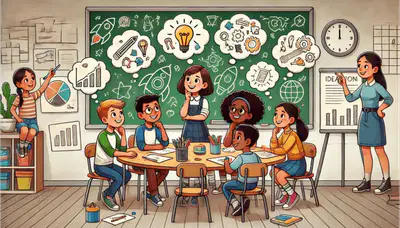
Creating a Page
•Brainstorming: Technique
to create and arrange
online information.
• Everyone offers ideas and
no idea is wrong.
• Narrow focus of ideas.
• Choose best idea or
combination of ideas.
7

Planning a Webpage (Site)
•Who is the audience?
•What does the audience want from the site?
•Where will you get content?
•Which media elements (text, images, video) are most effective?
•Keep related content and remove unnecessary content.
•White space provides easier reading and scanning.
ICT Communications
Essentials
Lesson 4: Creating Content for the Web
Show answer
Auto Play
Slide 1 / 7
SLIDE
Similar Resources on Wayground

6 questions
Words in Context
Presentation
•
7th Grade
7 questions
Simple Present Tense
Presentation
•
7th Grade
8 questions
Summarizing
Presentation
•
7th Grade
7 questions
Analyze A Plastic Ocean(Clip 2) Note-Catcher
Presentation
•
7th Grade
7 questions
Colons and Semicolons
Presentation
•
6th Grade
6 questions
Gone and back again a traveler's advice
Presentation
•
8th Grade
6 questions
Global 7 U 4 Music and arts warming for a closer look 2
Presentation
•
7th Grade
Popular Resources on Wayground
24 questions
PBIS-HGMS Day 10

Quiz
•
6th - 8th Grade
10 questions
HCS SCI 03 Summer School Review 3
Quiz
•
3rd Grade
11 questions
Home Scope
Quiz
•
7th - 8th Grade
15 questions
HCS SCI 05 Summer School Assessment 3 Review
Quiz
•
5th Grade
35 questions
Lufkin Road Middle School Student Handbook & Policies Assessment
Quiz
•
7th Grade
18 questions
Geo 11.3 Area of Circles and Sectors
Quiz
•
9th - 11th Grade