

TIA Chapter 7 Lesson Review

Presentation
•
Computers
•
University
•
Practice Problem
•
Hard

Cindy Philpot
FREE Resource
17 Slides • 8 Questions
1


TECHNOLOGY
IN ACTION
CHAPTER 7: NETWORKING:
CONNECTING COMPUTING
DEVICES
2
A computer network is simply two or more computers that are connected via software and hardware so that they can communicate with each other.
Each device connected to a network is referred to as a node.
A node can be a computer, a peripheral such as a printer or game console, or a network device such as a router.
Networking Fundamentals Understanding Networks
Objective 7.1

3


FILE EXPLORER WINDOW
File Explorer shows computers, media, and other devices (such as IoT devices) that are networked for sharing.
Internet of things (IoT) devices are hardware devices that can connect wirelessly to a network and transmit data. Examples: smart home appliances, Air quality monitors, smart outlets. Xbox, Roku, Apple TV, apple watches , Google home voice controller, amazon echo Plus Voice Controler
4
There are several benefits to having computers networked:
Sharing an Internet connection: A network lets you share the high-speed Internet connection coming into your home.
Sharing printers and other peripherals: Networks let you share printers and other peripheral devices.
Sharing files: You can share files between networked computers without having to use portable storage devices to transfer the files.
Common communications: Computers running different operating systems can communicate on the same network.
Benefits of networks

5


The major disadvantage of networks is the setup time.
Network administration involves tasks such as:
Installing new computers and devices
Monitoring the network to ensure that it is performing efficiently
Updating and installing new software on the network
Configuring, or setting up, proper security for a network
6

NETWORKING FUNDAMENTALS (3 OF 3)
UNDERSTANDING NETWORKS (OBJECTIVE 7.1)
◼ How data moves through networks
◼ Data transfer rate (bandwidth) is the maximum speed data can be transmitted
◼ Throughput is the actual speed data is transferred
◼ Measured in megabits per second (M b p s) or gigabits per second (G b p s)
7
8


NETWORK ARCHITECTURES
NETWORK DESIGNS (OBJECTIVE 7.2)
The network you have in your home differs greatly in terms of its size, structure, and cost from the one on your college campus. This difference is based in part on how the networks are designed or configured. In this section, we look at a variety of network classifications.
Networks can be classified by distance.
A personal area network (P A N) is used for communication among devices close to one person.
A local area network (L A N) is a network in which the nodes are located within a small geographical area.
A home area network (H A N) is a specific type of L A N located in a home.
A metropolitan area network (M A N) is a large network designed to provide access to a specific geographical area, such as an entire city.
A wide area network (W A N) spans a large physical distance.
9


NETWORK ARCHITECTURES (2 OF 4)
NETWORK DESIGNS (OBJECTIVE 7.2)
Networks can be classified by levels of administration.
In a client/server network, a client is a computer on which users accomplish tasks and make requests, whereas the server is the computer that provides information or resources to the client computers.
In a peer-to-peer (P 2 P) network, each node connected on the network can communicate directly with every other node on the network.
10

NETWORK ARCHITECTURES (3 OF 4)
NETWORK DESIGNS (OBJECTIVE 7.2)
Networks can be classified by the protocols used.
Ethernet: A Network that uses the Ethernet protocol as the means (or standard) by which the nodes on the network communicate.
Developed by the Institute of Electrical and Electronics Engineers (I E E E).
This applies to wireless and wired networks.
Backward Compatibility: The ability of current devices to use earlier standards and the current standard is known as backward compatibility.
11

NETWORK ARCHITECTURES (4 OF 4)
NETWORK DESIGNS (OBJECTIVE 7.2)
◼ Classifying networks by protocols
◼ Wireless networks (Wi-Fi) Wi-Fi networks are based on the I E E E 802.11 standard.
The newer wireless Ethernet standard, Wi-Fi 6, offers faster data transfer speeds overall.
Wi Gig is a wireless option that delivers speeds up to 7 gigabits per second (G b ps) at 60 G H z frequencies.
Wi-Fi Name
Wi-Fi 1
Wi-Fi 2
Wi-Fi 3
Wi-Fi 4
Wi-Fi 5
Wi-Fi 6
IEEE Standard
802.11a
802.11b
802.11g
802.11n
802.11ac
802.11ax
Frequency
5 GHz
2.4 GHz
2.4 GHz
2.4 GHz & 5 G
Hz
2.4 GHz & 5 GHz2.4 GHz & 5 GH
z, & 6 GHz
Maximum Data Rate
54 Mbps
11 Mbps
54 Mbps
600 Mbps
1.3 Gbps
10-12Gbps
12

NETWORK COMPONENTS BASIC NETWORK HARDWARE
(OBJECTIVE 7.4)
Each node needs a network adapter. An integrated network adapter is referred to as a network interface card.
A broadband connection requires a modem, which translates the signal into digital and back again.
Data is sent in bundles called packets.
Network navigation devices facilitate and control the flow of data.
A modem connects your network to the Internet and brings the Internet signal to your home.
A router transfers packets of data between two or more Networks.
A switch acts like a traffic signal on a network.
13

CONNECTING TO THE INTERNET (1 OF 2)
BROADBAND INTERNET CONNECTIONS (OBJECTIVE 7.6)
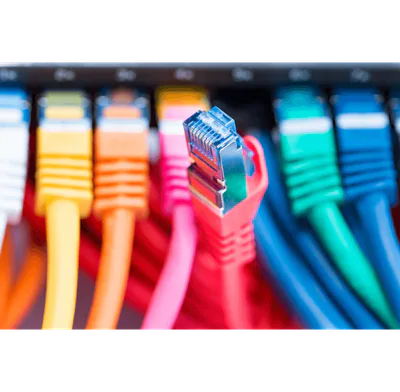
One of the main reasons for setting up a network is to share an Internet connection. Some businesses and large organizations have a dedicated connection to the Internet, but other businesses and homeowners purchase Internet access from Internet service providers (I S Ps). I S Ps might be specialized providers.
Broadband is the preferred way to access the Internet, but in some situations, cellular or dial-up access might be necessary.
14
15

CONNECTING TO THE
INTERNET (2 OF 2)
BROADBAND INTERNET
CONNECTIONS (OBJECTIVE
7.6)
◼Broadband
◼Cable Internet
◼D S L (digital
subscriber line)
◼Fiber-optic service
◼Satellite Internet
Broadband
Type
Transmission
Medium
Speed Considerations
Average and Maximum Download Speeds
Fiber-optic
Strands of
optically pure
glass or plastic
Transmits data by light
signals, which do not degrade over long distances
Average speed of
250 Mbps, with maximum of 1,200 Mbps
Cable
Coaxial cable,
similar to cable
TV wire
Cable connections are shared, so speed can drop during high-usage periods
Average speed of
10 Mbps, with
maximum of 500 Mbs
DSL (digital
subscriber
line)
Copper wire
phone line
Speed drops as distance
from the main signal
source increases
Average speed of 5
Mbps, with maximum of 35 Mbs
Satellite
Wireless signals
from orbiting
satellites
Speed depends on clear
line of sight between receiving satellite dish and orbiting satellite; weather can also disrupt of affect service
Average speed of
500 Kbps, with
maximum of 100 Mbs
Broadband is often referred to as high-speed Internet. This high rate of access contrasts with dial-up Internet access.
The standard wired broadband technologies in most areas are cable, DSL, and fiber-optic service.
Satellite Internet is used mostly in rural or mountain areas.
16


CONNECTING TO THE INTERNET
WIRELESS INTERNET ACCESS (OBJECTIVE 7.7)
To access the Internet wirelessly at home, you need to establish Wi-Fi on your home network by using a router.
When away from home, you can find a mobile hotspot.
Mobile broadband connects you to the Internet through 4 G or 5 G access.
You must have a wireless Internet service provider.
An Internet connectivity plan is known as a data plan.
17
Multiple Choice
Which of the following is not a common network architecture type?
Home area Network (HAN)
Intraoffice Area Network (IAN)
Personal Area Network (PAN)
Local Area Network (LAN)
18
Multiple Choice
Some of the responsibilities of ________ are installing new hardware and software on the network and monitoring performance.
Network Administrators
Security Engineers
Computer Technicians
IT Managers
19
Multiple Choice
Data are sent through a network in bundles called ________.
Nodes
Packets
Packages
Pouches
20
Multiple Choice
What is the actual speed at which data is transferred over a network called?
Bandwidth
Throughput
Latency
Data Transfer rate
21
Multiple Choice
Wi-Fi 6 operates at both 2.4 GHz and 5 GHz frequencies.
True
False
22
Multiple Choice
A router is responsible for directing data packets between different networks.
True
False
23
Multiple Choice
A computer ________ is two or more computers connected using software and hardware so that they can communicate with each other.
Switch
broadband
network
node
24
Fill in the Blanks
A
25

END
TECHNOLOGY
IN ACTION
CHAPTER 7: NETWORKING:
CONNECTING COMPUTING
DEVICES
Show answer
Auto Play
Slide 1 / 25
SLIDE
Similar Resources on Wayground

20 questions
Internet Of Things (IoT)
Presentation
•
12th Grade
20 questions
Introducción a EXCEL
Presentation
•
University
20 questions
KIEM TRA GIUA KY 1 - TIN HOC 9 - PHAN TRAC NGHIEM
Presentation
•
KG
19 questions
Writing Essays Comparison & Contrast p.40-43
Presentation
•
University
20 questions
Present Perfect VS Present Perfect Continuous
Presentation
•
University
21 questions
Untitled Lesson
Presentation
•
University
21 questions
Sesión 3
Presentation
•
University
21 questions
Research in Online Learning
Presentation
•
University
Popular Resources on Wayground
10 questions
Safety Day 2026 – Student Review

Quiz
•
9th Grade
21 questions
Continents and Oceans
Quiz
•
6th Grade
20 questions
Parts of Speech
Quiz
•
5th Grade
16 questions
Subject & Predicate
Quiz
•
5th Grade
25 questions
Multiplication Facts
Quiz
•
5th Grade
12 questions
Map Skills
Quiz
•
3rd Grade
22 questions
Continents and Oceans
Quiz
•
5th Grade
15 questions
Rounding Decimals
Quiz
•
5th Grade
Discover more resources for Computers
20 questions
Disney Trivia
Quiz
•
University
10 questions
Spanish Greetings and Goodbyes!
Presentation
•
6th Grade - University
20 questions
Physical or Chemical Change/Phases
Quiz
•
8th Grade - University
39 questions
Unit 7 Key Terms
Quiz
•
11th Grade - University
25 questions
SER and Subject Pronouns
Quiz
•
8th Grade - University
38 questions
Unit 6 Key Terms
Quiz
•
11th Grade - University
19 questions
Key Concepts in Buddhism
Quiz
•
University
0 questions
Cell Domain Basic Review (Biology)
Quiz
•
University