Search Header Logo
Organising Your Time B1 Listening

Organising Your Time B1 Listening

Assessment

Presentation

English

6th - 8th Grade

Practice Problem

Hard

Created by

Darren Walshe

FREE Resource

8 Slides • 30 Questions

1

media

B1 Listening

Organising Your Time

2

media

3

Multiple Choice

Question image

a device that makes a sound or shows you when a certain amount of time has passed

1
Clock
2
Alarm
3
Stopwatch
4
Timer

4

Multiple Choice

Question image

a student who gets the best marks at school

1
average student
2
poor performer
3
class clown
4

grade A student

5

Multiple Choice

Question image

how much is being done or achieved

1

measurement

2

productivity

3

efficiency

4

completion

6

Multiple Choice

Question image

having good judgement or common sense

1
foolishness
2
ignorance
3

sensible

4
naivety

7

Multiple Choice

Question image

a list of things you need to do

1

a summary of completed tasks

2

a list of things you want to buy

3

a schedule of upcoming events

4

a 'to do' list

8

Multiple Choice

Question image

to start making a noise (as an alarm or signal)

1

to get on

2

to sit up

3

to go off

4

to set down

9

Multiple Choice

Question image

to earn or merit something because of what you have done

1

to deserve

2

to waste

3

to lose

4

to ignore

10

Multiple Choice

Question image

to spend time doing something useless

1

to spend time wisely

2

to take a break

3

to waste time

4

to engage in productive activities

12

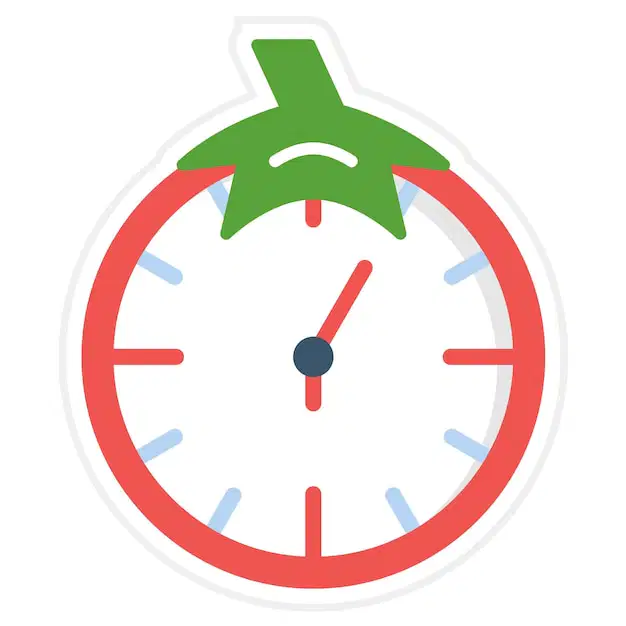
Host: On 'Star Students' today we're speaking to Peter, who is going to tell us about the Pomodoro Technique, a system to help manage your time. It was invented by an Italian man called Francesco Cirillo in the 1980s. Now, he called it the Pomodoro Technique after a tomato-shaped timer that his mother used to use when she was cooking. Pomodoro is Italian for tomato. And this tomato has helped Peter become an A-grade student. So, Peter, welcome to the studio.

Peter: Thanks.

Host: Tell us about the Pomodoro Technique. What's it about?

Peter: It's about getting maximum productivity from your available time. I use it for studying, but professionals use it at work.

Host: Is it difficult to follow?

Peter: No. It's actually very simple. It's about breaking down your work into separate jobs and then using a timer to separate your time into periods of intensive work and short breaks.

Host: OK, well, that sounds sensible. So, how do you start?

Peter: First of all, you should think about the task you need to complete. For example, writing an essay for homework. You need to think about all the stages of the task and write a clear to-do list on a piece of paper. When you are ready to start you set the timer to 25 minutes and you start working on the first item on the list.

Host: OK … but what happens when the timer goes off?

Peter: When the timer goes off you must take a short break of between 3 to 5 minutes. One 25-minute session is one 'pomodoro' so when you have completed this, you deserve a short break. You should try to move about a bit during the break.

Then, set the timer for another 25 minutes and keep working. At the end of the next 'pomodoro' you have another short break. As you complete the items on the 'to-do' list you should tick them off, to give you a feeling of satisfaction that you're getting the job done.

Host: OK … I get it. Can you use any timer? Most people have timers on their phones these days. Could you use that?

13

Peter: You could, but the danger is that then you can check messages on your phone or you start looking at apps. I use my dad's kitchen timer and I make sure I switch off my phone when I'm studying. I get so much more done. In the breaks I sometimes check my phone but only if I've completed some of the items on my to-do list.

Host: Three to five minutes isn't long for a break. Is that enough time?

Peter: Well, when you've had four or five short breaks you can take a longer break, and then you start again.

Host: And it works?

Peter: Yes, it works for me! It stops me wasting time. My work is much more effective when I use the timer. It's like short, intense periods of work. I actually get my homework done a lot quicker now, which leaves me more free time, so for me it works really well.

Host: Oh, I think I'll give it a try. Thanks so much for coming in, Peter.

Peter: You're welcome. Thanks for inviting me. 

14

media

15

Multiple Choice

Question image

The Pomodoro Technique was invented in the 1980s.

1

True

2

False

16

Multiple Choice

Question image

Students and workers can use the technique.

1

True

2

False

17

Multiple Choice

Question image

The technique is a bit complicated to use.

1

True

2

False

18

Multiple Choice

Question image

You need to break down your tasks into smaller sections.

1

True

2

False

19

Multiple Choice

Question image

Each break is called a ‘pomodoro’.

1

True

2

False

20

Multiple Choice

Question image

Peter uses an app on his mobile to time himself.

1

True

2

False

21

Multiple Choice

Question image

After four or five short breaks you can have a longer break.

1

True

2

False

22

Multiple Choice

Question image

Peter takes less time to do his homework these days.

1

True

2

False

23

media

​Drag and Drop

24

Drag and Drop

Question image
The Pomodoro Technique is designed to help people work effectively and avoid wasting​
.
Drag these tiles and drop them in the correct blank above
time
money
energy
resources

25

Drag and Drop

Question image
It helps you to get the maximum ​
in the time you have.
Drag these tiles and drop them in the correct blank above
productivity
distraction
procrastination
inefficiency

26

Drag and Drop

Question image
First you have to break down each ​
into steps.
Drag these tiles and drop them in the correct blank above
task
goal
project
idea

27

Drag and Drop

Question image
Then you use a​
to organise your time into intensive work and​
.

Drag these tiles and drop them in the correct blank above
timer
breaks
distractions
meetings
snacks

28

Drag and Drop

Question image
You write a list of things you need to do, set the timer to twenty-five minutes and start working on the first ​
on your list.

Drag these tiles and drop them in the correct blank above
item
time
goal
project

29

Drag and Drop

Question image
When the timer goes off you stop work for ​
minutes.
Drag these tiles and drop them in the correct blank above
five
two
ten
thirty

30

31

Fill in the Blanks

32

Fill in the Blanks

33

Fill in the Blanks

34

Fill in the Blanks

35

Fill in the Blanks

36

Fill in the Blanks

37

Fill in the Blanks

38

Fill in the Blanks

media

B1 Listening

Organising Your Time

Show answer

Auto Play

Slide 1 / 38

SLIDE