

HTML

Presentation
•
Computers
•
8th Grade
•
Practice Problem
•
Easy

Irish Torres
Used 4+ times
FREE Resource
27 Slides • 11 Questions
1
Lesson 1: Using Hypertext MarkUp Language
2
Word Cloud
What word/s can you associate with the term WEBSITE?
3
Understanding the Principle of WEB Design and WEB Development
4

Business Websites
are used to promote a company's products or services. They typically include information about the company's history, team members, products or services, and contact information.
Website Types
5
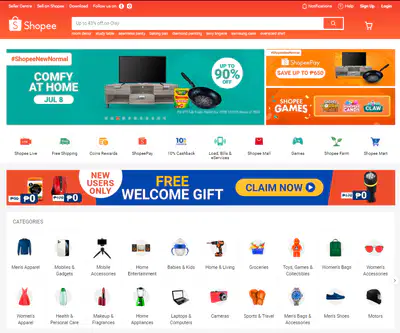
E-commerce Websites
are used to sell products or services online. They typically include a shopping cart, checkout process, and payment gateway.
Website Types
6
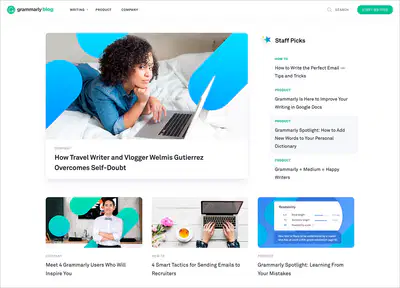
Blogging Websites
are used to share information, news, and opinions on a particular topic. They typically include articles, photos, and videos.
Website Types
7
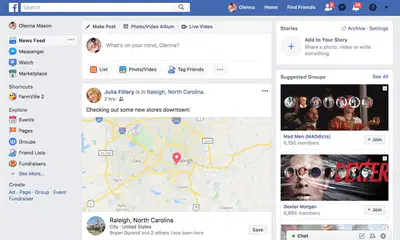
Social networking websites
are used to connect people with similar interests or backgrounds. They typically include user profiles, messaging features,
and discussion forums.
Website Types
8

Educational websites
are used to provide information and resources
on a particular topic. They can be used for online courses, tutorials, and research.
Website Types
9
Entertainment websites
are used to provide entertainment to
visitors. They can include games, videos, and music.
Website Types

10
Web Design
Is the creation of the layout of the website's visual elements using various design programs
Visually appealing
Easy to navigate
Optimized for different devices
Provides a clear and concise message
11
Adobe Creative Cloud
is a collection of software used for graphic design, video editing, web development, photography, along with a set of mobile applications and optional cloud services. Subscribers can access this collection through a monthly or annual subscription.
12
Web Development
is the creation of webpages using HTML, CSS, Javascript, and other scripting languages. It involves all the codes that makes a website work
13
Open Ended

What is the work of a Web Designer?
14
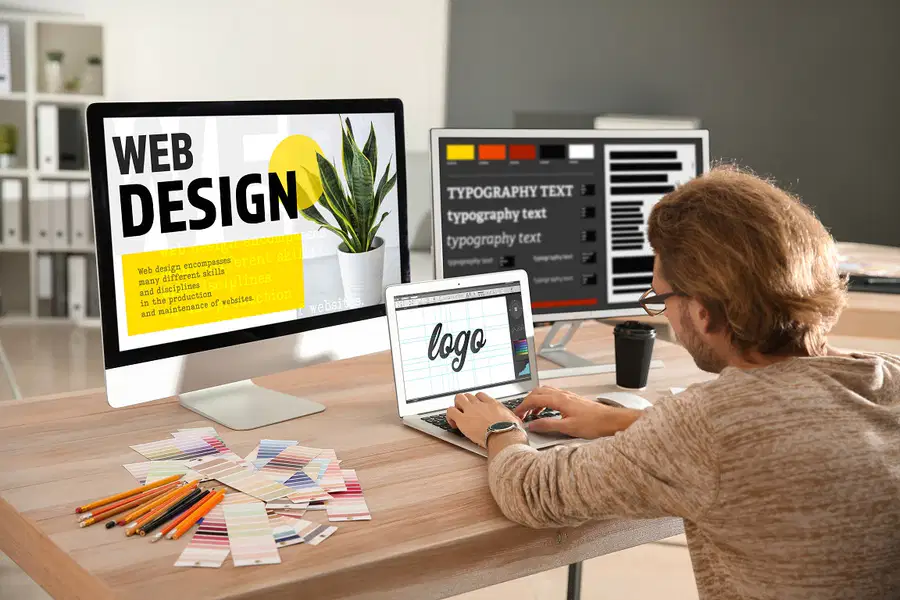
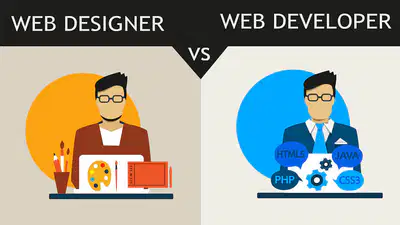
focuses on the appearance of a website (including layout, color scheme, typography, and imagery).
Web Designer
15
Open Ended
What is the work of a Web Developer?
16

Also known as programmer.
Converts a static layout into a dynamic website using links, buttons, and other interactive elements.
Web Designer and Web Developer work hand-in-hand to create quality websites.
Web Developer
17
Graphic artist responsible for designing the layout, usability, and visual appearance of a website.
Web Designer
Tasked with converting the web design into functional website using coding languages such as HTML, JavaScript, PHP, and Python
Web Developer
18

Principles of Web Design
19
Open Ended

Define Principle
20

uare generally defined as rules or guidelines that we follow.
uThey are ideas that serve as a basis for how something works.
Principles
21
Simplicity is always the key
Keep the design clean and uncluttered. Focus on the essential elements and prioritize clear communication over visual complexity.
Minimalism
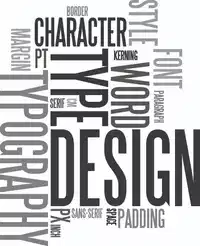
an element of design that refers to the visual aesthetics, style, or appearance of the text. It sets the tone and theme of the website.
Typography
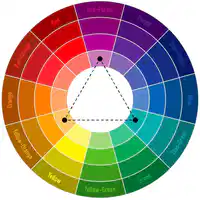
Color Combination
Vibrant Dramatic Colors catch more attention from the users.
Color Scheme
22
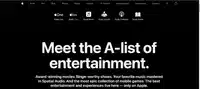
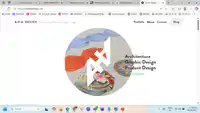
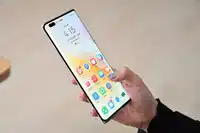
-Use a borderless user interface display
-Use one-page website screen better than the multiscreen grid-based interface
-user can browse the website's content in a simple and linear fashion
www.andyhau.com
-Can help capture maximum user attention
-use animated icons and micro-interactions to ensure fluidity in the user's experience
Animation
User can access and browse on any device such as smartphone, tablet, or desktop computer
To test mobile friendliness visit developers.google.com/search/mobile-sites/
Mobile-friendliness
Display
www.apple.com/services
23
Multiple Choice
Keep the design clean and uncluttered
Minimalism
Typography
Color Scheme
24
Multiple Choice
The pages are connected in a linear manner, following a logical path of action
Typography
Display
Mobile-friendliness
25
Multiple Choice
Has the power to communicate messages and evoke emotional responses
Animation
Minimalism
Color Scheme
26
Multiple Choice
The user can access and browse it on any device such as a smartphone, tablet, or desktop computer
Mobile Friendliness
Mobile Scheme
Mobile Display
27
Multiple Choice
is the technique of structuring letters and words in a way that improves the legibility, readability and even navigation of a website
Animation
Typography
Graffiti
28
Multiple Choice
Use animated icons and micro-interactions to ensure fluidity in the user’s experience
Transition
Transfiguration
Animation
29
Lateral Puzzle: Confusing Website
A web designer made a website with bright colors, big fonts, and lots of moving parts. It looked great on their computer. But people using phones said it was messy, hard to read, and slow.
The Situation
Hint: The designer liked how it looked. Think about how others see and use websites. Consider how design choices affect reading, speed, and who can use the site on different devices.
30
Open Ended
What basic web design ideas did the designer probably get wrong?
31
The designer probably didn't realize:
Less is more (Minimalism): Too much stuff made it confusing.
Text needs to be clear (Typography): Big fonts can be hard to read.
Colors matter (Color Scheme): Bright colors can be hard on the eyes.
It needs to work on phones (Mobile-Friendliness): It wasn't designed for small screens.
Too much moving stuff is bad (Animation): It made the site slow and distracting.
32
Principles of Web Development
33
The accessibility and functionality of the website depend much on the developer
uUser Needs
uUser Experience
uPerformance Optimization – loading time
User focus
uA high-quality website provides relevant and valuable content and a good user experience
u“How can we identify a good work and how to improve it?
Quality Focus
34

uKeep it simple and well organized
Simplicity
uWrite codes efficiently.
uFewer codes mean less time spent on maintenance
uUse comments to make code programmer–friendly.
uCode Responsibly </>
Efficiency of Codes
35

Any Questions?
36
LAS #1 Activity title: Definition of Terms
Lesson 1: Understanding the Principles of Web Design and Web Development
Learning Target: I can define terminologies used on the internet.
Instruction: Define the following terms used on the Internet using VISUWORDS.com
1. Internet
2. IP Address
3. Domain Name
4. World Wide Web
5. Web browser
PROCESS QUESTIONS:
1. How does the Internet work?
2. What are the devices used to connect to the internet?
Conclusion: _______________________
6. Web document
7. Web page
8. Website
9. Hypertext
10. Hyperlink
37
LAS #2 Activity title: Search for Websites
Lesson 1: Understanding the Principles of Web Design and Web Development
Learning Target: I can search for websites that follow each web design principle.
Activity: Concept Notes
PAGES 8-10
38
LAS #3 Activity title: Evaluate the Websites
Lesson 1: Understanding the Principles of Web Design and Web Development
Learning Target: I can evaluate if the website follows the principles of web design
Activity: Concept Notes
PAGES 10-11
Lesson 1: Using Hypertext MarkUp Language
Show answer
Auto Play
Slide 1 / 38
SLIDE
Similar Resources on Wayground

33 questions
Narrative Reading Unit
Presentation
•
8th Grade
35 questions
HR Diagram and The Sun
Presentation
•
8th Grade
34 questions
Tipos de Robots
Presentation
•
8th Grade
30 questions
PENDALAMAN MATERI INFORMATIKA 8
Presentation
•
8th Grade
31 questions
Name that (Altered Tempo) Song!
Presentation
•
8th Grade
33 questions
3 Branches of Government
Presentation
•
8th Grade
34 questions
Periodic Table
Presentation
•
8th Grade
32 questions
Day/Night, Seasons, and Ocean Tides
Presentation
•
8th Grade
Popular Resources on Wayground
24 questions
PBIS-HGMS Day 10

Quiz
•
6th - 8th Grade
10 questions
HCS SCI 03 Summer School Review 3
Quiz
•
3rd Grade
11 questions
Home Scope
Quiz
•
7th - 8th Grade
15 questions
HCS SCI 05 Summer School Assessment 3 Review
Quiz
•
5th Grade
35 questions
Lufkin Road Middle School Student Handbook & Policies Assessment
Quiz
•
7th Grade
18 questions
Geo 11.3 Area of Circles and Sectors
Quiz
•
9th - 11th Grade