Search Header Logo
What is ICT?

What is ICT?

Assessment

Presentation

Computers

7th Grade

Easy

Created by

Tr Dunny

Used 1+ times

FREE Resource

19 Slides • 44 Questions

1

What is ICT?

By Tr Dunny

2

ICT is the technology that helps people use computers and the internet to create, share, and improve information in areas like learning, business, health, and entertainment—for example, using a tablet to study or watch educational videos.

INFORMATION & COMMUNICATIONS TECHNOLOGY

media

3

media

ICT includes both old and new technologies—from landline phones, radio, and TV to modern tools like the internet, smartphones, AI, and robotics—all used to connect and share information.

What technologies are included in ICT?

4

  • Information Technology (IT) is the use of computers, software, and networks to store, process, and share information.

Example: When you use a smartphone to send an email or a company uses a computer system to manage employee records, that's Information Technology in action.

What is IT?

5

Differences between ICT & IT

  • Focuses only on technology used to store, process, and transmit information.

  • Mainly deals with computers, software, networks, and data systems.

Example:
A person setting up and maintaining computers in an office is working in IT.

IT

  • includes IT, but also adds communication tools like phones, emails, video calls, etc.

  • Focuses on how technology helps people communicate and share information.

Example:
A teacher using Zoom to teach students online is using ICT — it combines computers (IT) with communication.

ICT

6

media

7

Multiple Choice

Question image
What is ICT?
1
Information Communication technology
2
Integrating communication technologhy
3
Information Connecting Technology
4
Information communication technique

8

Multiple Choice

Question image
What benefits one can get from ICT in education?
1
This leads to added abilities for self-regulated learning
2
May not help more disorganized learners who needs more structure and routine available in a physical classroom setting. Better for those who are able to or at least keen to self-regulate their learning.
3
Difficult to replicate settings such as lab activities that require hands-on, experiential learning
4
Academic staff should spend more time in preparation of teaching materials.

9

Multiple Choice

Question image
what is the disadvantage of ict?
1
Encourage the individual study
2
Provide educational activities in large geographical areasOption 2*
3
It is more expensive than traditional education
4
Provide instruction according to student needs

10

Multiple Choice

  1. What is the term used for the technology that supports activities such as communication and collaboration involving information gathering, processing, storing, and presenting data?

1

Information Technology

2

Information Communication Technology

3

Computer Technology

4

Communication Technology

11

Computer Basics

by Tr Dunny

12

What is a computer?

  • A computer is an electronic device that is used to process data and store information for the user.

  • Computers have in common: hardware and software.


media

13

Hardware

  • Hardware

    Hardware is any part of your computer that has a physical structure, such as the keyboard or mouse. It also includes all of the computer's internal parts, which you can see in the image below.

media

14

Software

  • Software

    Software is any set of instructions that tells the hardware what to do and how to do it. Examples of software include web browsers, games, and word processors.

media

15

Parts of the computer

  • Just like your body the computer has different parts. Each of these parts has a unique purpose. today we are going to learn about some of the parts of the computer.

media

16

Types of Computers

media
  • There are many computers out there some of them we have never seen before or haven't even realized that they were computers. Some examples are Laptop, Desktop, Notebook, and tablet. There are many more today we are going to learn about some of them.

17

Laptop

  • A laptop is a Personal Computer or PC that was made to fit easily on a desk or on a persons lap. Hence the name Laptop Computer.

media

18

Desktop

  • A desktop is a PC that was made to be used on top of a desk. Hence the name Desktop Computer.

media

19

Notebook computer

  • Notebook computers are normally smaller than laptops and are made to be sleeker in design.

media

20

Smart Phone

  • A smartphone is a mobile phone that can do what a computer does. It usually has a touch screen, can access the internet and download applications.


media

21

Tablet computer

  • A tablet computer which everyone knows as tablet. Is a computer in the shape of a computer that has a touch screen instead of a keyboard. All of its components are contained in one package.

media

22

media
  • A single chip the contain all the elements that are essential for computer.

Example

RAM, ROM, CPU CLOCK

​ Another name is micro- controller

Main purpose is to control the function of a  device

embedded computers

media

23

Multiple Choice

Question image

A computer or not?

1

YES

2

NO

24

Multiple Choice

Question image

A computer or not?

1

YES

2

NO

25

Multiple Choice

Question image

A computer or not?

1

YES

2

NO

26

Multiple Choice

Question image

A computer or not?

1

YES

2

NO

27

Multiple Choice

Question image

A computer or not?

1

YES

2

NO

28

Multiple Choice

Question image

What is a COMPUTER?

1

A machine with many numbers and letters

2

A machine that

works with

information

3

A typing device for class only

4

Uses complicated science that no one understands

29

Multiple Choice

Question image

Storage in Computer, what are the examples:

1

flash drives, external disk, CD

2

Mouse,keyboard

3

monitor, android tv

30

Multiple Choice

Question image

How computer stores information?

1

Save the information on Storage device

2

computer doesn't save anything

3

Before processing it saves information first

31

Multiple Choice

Question image

Central Processing Unit (CPU)

1

hardware

2

software

32

Multiple Choice

Question image

Hard Drive

1

hardware

2

software

33

Multiple Choice

What is CPU?

1

Computer Brain

2

Short term memory

3

Read only memory

4

Long term memory

34

What is a computer?

A computer is an electronic device that is used to process data and store information for the user.

35

Multiple Choice

Question image

A Mouse

1

hardware

2

software

36

Multiple Choice

Question image

Microsoft Word

1

hardware

2

software

37

Multiple Choice

Question image

RAM (Random Access Memory)

1

hardware

2

software

38

Multiple Choice

Adventeges of search engines 
1
Dont save time 
2
Easier to find information
3
Health issues 
4
Harder to find information

39

Multiple Choice

 examples of software :
1
keyboard
2
mouse
3
power point
4
printer

40

Multiple Select

Question image

What is a computer?

1

A device used to store paper and print them out.

2

A device used to store information and process data.

41

Multiple Choice

Which one of these is not a computer?

1

Laptop

2

Desktop

3

Smartphone

4

Pencil

42

Multiple Choice

Question image

What browser is this the icon of?

1

Internet Explorer

2

Google Chrome

3

Mozilla Firefox

4

Safari

43

Multiple Choice

Question image
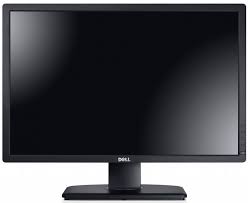
What part of the computer is this?
1
Screen
2
TV
3
Desktop
4
Monitor

44

Multiple Choice

Question image
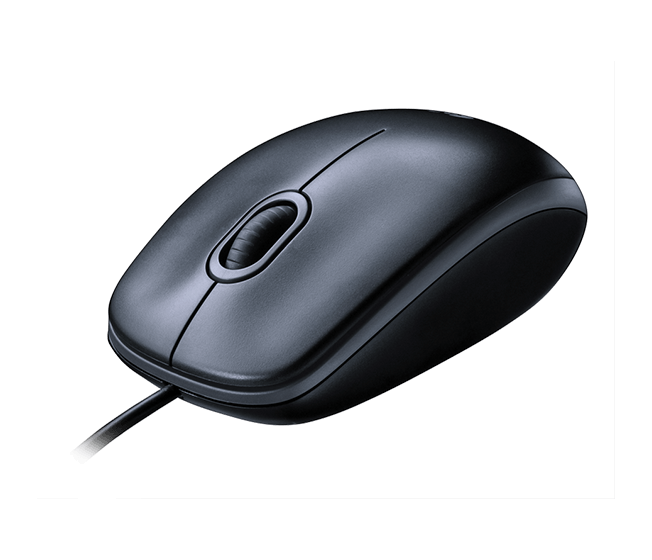
What is this called?
1
CPU
2
Screen
3
Mouse
4
Box

45

Multiple Choice

Which one is an example of software.

1

keyboard

2

mouse

3

power point

4

printer

46

Multiple Choice

Which of these is not a search engine?

1

Google

2

Yahoo

3

Explorer

4

Ask

47

Multiple Choice

A laptop is considered a portable device.  
1
True
2
False

48

Multiple Choice

A desktop is normally found on a .........

1

Lap

2

Floor

3

Desk

4

None of the above

49

Multiple Choice

Question image
What is it?
1
Pen drive
2
Portable Disk
3
Flash drive
4
Hard disk

50

Multiple Select

Which of these are potential health risks due to prolonged ICT usage? (select all the correct answers)

1

Broken fingers

2

Repetitive Strain Injury

3

Hashimoto's disease

4

Back and neck ache

5

Eye strain

51

Multiple Select

RSI usually causes injury to the

1

Hands

2

Eyes

3

Back

4

Neck

52

Multiple Select

How is a notebook different compared to a laptop?

1

They are bigger

2

They are smaller

3

They have more options

4

They are more fun

53

Multiple Choice

RSI stands for

1

Ready Set Injury

2

Repeat Strain Injury

3

Repetitive Strain Injury

4

Random Strain Injury

54

Multiple Choice

Which one of these is not a computer?

1

Laptop

2

Desktop

3

Smartphone

4

Pencil

55

Multiple Choice

Which is a better way to prevent eye strain from prolonged use of the computer?

1

Wear sunglasses

2

Use a comfortable chair

3

Look away from the screen or close your eyes at regular intervals

4

Don't use a computer

56

Multiple Select

Which of these are advantages of a robot vs human? (select all the correct answers)

1

They are expensive

2

Doesn't get bored from repetitive tasks

3

Higher productivity

4

Can work long hours without rest

57

Fill in the Blank

A tablet is also known as a tablet ________.

58

Multiple Choice

Question image

What part of the computer is this?

1

Screen

2

Desktop

3

TV

4

Monitor

59

Multiple Choice

A laptop can normally fit on a ........

1

Desk

2

Table

3

Lap

4

All of the above

60

Multiple Choice

What is Hardware?

1

It is a database

2

It is the psychical parts of computers systel - the parts that you can touch and see

3

It is a set of programms

4

It is a collection of instructions that can be run on a computer

61

Multiple Choice

Question image

Read Only Memory(ROM)

1

hardware

2

software

62

Multiple Choice

What is Software?

1

It is a set of devices

2

It is a set of circuits

3

It is a collection of instructions that can be "run" on a computer

4

It is a mathematical parts of a computer system

63

Multiple Select

How is a notebook different compared to a laptop?

1

They are bigger

2

They are smaller

3

They have more options

4

They are more fun

What is ICT?

By Tr Dunny

Show answer

Auto Play

Slide 1 / 63

SLIDE