

INKSCAPE lesson 2

Presentation
•
Computers
•
9th - 12th Grade
•
Practice Problem
•
Hard

David Kang
Used 1+ times
FREE Resource
11 Slides • 0 Questions
1
Please only use laptop or desktop with Inkscape to join this Wayground.
By David Kang

2

3

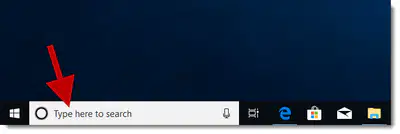
Option 1 or tablet users - You can use Inkscape using the school's Desktop (not Chromebook)
Just search Inkscape below the search bar and make a document in Inkscape.
Option 2 - Download and install Inkscape on your laptop. Select the correct version to download.

5
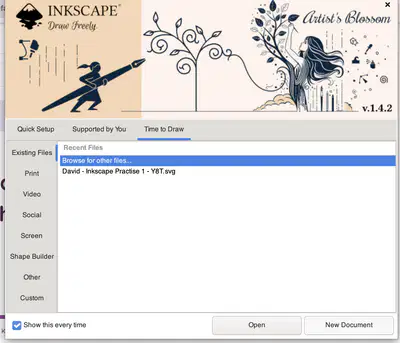
Spend 3 minutes to make a New Document in INKSCAPE
6
The next activity will require you to put on your headphones.
Please take 3 minutes to setup.
If you do not have one you can use the speaker but on moderate volume.

7
Grouping your shapes
8

9
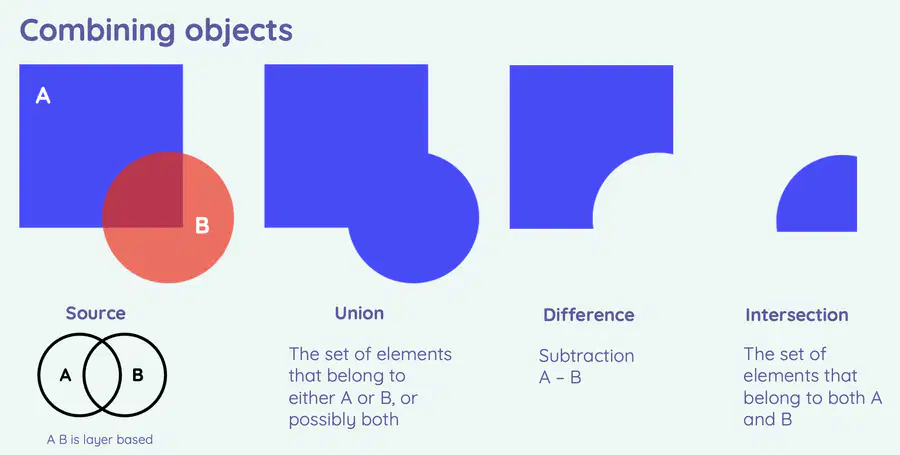
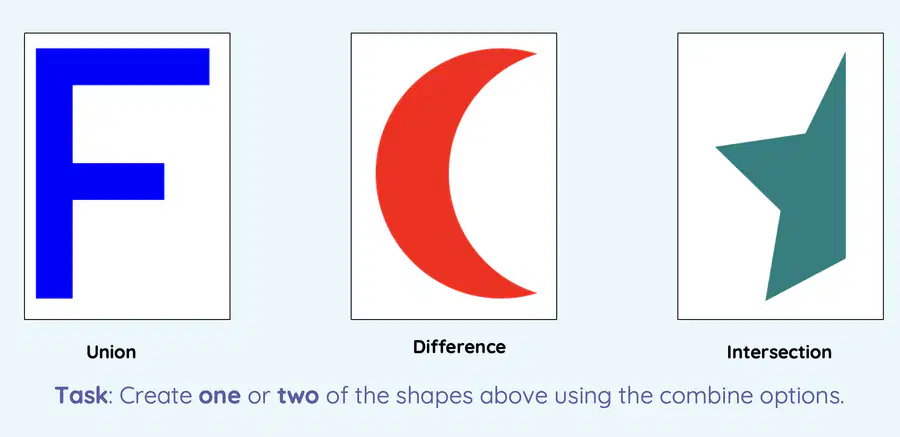
Using paths
10
11
Please only use laptop or desktop with Inkscape to join this Wayground.
By David Kang
Show answer
Auto Play
Slide 1 / 11
SLIDE
Similar Resources on Wayground

9 questions
Nuclear Energy from Kurzgesagt
Presentation
•
9th - 12th Grade
7 questions
PSAT Tips
Presentation
•
9th - 12th Grade
7 questions
Creating a Screencastify of your Google Team Project Slides
Presentation
•
9th - 12th Grade
10 questions
Decision Making
Presentation
•
9th - 12th Grade
7 questions
Last Lesson Finale: The AI Guess Who? Game!
Presentation
•
9th - 12th Grade
9 questions
School Website Design Evaluation Modeling
Presentation
•
9th - 12th Grade
6 questions
Peer Evaluation and Constructive Feedback for Websites
Presentation
•
9th - 12th Grade
9 questions
Second Week
Presentation
•
9th - 12th Grade
Popular Resources on Wayground
11 questions
Hallway & Bathroom Expectations

Quiz
•
6th - 8th Grade
10 questions
HCS SCI 03 Summer School Assessment 2
Quiz
•
3rd Grade
11 questions
Home Scope
Quiz
•
7th - 8th Grade
12 questions
2026 TAP Technology in the Classroom
Presentation
•
Professional Development
15 questions
HCS SCI 05 Summer School Assessment 2 Review
Quiz
•
5th Grade
15 questions
HCS SCI 04 Summer School Review 2
Quiz
•
4th Grade
59 questions
Geometry Unit 3 Review
Quiz
•
9th - 12th Grade
14 questions
FAST ELA READING SMAPLE TEST MATERIALS

Passage
•
3rd Grade