

Untitled Presentation

Presentation
•
English
•
1st - 5th Grade
•
Practice Problem
•
Hard

Matthew Millace
FREE Resource
25 Slides • 27 Questions
1
HI
2
Multiple Choice
3

4
Open Ended
How do you think organizing your digital files, such as those in Google Drive, can impact your daily workflow or teamwork?
5
Multiple Choice
What is one significant benefit of organizing your Google Drive?
It makes your files look colorful.
It enhances productivity and collaboration.
It automatically creates new files for you.
It increases internet speed.
6
7
8
Multiple Choice
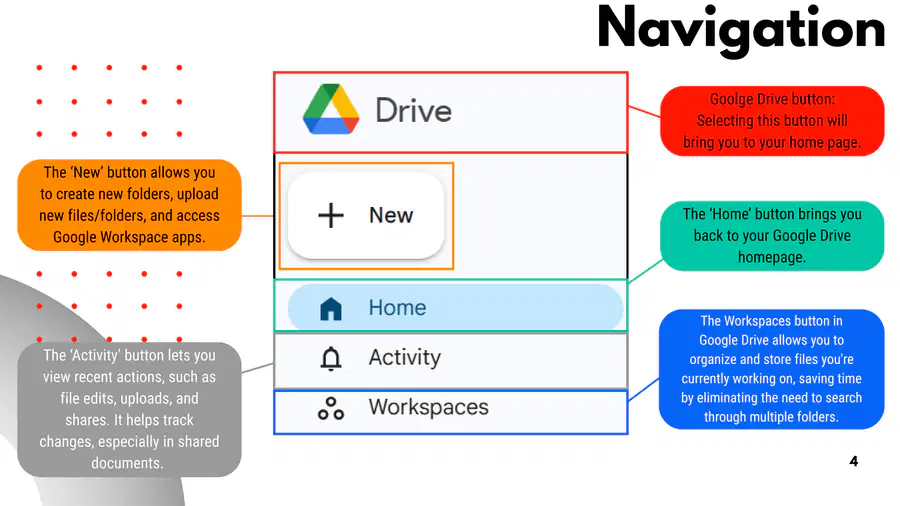
Which button in Google Drive allows you to create new folders, upload files, and access Google Workspace apps?
New
Home
Activity
Workspaces
9

10
Open Ended
List and explain two ways you can organize files in Google Drive using the navigation buttons.
11
Multiple Choice
What is the main difference between the 'Shared drives' and 'Shared with me' buttons in Google Drive?
'Shared drives' is for team collaboration, while 'Shared with me' is for files and folders others have shared with you.
'Shared drives' is for personal storage, while 'Shared with me' is for team collaboration.
Both buttons provide access to your personal files only.
'Shared drives' is for starred files, while 'Shared with me' is for recent files.
12
13
Fill in the Blanks
Type answer...
14

15

16
Open Ended
Describe how sorting files by type in Google Drive can help improve your workflow and organization.
17
Multiple Choice
Which of the following file types can you filter by in Google Drive?
Folders
Spreadsheets
Videos
All of the above
18

19
Multiple Choice
Which Google Drive feature allows you to filter files by who owns or has shared them?
People
Modified
Source
Type
20

21
Multiple Choice
Which steps are required to change the color of a folder in Google Drive?
Right click the folder, select 'Organize', choose a color
Double click the folder, select 'Rename', choose a color
Select the folder, click 'New', choose a color
Right click the folder, select 'Share', choose a color
22
Open Ended
Describe two ways you can organize your Google Drive folders to improve workflow efficiency.
23

24

25
Fill in the Blanks
Type answer...
26

27
Multiple Choice
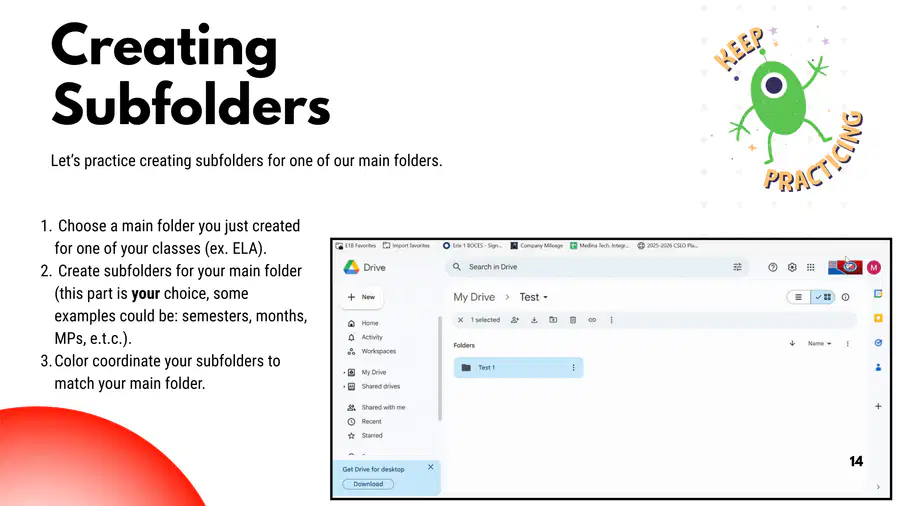
What is the benefit of color coordinating all subfolders to match the main folder in Google Drive?
It helps you remember which folder you are in
It increases storage space
It allows you to share folders more easily
It automatically sorts files by date
28
29

30
Multiple Choice
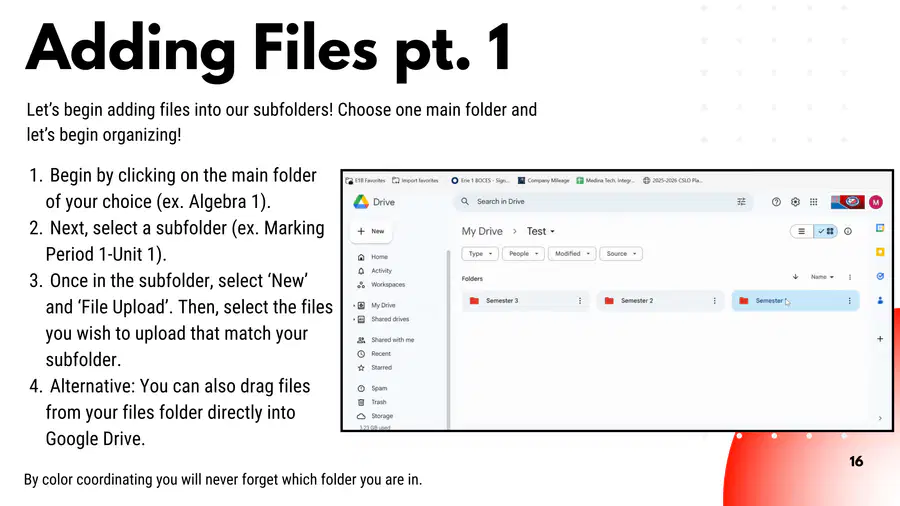
Which of the following is a benefit of creating subfolders within your folders in Google Drive?
It makes files harder to find
It helps reuse lessons and search for previously used content
It deletes old files automatically
It prevents sharing files with others
31
32
Fill in the Blanks
Type answer...
33
Open Ended
Describe the steps involved in adding files to a subfolder in Google Drive.
34

35
Multiple Select
Which actions can you take to move an existing file into a different folder in Google Drive?
Click three vertical dots and select 'Organize', then 'Move'
Drag and drop the file into the folder
Rename the file
Delete the file
36

37
38
Open Ended
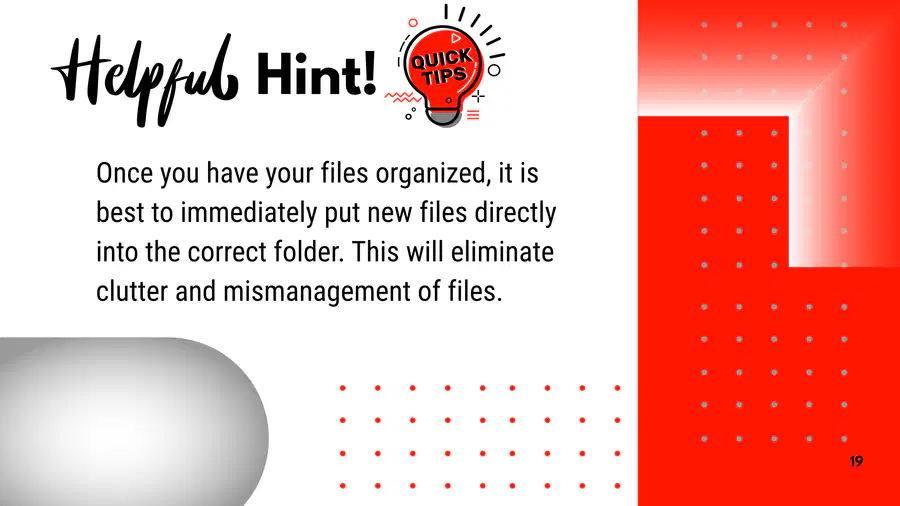
Why is it recommended to immediately put new files directly into the correct folder after organizing your files?
39
40
Multiple Choice
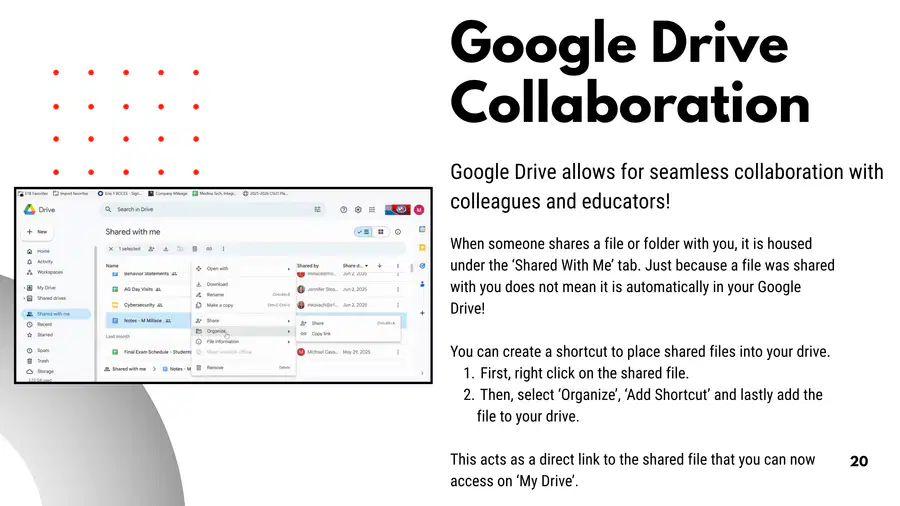
What steps should you follow to create a shortcut for a shared file in Google Drive so you can access it from 'My Drive'?
Right click the shared file, select 'Organize', 'Add Shortcut', and add the file to your drive
Download the shared file and re-upload it
Rename the shared file
Delete the shared file
41
42
Open Ended
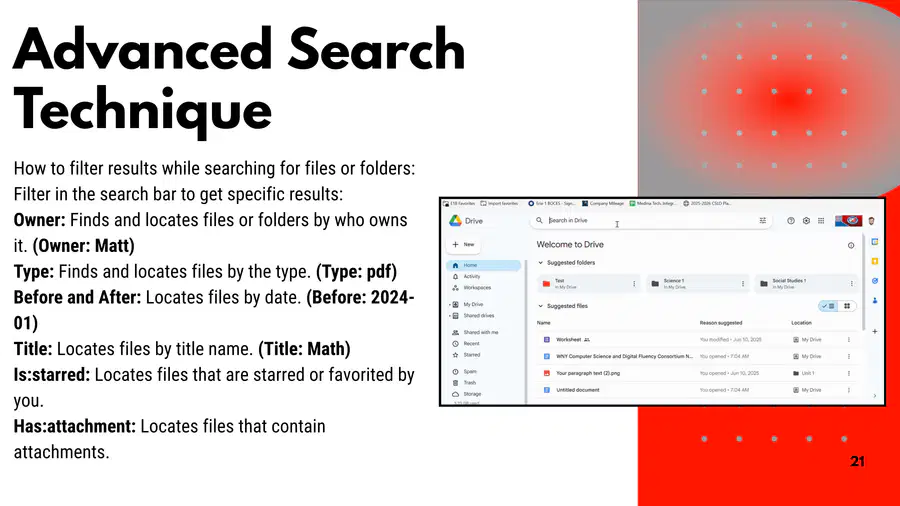
Explain how you would locate files owned by a specific person and files of a specific type in Google Drive. What search filters would you use?
43
Multiple Choice
Which search filter would you use in Google Drive to find files that contain attachments?
Owner
Type
Has:attachment
Is:starred
44

45

46
Fill in the Blanks
Type answer...
47

48
Open Ended
Describe a strategy for archiving files in Google Drive that you may need at a later date. Why is this important for file management?
49
Multiple Select
Which of the following actions can help you organize your Google Drive?
Delete old files/folders using search and filter functions
Color coordinate and date your folders
Rename old files in your Google Drive
All of the above
50

51
Multiple Choice
Which of the following is NOT a benefit of organizing your Google Drive?
Saves time and productivity
Prevents accidental deletion or loss of files
Conserves storage space and decreases file clutter
Makes files harder to find
52
Open Ended
Reflecting on today's session, how do you think organizing your Google Drive can improve your productivity and collaboration?
HI
Show answer
Auto Play
Slide 1 / 52
SLIDE
Similar Resources on Wayground

48 questions
Untitled Presentation
Presentation
•
1st - 5th Grade
50 questions
Control Panel Hosting
Presentation
•
1st - 3rd Grade
47 questions
1.24 Lesson
Presentation
•
3rd Grade
44 questions
8.28 tek 3.7d
Presentation
•
3rd Grade
56 questions
REPORTED SPEECH REVIEW
Presentation
•
KG
42 questions
Introduction and simple present
Presentation
•
KG
46 questions
It was raining apples!
Presentation
•
1st - 3rd Grade
40 questions
ADVENTUROUS 1
Presentation
•
KG
Popular Resources on Wayground
6 questions
Secondary Safety Quiz
Presentation
•
9th - 12th Grade
10 questions
MyPath Diagnostic Overview
Presentation
•
6th - 8th Grade
20 questions
Lab Safety Quiz

Quiz
•
6th Grade
21 questions
Continents and Oceans
Quiz
•
6th Grade
20 questions
Adding and Subtracting Decimals
Quiz
•
5th Grade
20 questions
Parts of Speech
Quiz
•
5th Grade
16 questions
Subject & Predicate
Quiz
•
5th Grade
21 questions
Lab Safety
Quiz
•
10th Grade
Discover more resources for English
20 questions
Parts of Speech
Quiz
•
5th Grade
16 questions
Subject & Predicate
Quiz
•
5th Grade
12 questions
Common and Proper Nouns
Quiz
•
4th Grade
18 questions
Nouns
Quiz
•
3rd Grade
20 questions
Four Types of Sentences
Quiz
•
3rd - 5th Grade
10 questions
Complete Subjects and Predicates
Quiz
•
4th Grade
16 questions
Simple and Complete Subjects and Predicates
Quiz
•
4th Grade
20 questions
4 Types of Sentences
Quiz
•
4th - 5th Grade