
Bài 5. Thực hành tổng hợp
Authored by Nhung Thùy
Computers
5th Grade


AI Actions
Add similar questions
Adjust reading levels
Convert to real-world scenario
Translate activity
More...
Content View
Student View
17 questions
Show all answers
1.
MULTIPLE CHOICE QUESTION
30 sec • 1 pt
Để tạo bảng em thực hiện thao tác nào trong các thao tác sau?
Insert / Picture
Insert / Table
Insert / Shapes
Insert / Clip Arts
2.
MULTIPLE CHOICE QUESTION
30 sec • 1 pt
Để tạo đường viền cho trang văn bản em chọn?


3.
MULTIPLE CHOICE QUESTION
30 sec • 1 pt
Em hãy chọn nút lệnh để chèn hình ảnh vào văn bản?


4.
MULTIPLE CHOICE QUESTION
30 sec • 1 pt
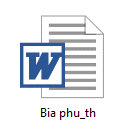
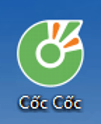
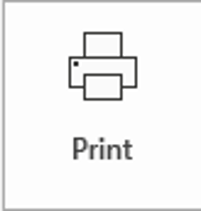
Đâu là biểu tượng của một tệp văn bản?

5.
MULTIPLE SELECT QUESTION
30 sec • 1 pt

Tác dụng của nút lệnh sau là:
Tạo màu viền trang
Chọn màu chữ
Thay đổi màu nền trang soạn thảo
Đánh số trang
6.
MULTIPLE CHOICE QUESTION
30 sec • 1 pt

Để vẽ được hình trên trong word, em dùng công cụ nào dưới đây?


7.
MULTIPLE CHOICE QUESTION
30 sec • 1 pt

Khi em nháy thẻ Layout/ chọn biểu tượng này để?
Chọn khổ giấy A4
Đặt lề trên, lề dưới của văn bản
Chọn hướng giấy ngang, dọc


Access all questions and much more by creating a free account
Create resources
Host any resource
Get auto-graded reports

Continue with Google

Continue with Email

Continue with Classlink

Continue with Clever
or continue with

Microsoft
%20(1).png)
Apple

Others
Already have an account?

