
- Resource Library
- Math
- Probability And Statistics
- Line Of Best Fit
- Calculating Correlation Coefficient And Best Fit Regression In Google Sheets
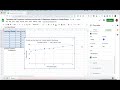
Calculating Correlation Coefficient and Best Fit Regression in Google Sheets

Interactive Video
•
Mathematics
•
8th - 12th Grade
•
Practice Problem
•
Hard
+3
Standards-aligned

Ethan Morris
FREE Resource
Standards-aligned
10 questions
Show all answers
1.
MULTIPLE CHOICE QUESTION
30 sec • 1 pt
What are the two main objectives of the video?
Learning basic formulas in Google Sheets
Creating pie charts and bar graphs in Google Sheets
Calculating correlation coefficient and best fit regression equation in Google Sheets
Calculating mean and median in Google Sheets
2.
MULTIPLE CHOICE QUESTION
30 sec • 1 pt
Which variable should be placed first in Google Sheets?
Dependent variable
Control variable
Independent variable
Random variable
Tags
CCSS.6.SP.B.4
CCSS.HSS.ID.A.1
3.
MULTIPLE CHOICE QUESTION
30 sec • 1 pt
What is the formula used to calculate the correlation coefficient in Google Sheets?
=CORREL
=CORRELATE
=CORRELATION
=COEFF
Tags
CCSS.HSS.ID.C.8
4.
MULTIPLE CHOICE QUESTION
30 sec • 1 pt
What should you do after highlighting the independent and dependent variable columns to calculate the correlation coefficient?
Insert a chart
Save the file
Close the spreadsheet
Press Enter
Tags
CCSS.HSS.ID.C.8
5.
MULTIPLE CHOICE QUESTION
30 sec • 1 pt
What type of chart should you insert to visualize the best fit regression line?
Line chart
Scatter plot
Pie chart
Bar chart
Tags
CCSS.8.SP.A.2
6.
MULTIPLE CHOICE QUESTION
30 sec • 1 pt
Where do you go to customize the chart and add a trend line?
Data tab
File menu
Customize tab
Edit menu
Tags
CCSS.8.SP.A.2
7.
MULTIPLE CHOICE QUESTION
30 sec • 1 pt
What does the R squared value represent?
Y-intercept
Slope of the line
Coefficient of determination
Correlation coefficient
Tags
CCSS.HSS.ID.B.6B
Access all questions and much more by creating a free account
Create resources
Host any resource
Get auto-graded reports

Continue with Google

Continue with Email

Continue with Classlink

Continue with Clever
or continue with

Microsoft
%20(1).png)
Apple

Others
Already have an account?


