
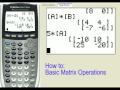
Matrix Operations on the TI-83+ and TI-84+

Interactive Video
•
Mathematics
•
6th - 10th Grade
•
Practice Problem
•
Hard
+2
Standards-aligned

Amelia Wright
FREE Resource
Standards-aligned
Read more
10 questions
Show all answers
1.
MULTIPLE CHOICE QUESTION
30 sec • 1 pt
What is the first step to enter a matrix in the TI-84 Plus or TI-83 Plus calculator?
Press the '2nd' key and then the 'MATRIX' key
Press the 'MODE' key
Press the 'STAT' key
Press the 'ALPHA' key
2.
MULTIPLE CHOICE QUESTION
30 sec • 1 pt
Which menu allows you to change elements in an existing matrix?
Ops
Names
Math
Edit
3.
MULTIPLE CHOICE QUESTION
30 sec • 1 pt
How do you indicate a negative number when entering elements into a matrix?
Use the multiplication key
Use the subtraction key
Use the negative key
Use the division key
4.
MULTIPLE CHOICE QUESTION
30 sec • 1 pt
What operation is performed when you use the addition sign between two matrices?
Addition
Multiplication
Division
Subtraction
Tags
CCSS.HSN.VM.C.8
5.
MULTIPLE CHOICE QUESTION
30 sec • 1 pt
How can you multiply a matrix by a real number in the calculator?
Use the subtraction sign
Use the addition sign
Use the multiplication sign
Use the division sign
Tags
CCSS.HSN.VM.C.7
6.
MULTIPLE CHOICE QUESTION
30 sec • 1 pt
Which menu option is used to find the determinant of a matrix?
Ops
Names
Math
Edit
7.
MULTIPLE CHOICE QUESTION
30 sec • 1 pt
What is the result when a matrix is multiplied by its inverse?
Zero matrix
Identity matrix
Determinant matrix
Transpose matrix
Tags
CCSS.HSN.VM.C.10
Access all questions and much more by creating a free account
Create resources
Host any resource
Get auto-graded reports

Continue with Google

Continue with Email

Continue with Classlink

Continue with Clever
or continue with

Microsoft
%20(1).png)
Apple

Others
Already have an account?

