
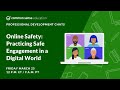
Understanding Online Safety and Digital Citizenship

Interactive Video
•
Life Skills
•
4th - 5th Grade
•
Practice Problem
•
Hard

Sophia Harris
FREE Resource
Read more
10 questions
Show all answers
1.
MULTIPLE CHOICE QUESTION
30 sec • 1 pt
What is the main focus of the session introduced by Sue and Jamie?
Reviewing historical educational practices
Exploring advanced teaching methods
Discussing online safety and privacy resources
Highlighting new educational technologies
2.
MULTIPLE CHOICE QUESTION
30 sec • 1 pt
How does Common Sense Education approach online safety?
By only addressing it in high school
By using fear-based language
By focusing on privacy and healthy relationships
By avoiding the topic altogether
3.
MULTIPLE CHOICE QUESTION
30 sec • 1 pt
What is a key component of the Common Sense Digital Citizenship curriculum for young students?
Protecting privacy online
Historical internet usage
Advanced coding lessons
Social media marketing
4.
MULTIPLE CHOICE QUESTION
30 sec • 1 pt
What are digital footprints?
Online trails left by internet activity
Physical marks left on the ground
Footprints made by digital devices
Marks left by digital art tools
5.
MULTIPLE CHOICE QUESTION
30 sec • 1 pt
Why is it important to teach children about digital footprints?
To encourage them to share more online
To help them understand the permanence of online actions
To teach them how to erase their online presence
To make them afraid of using the internet
6.
MULTIPLE CHOICE QUESTION
30 sec • 1 pt
What is a 'red flag feeling' in the context of online interactions?
A feeling of excitement
A feeling of boredom
A sense of discomfort or unease
A desire to share more information
7.
MULTIPLE CHOICE QUESTION
30 sec • 1 pt
What is the goal of teaching students about online safety according to the final takeaways?
To make them avoid the internet
To build their confidence in handling online risks
To ensure they never share any information
To encourage them to use social media more
Access all questions and much more by creating a free account
Create resources
Host any resource
Get auto-graded reports

Continue with Google

Continue with Email

Continue with Classlink

Continue with Clever
or continue with

Microsoft
%20(1).png)
Apple

Others
Already have an account?

