
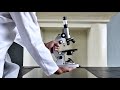
Microscope Usage and Maintenance

Interactive Video
•
Biology, Science
•
9th - 12th Grade
•
Practice Problem
•
Easy

Aiden Montgomery
Used 4+ times
FREE Resource
Read more
10 questions
Show all answers
1.
MULTIPLE CHOICE QUESTION
30 sec • 1 pt
What is the primary focus of this video tutorial?
Detailed working principles of microscopes
Comparison between monocular and binocular microscopes
Quick setup of a compound monocular bright field light microscope
History of microscopy
2.
MULTIPLE CHOICE QUESTION
30 sec • 1 pt
How should the microscope be positioned on the table for optimal use?
Directly under bright sunlight
With the arm towards the user and base three inches from the edge
At the edge of the table
With the arm facing away from the user
3.
MULTIPLE CHOICE QUESTION
30 sec • 1 pt
What should be done if dust is found on the eyepiece?
Ignore it
Use a regular cloth to wipe it
Use lens paper or lens cloth to clean it
Wash it with water
4.
MULTIPLE CHOICE QUESTION
30 sec • 1 pt
What is the first step in preparing the microscope for specimen viewing?
Check the lighting distribution
Adjust the fine adjustment knob
Place the slide on the stage
Rotate the nose piece to align the low power objective
5.
MULTIPLE CHOICE QUESTION
30 sec • 1 pt
Why is it important to adjust the condenser and diaphragm?
To reduce the microscope's weight
To increase the size of the specimen
To enhance contrast and image quality
To change the color of the specimen
6.
MULTIPLE CHOICE QUESTION
30 sec • 1 pt
What is the purpose of a blue filter in modern microscopes?
To provide a clear white background and not mask specimen colors
To reduce the brightness of the image
To change the color of the light source
To make the image appear larger
7.
MULTIPLE CHOICE QUESTION
30 sec • 1 pt
What is a key precaution when using high power objective lenses?
Always use a blue filter
Use only the fine adjustment knob to avoid damage
Keep the condenser fully open
Use the coarse adjustment knob for focusing
Access all questions and much more by creating a free account
Create resources
Host any resource
Get auto-graded reports

Continue with Google

Continue with Email

Continue with Microsoft
or continue with

%20(1).png)
Apple

Others
Already have an account?

