
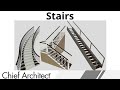
Stair Design and Tools in Chief Architect

Interactive Video
•
Architecture, Design
•
9th - 12th Grade
•
Practice Problem
•
Hard

Liam Anderson
FREE Resource
Read more
10 questions
Show all answers
1.
MULTIPLE CHOICE QUESTION
30 sec • 1 pt
What types of stair styles can Chief Architect create?
Straight, split, multi-platform, and curved stairs
Only ramps
Only split and multi-platform stairs
Only straight and curved stairs
2.
MULTIPLE CHOICE QUESTION
30 sec • 1 pt
How can you create a specific number of stair treads using the stair tool?
By selecting from a dropdown
By using a slider
By typing the number
By clicking and dragging
3.
MULTIPLE CHOICE QUESTION
30 sec • 1 pt
What feature allows stairs to automatically generate a stairwell?
Manual stairwell creation
Auto stairwell tool
Stairwell wizard
Stairwell generator
4.
MULTIPLE CHOICE QUESTION
30 sec • 1 pt
Which stair tool is used for creating L-shaped stairs?
Straight stair tool
Curved stair tool
L-shaped stair tool
U-shaped stair tool
5.
MULTIPLE CHOICE QUESTION
30 sec • 1 pt
What can be customized in Chief Architect's stair attributes?
Length, number of treads, riser height, and more
Only the railing style
Only the material
Only the color
6.
MULTIPLE CHOICE QUESTION
30 sec • 1 pt
How can you add a starter tread to a staircase?
By dragging a starter tread from the library
By using the starter tread tool
By using the flare tool
By clicking on the stair and selecting add starter
7.
MULTIPLE CHOICE QUESTION
30 sec • 1 pt
What tool is used to show the stair headroom in detail?
Headroom detail tool
Back clipped cross section camera
Stair headroom viewer
Cross section viewer
Access all questions and much more by creating a free account
Create resources
Host any resource
Get auto-graded reports

Continue with Google

Continue with Email

Continue with Classlink

Continue with Clever
or continue with

Microsoft
%20(1).png)
Apple

Others
Already have an account?

