
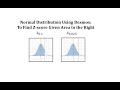
Understanding Z-Scores with Desmos

Interactive Video
•
Mathematics, Computers
•
10th - 12th Grade
•
Practice Problem
•
Hard

Amelia Wright
FREE Resource
Read more
10 questions
Show all answers
1.
MULTIPLE CHOICE QUESTION
30 sec • 1 pt
What does Z sub alpha represent in statistics?
A Z-score with an area of 0 to its left
A Z-score with an area of alpha to its right
A Z-score with an area of alpha to its left
A Z-score with an area of 1 to its right
2.
MULTIPLE CHOICE QUESTION
30 sec • 1 pt
What is the first step to find Z-scores using Desmos?
Enter the area to the left
Open the Desmos keypad
Click on the graphing calculator
Select inverse CDF
3.
MULTIPLE CHOICE QUESTION
30 sec • 1 pt
Which function is used in Desmos to calculate Z-scores?
Inverse CDF
Normal distribution
Mean calculation
Standard deviation
4.
MULTIPLE CHOICE QUESTION
30 sec • 1 pt
For Z sub 0.1, what area do you enter in the inverse CDF function?
0.1
1.0
0.9
0.05
5.
MULTIPLE CHOICE QUESTION
30 sec • 1 pt
How do you verify the Z-score for Z sub 0.1 in Desmos?
By checking the area to the left is 0.1
By checking the area to the right is 0.9
By checking the area to the right is 0.1
By checking the area to the left is 0.05
6.
MULTIPLE CHOICE QUESTION
30 sec • 1 pt
What is the approximate Z-score for Z sub 0.1?
1.9600
1.2816
0.0250
0.9750
7.
MULTIPLE CHOICE QUESTION
30 sec • 1 pt
What area to the left is used for calculating Z sub 0.025?
0.975
0.1
0.9
0.025
Access all questions and much more by creating a free account
Create resources
Host any resource
Get auto-graded reports

Continue with Google

Continue with Email

Continue with Classlink

Continue with Clever
or continue with

Microsoft
%20(1).png)
Apple

Others
Already have an account?

