
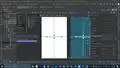
The Art of Doing: Dive Into Android Development with Kotlin - Exploring the Layout

Interactive Video
•
Information Technology (IT), Architecture
•
University
•
Practice Problem
•
Hard

Wayground Content
FREE Resource
Read more
10 questions
Show all answers
1.
MULTIPLE CHOICE QUESTION
30 sec • 1 pt
What is the entry point of an Android app as defined in the manifest?
String Resource
Main Activity
Launcher Icon
Layout File
2.
MULTIPLE CHOICE QUESTION
30 sec • 1 pt
What is the purpose of the component tree in the layout editor?
To list available views
To define the app's entry point
To show how views are arranged
To edit string resources
3.
MULTIPLE CHOICE QUESTION
30 sec • 1 pt
Why should you use string resources instead of hardcoded strings?
To reduce app size
To improve performance
To allow easy updates
To enhance security
4.
MULTIPLE CHOICE QUESTION
30 sec • 1 pt
Which method allows you to change layout attributes using XML code?
XML Editor
Attributes Panel
Component Tree
Design Tab
5.
MULTIPLE CHOICE QUESTION
30 sec • 1 pt
What is the benefit of using the design tab for layout changes?
It provides a visual interface
It automatically saves changes
It is faster than XML
It supports more attributes
6.
MULTIPLE CHOICE QUESTION
30 sec • 1 pt
How can you create a new layout file in Android Studio?
By modifying the main activity
By right-clicking in the layout folder
By using the palette
By editing the manifest
7.
MULTIPLE CHOICE QUESTION
30 sec • 1 pt
What happens if you delete a layout file that is still referenced in the code?
The app will show an error
The app will crash
The app will use a default layout
The app will ignore the reference
Access all questions and much more by creating a free account
Create resources
Host any resource
Get auto-graded reports

Continue with Google

Continue with Email

Continue with Classlink

Continue with Clever
or continue with

Microsoft
%20(1).png)
Apple

Others
Already have an account?


