
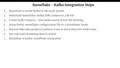
Snowflake - Build and Architect Data Pipelines Using AWS - Lab - Download the Necessary JAR Files

Interactive Video
•
Information Technology (IT), Architecture
•
University
•
Practice Problem
•
Hard

Wayground Content
FREE Resource
Read more
7 questions
Show all answers
1.
MULTIPLE CHOICE QUESTION
30 sec • 1 pt
What is the first step in integrating Snowflake with Kafka?
Running a data producer script
Setting up Kafka topics
Downloading and installing Kafka
Configuring Snowflake account
2.
MULTIPLE CHOICE QUESTION
30 sec • 1 pt
Which mode is recommended for production environments when setting up Kafka?
Standalone mode
Distributed mode
Local mode
Cloud mode
3.
MULTIPLE CHOICE QUESTION
30 sec • 1 pt
What is the purpose of running a fake data producer script in the Kafka setup?
To test Kafka server installation
To write data into Kafka topics
To configure Snowflake account
To download Kafka connector
4.
MULTIPLE CHOICE QUESTION
30 sec • 1 pt
Where can Windows users find specific instructions for installing Kafka?
Kafka official website
GeeksforGeeks link
AWS MSK guide
Snowflake documentation
5.
MULTIPLE CHOICE QUESTION
30 sec • 1 pt
What version of Kafka is recommended for download in the tutorial?
Version 5.1.0
Version 4.0.0
Version 3.1.0
Version 2.8.0
6.
MULTIPLE CHOICE QUESTION
30 sec • 1 pt
Where should the Snowflake Kafka connector jar file be placed after downloading?
In the Kafka logs directory
In the Kafka libs directory
In the Kafka config directory
In the Kafka bin directory
7.
MULTIPLE CHOICE QUESTION
30 sec • 1 pt
What is the recommended version of the Snowflake Kafka connector jar file?
Version 5.1.0
Version 1.5.0
Version 2.5.0
Version 1.0.0
Access all questions and much more by creating a free account
Create resources
Host any resource
Get auto-graded reports

Continue with Google

Continue with Email

Continue with Classlink

Continue with Clever
or continue with

Microsoft
%20(1).png)
Apple

Others
Already have an account?


