
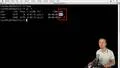
Linux Fundamentals - Summary for Processes Monitoring

Interactive Video
•
Information Technology (IT), Architecture, Other
•
University
•
Hard

Wayground Content
FREE Resource
This video tutorial covers the installation of packages using the apt-get utility in Ubuntu, focusing on the Htop package for process management. It demonstrates how to use Htop to monitor CPU and memory usage, and explains the PS command for viewing process information. The tutorial also shows how to filter and sort processes using Htop, and discusses running Ubuntu as a virtual machine with resource limits. Finally, it introduces the concepts of standard input, output, and error in processes.
Read more
3 questions
Show all answers
1.
OPEN ENDED QUESTION
3 mins • 1 pt
What is the purpose of the F4 key in the H top utility?
Evaluate responses using AI:
OFF
2.
OPEN ENDED QUESTION
3 mins • 1 pt
How can you sort processes by memory usage in H top?
Evaluate responses using AI:
OFF
3.
OPEN ENDED QUESTION
3 mins • 1 pt
What are the three different data flows of every process?
Evaluate responses using AI:
OFF
Access all questions and much more by creating a free account
Create resources
Host any resource
Get auto-graded reports

Continue with Google

Continue with Email

Continue with Classlink

Continue with Clever
or continue with

Microsoft
%20(1).png)
Apple

Others
Already have an account?


