
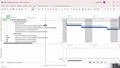
Planning and Control Using Microsoft Project 365 and 2021 - Workshop 17 - Resource Graphs and Tables

Interactive Video
•
Information Technology (IT), Architecture
•
University
•
Practice Problem
•
Hard

Wayground Content
FREE Resource
The video tutorial covers resource levelling in Microsoft Project. It begins with an introduction to the project and the importance of resource levelling. The tutorial then demonstrates how to identify overallocated resources using resource graphs. It explains setting baselines and using Gantt charts to track project delays. The video provides a detailed guide on manual resource levelling, including setting options and saving schedules. Finally, it explores advanced levelling options, such as allowing splits and selecting by ID, to manage project timelines effectively.
Read more
2 questions
Show all answers
1.
OPEN ENDED QUESTION
3 mins • 1 pt
Explain the significance of setting a baseline in project management.
Evaluate responses using AI:
OFF
2.
OPEN ENDED QUESTION
3 mins • 1 pt
What are the different options available for resource leveling, and how do they affect the project schedule?
Evaluate responses using AI:
OFF
Access all questions and much more by creating a free account
Create resources
Host any resource
Get auto-graded reports

Continue with Google

Continue with Email

Continue with Classlink

Continue with Clever
or continue with

Microsoft
%20(1).png)
Apple

Others
Already have an account?

