
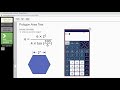
Hexagon Area and Trigonometric Functions

Interactive Video
•
Mathematics, Computers, Instructional Technology
•
9th - 10th Grade
•
Practice Problem
•
Hard

Patricia Brown
FREE Resource
Read more
10 questions
Show all answers
1.
MULTIPLE CHOICE QUESTION
30 sec • 1 pt
What is the main purpose of using the embedded calculator in Edoctrina as discussed in the video?
To perform addition and subtraction
To calculate the area of a regular polygon
To solve algebraic equations
To convert units of measurement
2.
MULTIPLE CHOICE QUESTION
30 sec • 1 pt
In the test question, what is the number of sides of the hexagon?
6
5
4
8
3.
MULTIPLE CHOICE QUESTION
30 sec • 1 pt
What is the given side length of the hexagon in the test question?
2
1
4
3
4.
MULTIPLE CHOICE QUESTION
30 sec • 1 pt
Why is it important to ensure the calculator is in degree mode?
To convert angles to radians
To display results in scientific notation
To perform basic arithmetic operations
To ensure accurate trigonometric calculations
5.
MULTIPLE CHOICE QUESTION
30 sec • 1 pt
How can you switch the calculator from radians to degrees?
By turning the calculator off and on
By entering a special code
By selecting 'Mode' and choosing 'Degrees'
By pressing the 'Clear' button
6.
MULTIPLE CHOICE QUESTION
30 sec • 1 pt
What is the first step in entering the formula into the calculator?
Entering the tangent function
Opening the calculator
Putting the numerator in parentheses
Switching to scientific mode
7.
MULTIPLE CHOICE QUESTION
30 sec • 1 pt
Why is it important to use parentheses when entering the formula?
To prevent the calculator from turning off
To save the formula for later use
To ensure operations are performed in the correct order
To make the equation look neat
Access all questions and much more by creating a free account
Create resources
Host any resource
Get auto-graded reports

Continue with Google

Continue with Email

Continue with Classlink

Continue with Clever
or continue with

Microsoft
%20(1).png)
Apple

Others
Already have an account?

