
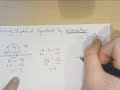
Solving Systems of Equations

Interactive Video
•
Mathematics
•
6th - 8th Grade
•
Practice Problem
•
Hard

Thomas White
FREE Resource
Read more
10 questions
Show all answers
1.
MULTIPLE CHOICE QUESTION
30 sec • 1 pt
What is the primary goal when using the elimination method to solve systems of equations?
To eliminate one variable
To graph the equations
To substitute variables
To multiply the equations
2.
MULTIPLE CHOICE QUESTION
30 sec • 1 pt
In the elimination method, what happens when you add -2y and 2y?
They double
They cancel each other out
They become positive
They become negative
3.
MULTIPLE CHOICE QUESTION
30 sec • 1 pt
After eliminating one variable, what is the next step in solving the system of equations?
Rewrite the system
Multiply the remaining equation
Solve for the remaining variable
Graph the remaining equation
4.
MULTIPLE CHOICE QUESTION
30 sec • 1 pt
When using subtraction in the elimination method, what must you remember to do with the second equation?
Add all terms
Multiply all terms by 2
Divide all terms by 2
Change the signs of all terms
5.
MULTIPLE CHOICE QUESTION
30 sec • 1 pt
What is the result of subtracting 4y from 4y in the elimination method?
8y
0
4y
-4y
6.
MULTIPLE CHOICE QUESTION
30 sec • 1 pt
Why might you need to change the signs of all terms in an equation during elimination?
To make the equation more complex
To ensure terms cancel out
To make the equation longer
To simplify the equation
7.
MULTIPLE CHOICE QUESTION
30 sec • 1 pt
What is the solution to the system of equations if x = -3 and y = 8?
(-8, 3)
(8, -3)
(3, -8)
(-3, 8)
Access all questions and much more by creating a free account
Create resources
Host any resource
Get auto-graded reports

Continue with Google

Continue with Email

Continue with Classlink

Continue with Clever
or continue with

Microsoft
%20(1).png)
Apple

Others
Already have an account?


