
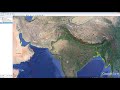
Earthquake Epicenter Identification Techniques

Interactive Video
•
Geography
•
9th - 10th Grade
•
Practice Problem
•
Hard

Patricia Brown
FREE Resource
Read more
10 questions
Show all answers
1.
MULTIPLE CHOICE QUESTION
30 sec • 1 pt
What is the primary tool used in this video to triangulate the epicenter of an earthquake?
MapQuest
Google Earth
Google Maps
Bing Maps
2.
MULTIPLE CHOICE QUESTION
30 sec • 1 pt
Which city recorded the shortest distance to the earthquake's epicenter?
Mumbai
Dhaka
Lucknow
Kathmandu
3.
MULTIPLE CHOICE QUESTION
30 sec • 1 pt
How far is the epicenter from Dhaka?
1200 kilometers
1500 kilometers
950 kilometers
300 kilometers
4.
MULTIPLE CHOICE QUESTION
30 sec • 1 pt
What is the first step in creating a circle in Google Earth for Dhaka?
Select the polygon tool
Select the circle tab in the ruler popup box
Select the rectangle tool
Select the line tool
5.
MULTIPLE CHOICE QUESTION
30 sec • 1 pt
What color does the circle turn after saving it in Google Earth?
Red
Yellow
Green
Blue
6.
MULTIPLE CHOICE QUESTION
30 sec • 1 pt
What is the distance from Mumbai to the epicenter?
1000 kilometers
1500 kilometers
300 kilometers
950 kilometers
7.
MULTIPLE CHOICE QUESTION
30 sec • 1 pt
What icon is used to mark the epicenter in Google Earth?
A yellow pin
A green triangle
A red circle
A blue square
Access all questions and much more by creating a free account
Create resources
Host any resource
Get auto-graded reports

Continue with Google

Continue with Email

Continue with Microsoft
or continue with

%20(1).png)
Apple

Others
Already have an account?

