
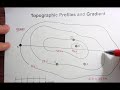
Topographic Maps and Profiles

Interactive Video
•
Geography
•
9th - 10th Grade
•
Practice Problem
•
Hard

Thomas White
FREE Resource
Read more
9 questions
Show all answers
1.
MULTIPLE CHOICE QUESTION
30 sec • 1 pt
What is the primary focus of the video tutorial?
Understanding weather patterns
Making a topographic profile and calculating gradient
Creating a topographic map
Calculating the area of a region
2.
MULTIPLE CHOICE QUESTION
30 sec • 1 pt
What indicates that the map represents an island?
Presence of mountains
Labeling of the ocean
Color of the map
Shape of the land
3.
MULTIPLE CHOICE QUESTION
30 sec • 1 pt
What is the contour interval on the map?
25 feet
50 feet
100 feet
10 feet
4.
MULTIPLE CHOICE QUESTION
30 sec • 1 pt
What is the first step in creating a topographic profile?
Using scrap paper to mark intersections
Drawing a grid
Calculating gradient
Labeling elevations
5.
MULTIPLE CHOICE QUESTION
30 sec • 1 pt
How should the points on the profile be connected?
With a straight line
With a smooth curve
With a dotted line
With a zigzag pattern
6.
MULTIPLE CHOICE QUESTION
30 sec • 1 pt
What is the formula for calculating gradient?
Distance minus elevation
Change in elevation over distance
Elevation times distance
Change in distance over elevation
7.
MULTIPLE CHOICE QUESTION
30 sec • 1 pt
What is the elevation of Point C?
100 feet
50 feet
25 feet
75 feet
Access all questions and much more by creating a free account
Create resources
Host any resource
Get auto-graded reports

Continue with Google

Continue with Email

Continue with Classlink

Continue with Clever
or continue with

Microsoft
%20(1).png)
Apple

Others
Already have an account?

