
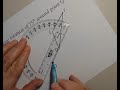
Understanding Rotational Geometry Concepts

Interactive Video
•
Mathematics
•
6th - 8th Grade
•
Practice Problem
•
Hard

Thomas White
FREE Resource
Read more
16 questions
Show all answers
1.
MULTIPLE CHOICE QUESTION
30 sec • 1 pt
What is the direction of a counterclockwise rotation?
Towards the left
Opposite to the clock hands
Same as the clock hands
Towards the right
2.
MULTIPLE CHOICE QUESTION
30 sec • 1 pt
What tool is used to measure angles for rotation?
Set square
Ruler
Protractor
Compass
3.
MULTIPLE CHOICE QUESTION
30 sec • 1 pt
How do you determine the new location of a point after rotation?
By measuring the distance from the center
By using a compass
By drawing a random line
By guessing
4.
MULTIPLE CHOICE QUESTION
30 sec • 1 pt
What is the angle of rotation for point A in the example?
90 degrees
120 degrees
180 degrees
150 degrees
5.
MULTIPLE CHOICE QUESTION
30 sec • 1 pt
What is the distance measurement unit used in the video?
Feet
Inches
Centimeters
Meters
6.
MULTIPLE CHOICE QUESTION
30 sec • 1 pt
What is the angle of rotation for point B in the example?
120 degrees
90 degrees
150 degrees
180 degrees
7.
MULTIPLE CHOICE QUESTION
30 sec • 1 pt
What is the final step after marking the new location of a point?
Measure again
Draw a line to the new point
Check the angle
Erase the old point
Access all questions and much more by creating a free account
Create resources
Host any resource
Get auto-graded reports

Continue with Google

Continue with Email

Continue with Classlink

Continue with Clever
or continue with

Microsoft
%20(1).png)
Apple

Others
Already have an account?


