
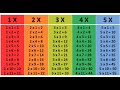
Multiplication Table Application Concepts

Interactive Video
•
Mathematics
•
3rd - 5th Grade
•
Hard

Thomas White
FREE Resource
Read more
7 questions
Show all answers
1.
MULTIPLE CHOICE QUESTION
30 sec • 1 pt
What is the main purpose of the automated multiplication table tutorial?
To teach kids how to multiply manually.
To create a tool for automated calculations.
To learn advanced programming techniques.
To design a new type of calculator.
2.
MULTIPLE CHOICE QUESTION
30 sec • 1 pt
What happens when you click refresh in the multiplication table application?
The numbers are recalculated.
The application restarts.
The application closes.
The numbers disappear.
3.
MULTIPLE CHOICE QUESTION
30 sec • 1 pt
What is the first step in creating the multiplication table application?
Designing the user interface.
Testing the application.
Opening a new sheet.
Writing the multiplication logic.
4.
MULTIPLE CHOICE QUESTION
30 sec • 1 pt
What is the purpose of the command button in the application?
To close the application.
To display numbers 1 to 10.
To reset the application.
To change the background color.
5.
MULTIPLE CHOICE QUESTION
30 sec • 1 pt
How is the coding logic structured for displaying numbers in a column?
Using a do-while loop.
Using a switch statement.
Using a for loop.
Using a while loop.
6.
MULTIPLE CHOICE QUESTION
30 sec • 1 pt
What is the key difference when setting up multiplication by three compared to two?
Using a different command button.
Altering the refresh logic.
Changing the column reference.
Using a different loop structure.
7.
MULTIPLE CHOICE QUESTION
30 sec • 1 pt
What does the refresh button do in the application?
Saves the current state.
Clears the contents of the range.
Exits the application.
Displays a help menu.
Access all questions and much more by creating a free account
Create resources
Host any resource
Get auto-graded reports

Continue with Google

Continue with Email

Continue with Microsoft
or continue with

%20(1).png)
Apple

Others
By signing up, you agree to our Terms of Service & Privacy Policy
Already have an account?


