
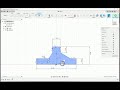
Fully Constraining Sketches in CAD

Interactive Video
•
Design
•
9th - 10th Grade
•
Hard

Thomas White
FREE Resource
Read more
10 questions
Show all answers
1.
MULTIPLE CHOICE QUESTION
30 sec • 1 pt
What is the main focus of the video tutorial?
Coloring a sketch
Deleting a sketch
Fully constraining a sketch
Creating a new sketch
2.
MULTIPLE CHOICE QUESTION
30 sec • 1 pt
What types of constraints are initially discussed?
Dimensional constraints
Geometric constraints
Material constraints
Color constraints
3.
MULTIPLE CHOICE QUESTION
30 sec • 1 pt
What is the current state of the sketch in the video?
Partially constrained
Fully constrained
Over-constrained
Not constrained at all
4.
MULTIPLE CHOICE QUESTION
30 sec • 1 pt
What is introduced to help enforce dimensions in the sketch?
Color constraints
Dimensional constraints
Material constraints
Texture constraints
5.
MULTIPLE CHOICE QUESTION
30 sec • 1 pt
Which key can be used to start dimensioning in the sketch?
E key
A key
B key
D key
6.
MULTIPLE CHOICE QUESTION
30 sec • 1 pt
What is the initial size set for line 1 in millimeters?
100 millimeters
75 millimeters
50 millimeters
150 millimeters
7.
MULTIPLE CHOICE QUESTION
30 sec • 1 pt
What is the height set for certain lines in the sketch?
25 millimeters
20 millimeters
15 millimeters
10 millimeters
Access all questions and much more by creating a free account
Create resources
Host any resource
Get auto-graded reports

Continue with Google

Continue with Email

Continue with Classlink

Continue with Clever
or continue with

Microsoft
%20(1).png)
Apple

Others
Already have an account?

