
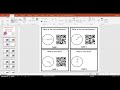
Creating Task Cards with QR Codes

Interactive Video
•
Mathematics
•
6th - 7th Grade
•
Practice Problem
•
Hard

Jennifer Brown
FREE Resource
10 questions
Show all answers
1.
MULTIPLE CHOICE QUESTION
30 sec • 1 pt
What is the main purpose of using QR codes in task cards?
To increase the difficulty of the questions
To make the task cards more expensive
To allow students to self-check their answers
To make the task cards colorful
2.
MULTIPLE CHOICE QUESTION
30 sec • 1 pt
Which software is recommended for creating task cards?
PowerPoint
Google Docs
Adobe Photoshop
Microsoft Word
3.
MULTIPLE CHOICE QUESTION
30 sec • 1 pt
What is the first step in creating a QR code for a task card?
Determine the answer you want the QR code to reveal
Decide on the color of the QR code
Print the task card
Choose a QR code generator
4.
MULTIPLE CHOICE QUESTION
30 sec • 1 pt
Which type of content can a QR code link to?
Only audio files
Only images
Various types including websites, videos, and PDFs
Only text
5.
MULTIPLE CHOICE QUESTION
30 sec • 1 pt
What customization option is NOT mentioned for QR codes?
Resizing the QR code
Adding a sound
Changing the color
Adding a frame
6.
MULTIPLE CHOICE QUESTION
30 sec • 1 pt
Why is it suggested to delete QR codes from the downloads folder after use?
To make the computer faster
To avoid selecting the wrong QR code
To save storage space
To prevent viruses
7.
MULTIPLE CHOICE QUESTION
30 sec • 1 pt
What is a suggested use for task cards with QR codes in the classroom?
For group projects
As a reward system
As a decoration
For stations or extra practice
Access all questions and much more by creating a free account
Create resources
Host any resource
Get auto-graded reports

Continue with Google

Continue with Email

Continue with Classlink

Continue with Clever
or continue with

Microsoft
%20(1).png)
Apple

Others
Already have an account?

