
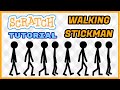
Creating a Walking Stickman with Stop Motion

Interactive Video
•
Design
•
6th - 7th Grade
•
Practice Problem
•
Hard

Nancy Jackson
FREE Resource
10 questions
Show all answers
1.
MULTIPLE CHOICE QUESTION
30 sec • 1 pt
What is the primary technique used to create the walking Stickman?
Live Action
Stop Motion
Digital Painting
3D Animation
2.
MULTIPLE CHOICE QUESTION
30 sec • 1 pt
What is the first step in setting up the workspace for the Stickman project?
Creating a new project
Importing a music file
Deleting the cat sprite
Adding a background
3.
MULTIPLE CHOICE QUESTION
30 sec • 1 pt
How many costumes are designed for the Stickman?
Four
Three
Two
Five
4.
MULTIPLE CHOICE QUESTION
30 sec • 1 pt
Which tool is used to adjust the Stickman's limbs for different poses?
Reshape Tool
Fill Tool
Eraser Tool
Paintbrush Tool
5.
MULTIPLE CHOICE QUESTION
30 sec • 1 pt
What is the function of the 'duplicate' option in the design process?
To change the background
To delete a costume
To create a new project
To copy a costume
6.
MULTIPLE CHOICE QUESTION
30 sec • 1 pt
What should be ensured about the Stickman's costumes in relation to the ground?
They should be above the ground
They should be touching the ground
They should be below the ground
They should be floating
7.
MULTIPLE CHOICE QUESTION
30 sec • 1 pt
What is the purpose of adding a weight block in the code?
To increase the Stickman's size
To add sound effects
To slow down the costume change
To change the Stickman's color
Access all questions and much more by creating a free account
Create resources
Host any resource
Get auto-graded reports

Continue with Google

Continue with Email

Continue with Classlink

Continue with Clever
or continue with

Microsoft
%20(1).png)
Apple

Others
Already have an account?


