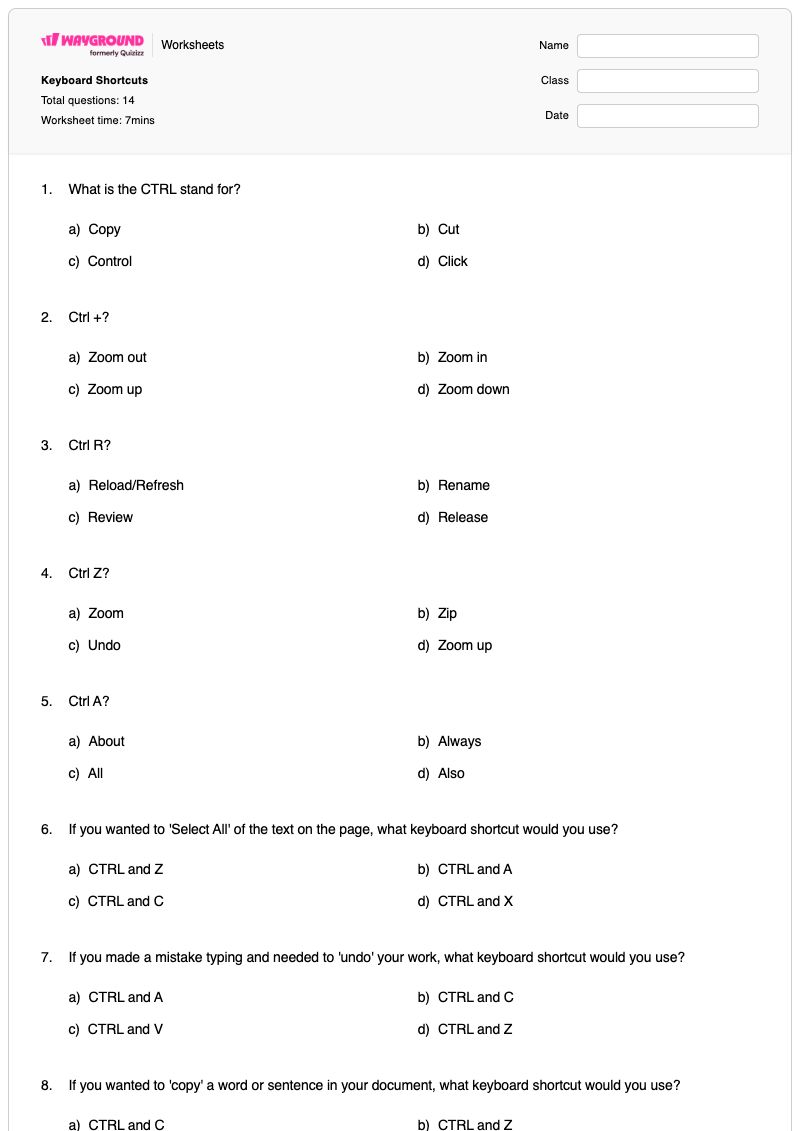
This free printable Keyboard Shortcuts worksheet helps students in Grades 4–8 build practical computer skills through 14 multiple-choice questions. It focuses on recognizing common keyboard commands, including Ctrl+A for selecting all, Ctrl+C for copying, Ctrl+V for pasting, Ctrl+X for cutting, Ctrl+Z for undoing, Ctrl+P for printing, and Ctrl+L or Ctrl+R for text alignment. Students also identify the meaning of CTRL, the use of Shift for capitalization, and shortcuts for zooming and refreshing a page.
Designed for computer classes, technology practice, or keyboarding review, the worksheet asks students to connect shortcut combinations with their functions and apply them to short workplace-style scenarios. The repeated comparison of similar Ctrl commands reinforces accurate recall while the scenario questions check whether students can choose the correct shortcut in context. It is a free printable worksheet with a complete answer key for convenient checking and review.
Worksheet settings
Font size
S
M
L
XL
Worksheets
Keyboard Shortcuts
Total questions: 14
Name
Class
Date
1.
What is the CTRL stand for?
a)
Copy
b)
Cut
c)
Control
d)
Click
2.
Ctrl +?
a)
Zoom out
b)
Zoom in
c)
Zoom up
d)
Zoom down
3.
Ctrl R?
a)
Reload/Refresh
b)
Rename
c)
Review
d)
Release
4.
Ctrl Z?
a)
Zoom
b)
Zip
c)
Undo
d)
Zoom up
5.
Ctrl A?
a)
About
b)
Always
c)
All
d)
Also
6.
If you wanted to 'Select All' of the text on the page, what keyboard shortcut would you use?
a)
CTRL and Z
b)
CTRL and A
c)
CTRL and C
d)
CTRL and X
7.
If you made a mistake typing and needed to 'undo' your work, what keyboard shortcut would you use?
a)
CTRL and A
b)
CTRL and C
c)
CTRL and V
d)
CTRL and Z
8.
If you wanted to 'copy' a word or sentence in your document, what keyboard shortcut would you use?
a)
CTRL and C
b)
CTRL and Z
c)
CTRL and B
d)
CTRL and P
9.
You are ready to 'paste' a sentence that you copied from another document. What keyboard shortcut are you going to use?
a)
CTRL and V
b)
CTRL and C
c)
CTRL and P
d)
CTRL and X
10.
You need to capitalize the first letter in your name on a document. You will need to press the letter and what other key at the same time?
a)
CTRL
b)
UP
c)
Shift
d)
Tab
11.
You need to copy and delete a sentence to move to the top of your document. What keyboard shortcut would you use to 'cut'?
a)
CTRL C
b)
CTRL J
c)
CTRL V
d)
CTRL X
12.
What shortcut do I need to Print?
a)
Ctrl-P
b)
Ctrl-V
c)
Ctrl-C
d)
Ctrl-X
13.
What shortcut do I need to Left Align?
a)
Ctrl-L
b)
Ctrl-E
c)
Ctrl-Z
d)
Ctrl-R
14.
What shortcut do I need to Right Align?
a)
Ctrl-L
b)
Ctrl-E
c)
Ctrl-Z
d)
Ctrl-R
Answer Key
Keyboard Shortcuts
Total questions: 14
1.
c) Control
2.
b) Zoom in
3.
a) Reload/Refresh
4.
c) Undo
5.
c) All
6.
b) CTRL and A
7.
d) CTRL and Z
8.
a) CTRL and C
9.
a) CTRL and V
10.
c) Shift
11.
d) CTRL X
12.
a) Ctrl-P
13.
a) Ctrl-L
14.
d) Ctrl-R
140 %
Browse by subjects
Browse by grades
Browse by format
FAQs
What does this Keyboard Shortcuts worksheet help students learn?
This Grade 4–8 Computers worksheet uses 14 multiple-choice questions to help students recognize and apply common keyboard shortcuts. Students match commands such as Ctrl+A, Ctrl+C, Ctrl+V, Ctrl+X, Ctrl+Z, and Ctrl+P with actions including selecting all, copying, pasting, cutting, undoing, and printing. It also checks understanding of Shift for capitalization, zooming in, refreshing, and left- or right-aligning text.
How can I use this worksheet to teach keyboard shortcuts?
Introduce a small group of commands—such as Ctrl+C, Ctrl+V, Ctrl+X, and Ctrl+Z—by modeling each one in a document before students complete the related multiple-choice items. Ask students to explain why the shortcut fits the action, then have them use the commands in a short editing task. Use the worksheet’s items on Ctrl+L and Ctrl+R to discuss how a shortcut’s purpose depends on the task, such as left or right alignment.
What mistakes should I watch for on this keyboard shortcuts worksheet?
Students may confuse shortcuts that use similar letters, especially Ctrl+A, Ctrl+C, Ctrl+V, Ctrl+X, and Ctrl+Z. They may also choose Ctrl+C instead of Ctrl+X when moving text, or Ctrl+V instead of Ctrl+P when printing. Watch for confusion between Ctrl+R for refreshing a page and Ctrl+R for right alignment, since the worksheet presents both uses in different contexts.
How do I assign and grade this Keyboard Shortcuts worksheet?
You can assign this worksheet as a printable PDF or as a digital quiz on Wayground. It includes a complete answer key for checking the 14 multiple-choice responses, and printable submissions can be graded by scanning student work with the Wayground for Teachers app. The printable format also offers an option for schools that want to reduce screen time during practice.
How can I differentiate this keyboard shortcuts worksheet for my students?
Under the worksheet’s Advanced Settings, adjust font spacing or choose a larger font size to make the 14 multiple-choice items easier to read and mark. You can also enable a dyslexia-friendly font or translate the worksheet into another language when those options support access to the shortcut terms and scenario prompts.
Where can I find more worksheets like this on Wayground?
Wayground offers a comprehensive collection of free printable worksheets and practice problems across subjects, with downloadable PDFs and answer keys to support essential skills and concepts. Browse more resources at https://wayground.com/en-us/worksheets.

 Worksheets