
 Worksheets
CCEA Yr 13 Digital Technology: Unit 2
Total questions: 98
Worksheet time: 52mins
Which teacher is best?
Mr Gamble
Mrs Parke
Volatile
USB
PC
MIR
Application
Which 2 registers are responsible for processing the address of the next instruction to be executed?
PC and the MDR
MDR an the MAR
CIR and the MAR
PC and the MAR
The instructions that the PC indicates to be fetched are stored in which register?
MAR
MDR
PC
CI
The contents of the MDR are copied to which register?
MDR
MAR
CI
PC
Which part of the CPU is responsible for decoding the instructions?
Control Unit
Cache
RAM
ALU
When instructions are read to the RAM are they being saved or opened?
Saved
Opened
When instructions are being written are they being saved or opened?
Saved
Opened
What is the purpose of the Registers in the CPU.
Registers are very fast memory located within the CPU to store temporary program data.
A Register is fast memory that stores currently running programs
Registers are non volatile memory.
Why are registers, rather than RAM is used within the CPU.
RAM is not volatile so it doesn't lose data when powered off
Registers can store much more data than RAM.
It is much faster to shift data between the Registers and CPU than the RAM and CPU.
Registers stink
What is the purpose of an instruction set
An instruction set is a set of instructions that the CPU uses to carry out instructions.
An instruction set is the way the operating system knows what programs to open.
What does the data bus do.
The data bus takes instructions and data around the system.
The data bus carries data around a network.
The data bus plans out where data goes, and how the hardware of the computer uses it.
The data bus isn't real
What does the address bus do.
The address bus is required to label addresses on letters and parcels.
The address bus is used to label each section of the computer.
The address bus carries storage addresses of data or instructions from registers to main memory.
What does the control bus do.
The control bus is the "brain" of the computer.
The control bus carries signals around the system to co ordinate actions.
The control bus allows data to travel through the system, depending on whether it is safe or harmful.
What is the purpose of the Memory Data Register
The Memory Data Register is responsible for moving data between the RAM and Hard Drive.
The Memory Data Register is a special register which temporarily holds addresses after being processed by the CPU.
The Memory Data Register receives the data from Main Memory and temporarily holds it before moving it to the CPU.
Yes
What is the purpose of the Memory Address Register
The MAR holds currently running programs and applications.
The MAR is responsible for holding the address of the previous instruction, which has just been processed by the CPU.
The Memory Address Register is responsible for holding the address of the next instruction in main memory.
What does the Current Instruction Register do.
The CIR holds current instructions ready to be sent to the Main Memory.
The CIR performs calculations for the CPU.
The CIR holds current instructions ready for decoding and executing.
What is the point of the Program Counter.
The Program Counter stores the location of the next instruction.
The Program Counter keeps track of the current amount of open applications.
The Program Counter stores the outcome of the last processed instruction, before sending it to the necessary location.
What does the Accumulator do.
The accumulator temporarily stores bits of data within the CPU, any data to be processed, has been processed, or the results of calculations from the ALU.
The Accumulator checks the outcome of all processes, including that of the ALU, if the outcome is incorrect, the data is sent back to be checked again.
The accumulator accumulates all data that has accumulated inside the CPU, and sends it where it belongs.
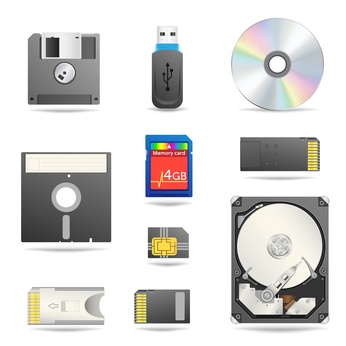
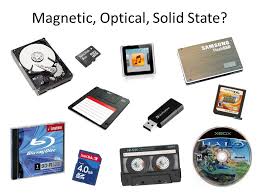
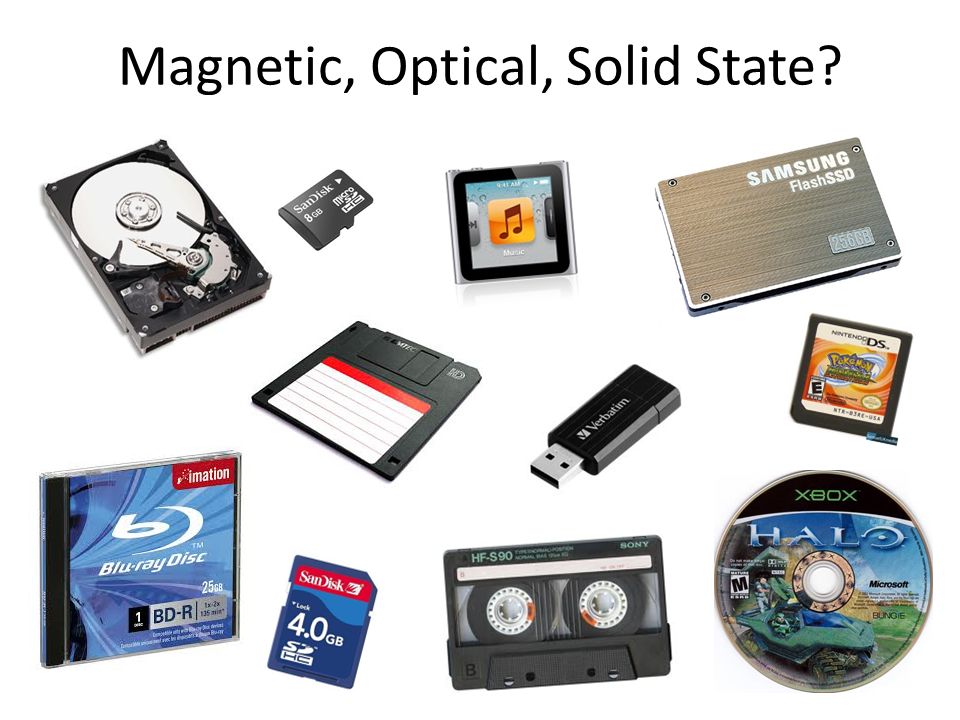
Secondary storage devices can be grouped into three categories - what are they?
Magnetic, Flash and Optical
Magnetic, Optical and Solid State
Solid State, Flash and Hard Drives
Hard Drives, CDs and USBs
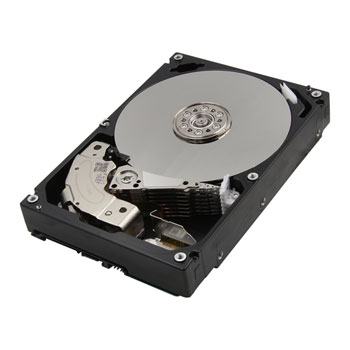
Hard Disk Drives are a type of...
Optical storage device
Magnetic storage device
Solid State memory
Primary memory
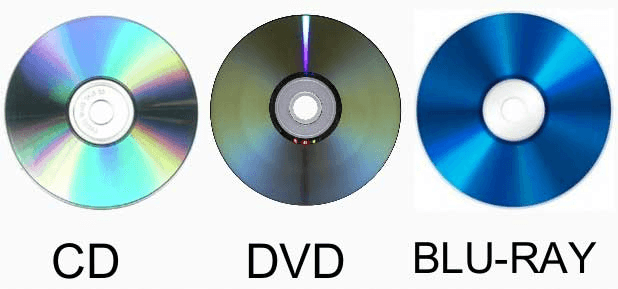
CDs, DVDs and Blu-Rays are all types of...
Magnetic storage devices
Optical storage devices
Solid State memory
Primary memory
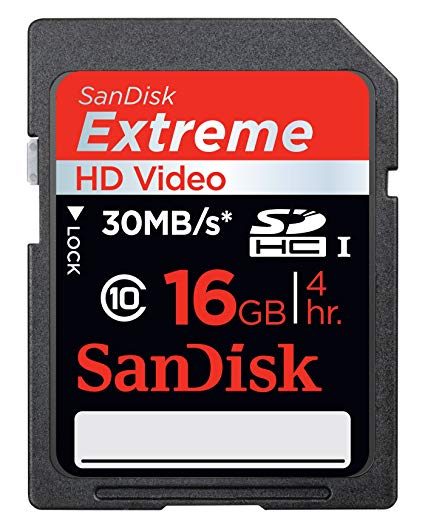
What category of storage device is a HD card?
Magnetic
Optical
Solid state
Primary memory
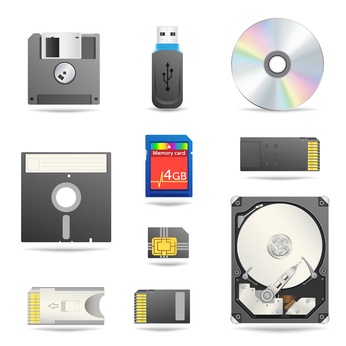
Which category of secondary storage devices has the fastest access speeds? (i.e. quicker to read and write to)
Magnetic storage
Solid state storage
Primary memory
Optical memory
Which category of secondary storage devices has the slowest access speeds? (i.e. slower to read and write to/from)
Magnetic devices
Optical devices
Solid state memory
Primary storage
Which category of secondary storage devices uses beams of light and lasers that read "pits" and "lands" as binary 1s and 0s?
Magnetic storage
Optical storage
Solid state storage
Which of the secondary storage categories are the most durable (or strong/ toughest to break)?
Magnetic
Solid State
Optical
Primary memory
Which of these are reasons for computer systems requiring secondary storage? (Tick all)
Secondary storage improves system performance
Used to back up data stored in main memory/primary storage.
Stores programs/data and other files that would otherwise be lost when the power is switched off/RAM is volatile/cannot store data permanently.
Need for larger storage capacity (than what RAM and ROM can provide).
Its required for Virtual Networks
Which of these define what secondary storage is?
Non-volatile storage / devices that are not directly accessible by the CPU
Any non-volatile storage
All memory technologies that use magnetism.
Any memory technology using laser light
A USB device
Which of these storage devices make use of optics (laser light) to store data? (Tick All)
CD
Fibre Optic Cable
DVD
Blue-Ray
LED
Which of these statements explain "durability"?
Length of time expected for data to last.
Whether the data will be saved as expected.
The data is not affected when saved.
No changes to the file formatting.
Rank the units of data storage in order from smallest to largest..
MB > KB > Byte > TB >GB
KB > Byte > MB > TB > GB
Byte > KB > MB > GB > TB
TB > GB > MB > KB > Byte
Data stored on Backing Storage is...
Volatile
Non-volatile
This is a list of options from which you can choose what you want to do:
Command line
Graphical User Interface
Menu
Icons
The part of a screen that holds its own document or message.
Pointers
Windows
Menu
Icons
This moves around the screen and helps you select text on the screen:
Pointers
Windows
Menu
Icons

The image shown is an example of which type of interface?
GUI
Command line

The image shown below is called a:________________
GUI
Command line
Tiny pictures of an object that are displayed on screen are called:
Pointers
Windows
Menu
Icons
What isn't an example of Utility Software
Firewall
Drivers
Auto Updates
Defragmentation
What happens during Defragmentation?
Information is rearranged on a USB
To make the retrieval of data quicker
Information is rearranged on a Hard Drive
To make the retrieval of data slower
(a) loses data when it is used to compress a file
(a) does NOT lose data when it is used to compress a file
Lossy and Lossless compression can only be used on images
True
False
A driver is used to .... & .... with hardware devices
Collect
Control
Collaborate
Communicate
Correct tag for Paragraph
<p>
<p>.......</p>
p
Correct HTML extension to save file
html;
.html
html.
Correct tag for title
<title>.......</title>
<title>.......<title>
<title>
Correct tag for body
<body>
<body>....</body>
body
Correct tag for html
<html>
<html>.....<html>
<html>.....</html>
Correct tag for inserting image
<img src=”(your image URL here)”>
<img>
<img src=”(your image URL here)”>.....<img>
Correct tag for empty tag
<tag>
</tag>
<tag/>
There are (a) headings in HTML
The tag used to connect two words that should always be seen together in the same line.
 ,
“ :
Correct tag for unordered list
<ul>.........</ul>
<ul>.........<ul>
<ul>
Correct tag for External Link
<a href="url">link text</a>
<a href="url">link text
<a href="url">
Correct tag for Image as Link
<a href=“image link address">This is image external link for Corona picture</a>
<a href= index.html >tfilogo.gif</a>
<a href= index.html >tfilogo.gif
Correct tags for bold face
<b>....</b>
<strong>....</strong>
<bold>.....</bold>
Correct tags for italicize font face
<i>.....</i>
<em>.....</em>
<italicize>....</italicize>
Appropriate tags for line break
<br>
<br/>
<br>.....</br>
Correct HTML tag to change background color
<body bgcolor="colorname">
<body bgcolor=colorname>
<body bgcolor="colorname">,
"href" in link address refers to?
hypertext reference
horizontal reference
height reference
HTML stands for?
Horizontaltext Markup Language
Hypertext Markup Language
Hypetext Markup Language

