Wayground logo

Free Printable Worksheets

Font size

S
M
L
XL
Worksheets

ACA After Effects 1

Total questions: 38

Worksheet time: 31mins

Name
Class
Date
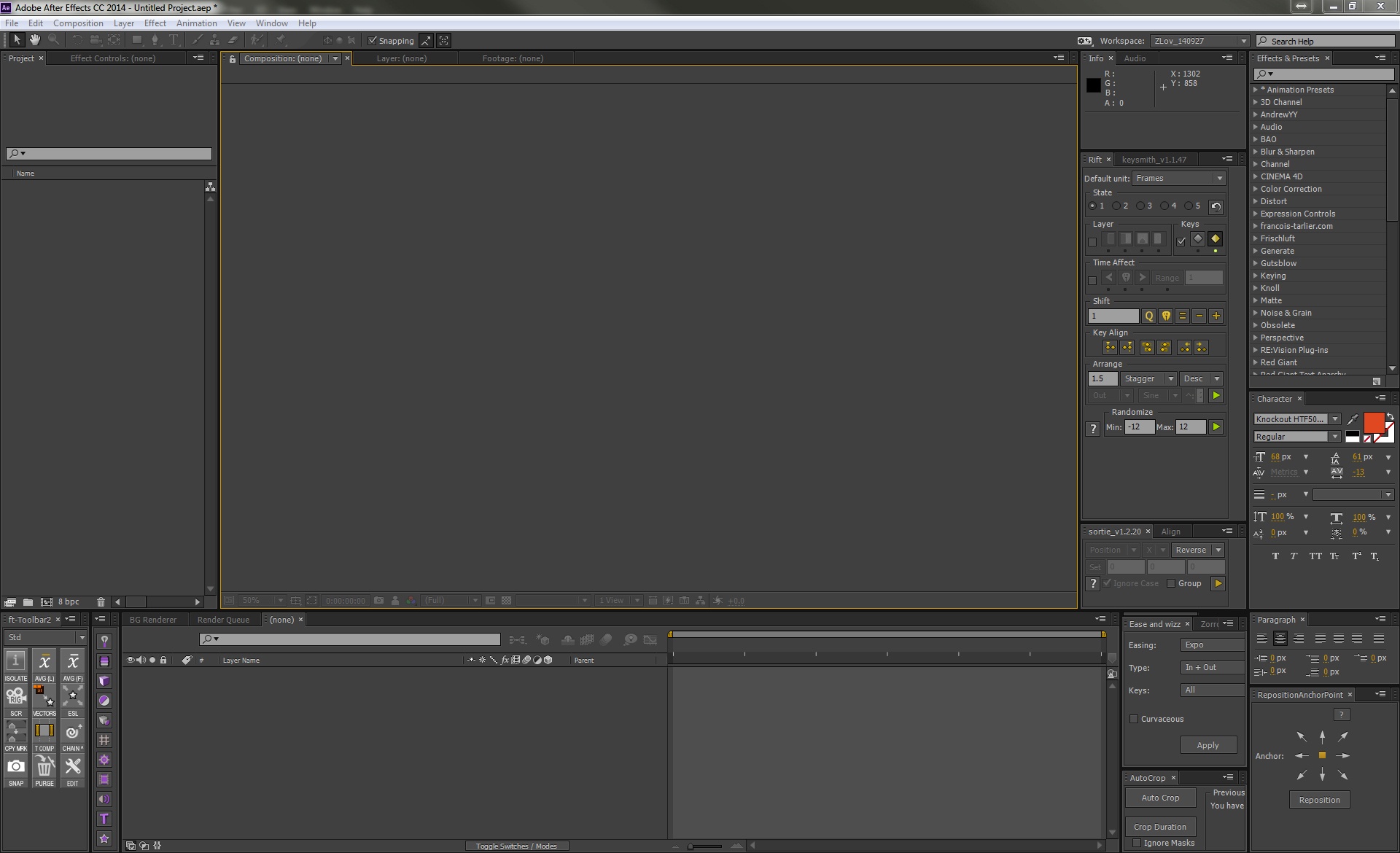
1.

This is the...

a)

Composition Panel

b)

Project Panel

c)

Application Window

2.

This is the...

a)

Project Panel

b)

Composition Window

c)

Time graph

3.

This is the...

a)

Workspace Bar

b)

Project Panel

c)

Stacked Panels

4.

This is the...

a)

Stacked Panels

b)

Application Window

c)

Project Panel

5.

This is the...

a)

Graph Editor

b)

Timeline Panel

c)

Tools Panel

6.

This is the...

a)

Timeline Panels

b)

Time Graph

c)

Tools Panel

7.

This is the...

a)

Workspace Bar

b)

Tools Panel

c)

Time Graph

8.

This is the...

a)

Tools Panel

b)

Application Window

c)

Workspace Bar

9.

When you open Adobe After Effects, what is the window called?

a)

Panels

b)

Workspace

c)

Desktop

d)

Windows

10.

In the Tools panel, what tool is represented as letter H?

a)

Calligraphy tool

b)

Type tool

c)

Shape tool

d)

Pen tool

11.

How do you reveal/hide a layer's transform properties in the Timeline panel?

a)

Click the arrow/triangle to the left of the layer number

b)

Press T on your keyboard

c)

Click the Eyeball icon on the layer

d)

Double click on the layer name

12.

How do you Rename a layer?

a)

Right click on it in the timeline

b)

Double click the timeline panel

c)

Select the layer on the timeline and press enter on your keyboard

d)

Press R on your keyboard

13.

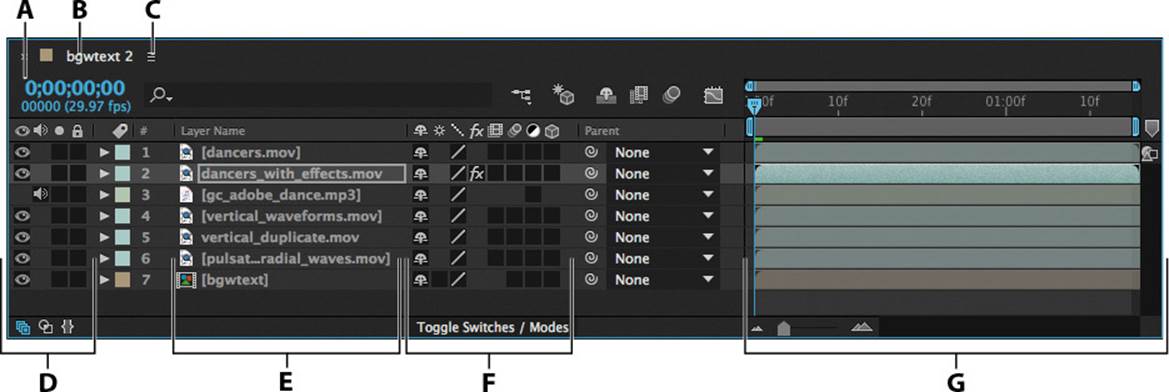
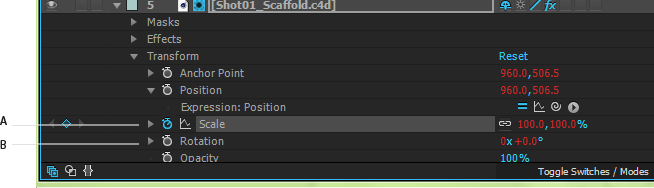
What is the name of part B in your Timeline Panel?

a)

Composition name

b)

Audio/Video Switches column

c)

Layer switches

d)

Time graph/Graph Editor area

14.

What does letter C represent in the picture of the Time Graph?

a)

Time zoom slider

b)

Work Area start and stop

c)

Time navigator start and end brackets

15.

What does the Eyeball on the timeline represent?

a)

Movie switch

b)

Layer Visibility

c)

Preview switch

16.

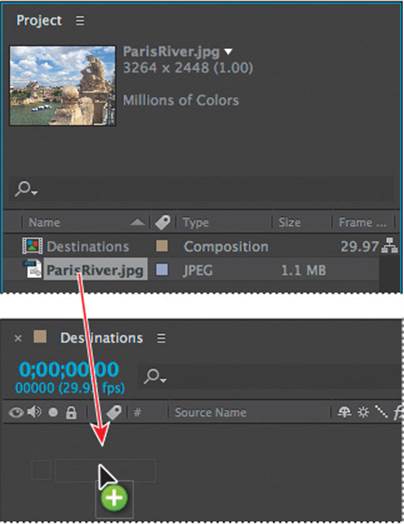
How do you get your assets in the Project Panel to your Timeline?

a)

Click, hold Shift and drag to the timeline

b)

Hold D, click and drag to the timeline

c)

Double click the asset in the project panel

d)

Click and drag the asset to the timeline
17.

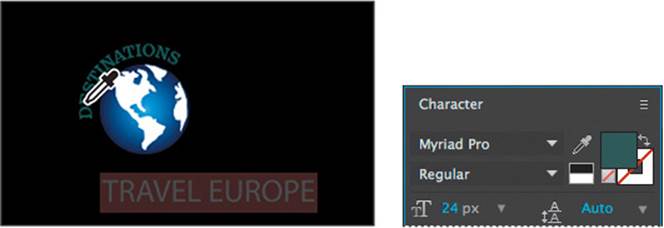
The Character Panel does what?

a)

Brings animations to life

b)

Allows you to transform text

c)

A way to pick characters

18.

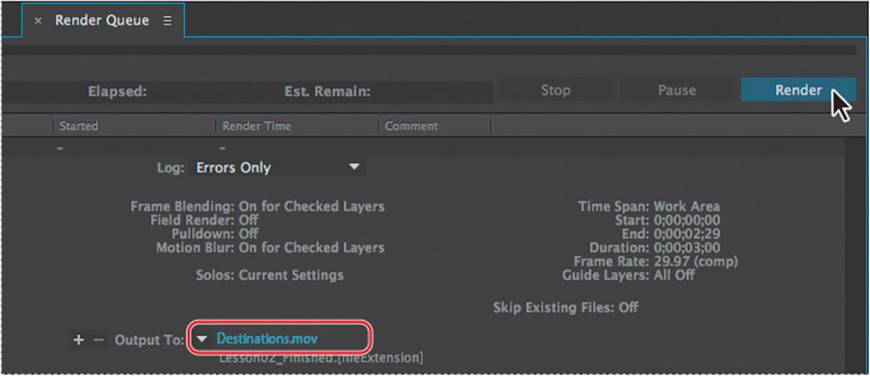
When we are EXPORTING our video, we add it to what?

a)

Timeline Panel

b)

Rendering Panel

c)

Render Queue

d)

Timeline Render

19.

The Stopwatch icon in After Effects represents:

a)

Markers

b)

Keyframes

c)

Properties

d)

Keyknotches

20.

When the Stopwatch is blue, that represents:

a)

an Inactive stopwatch

b)

an Inactive Keyframe

c)

an Active Keyframe

d)

an Activity Keyframe

21.
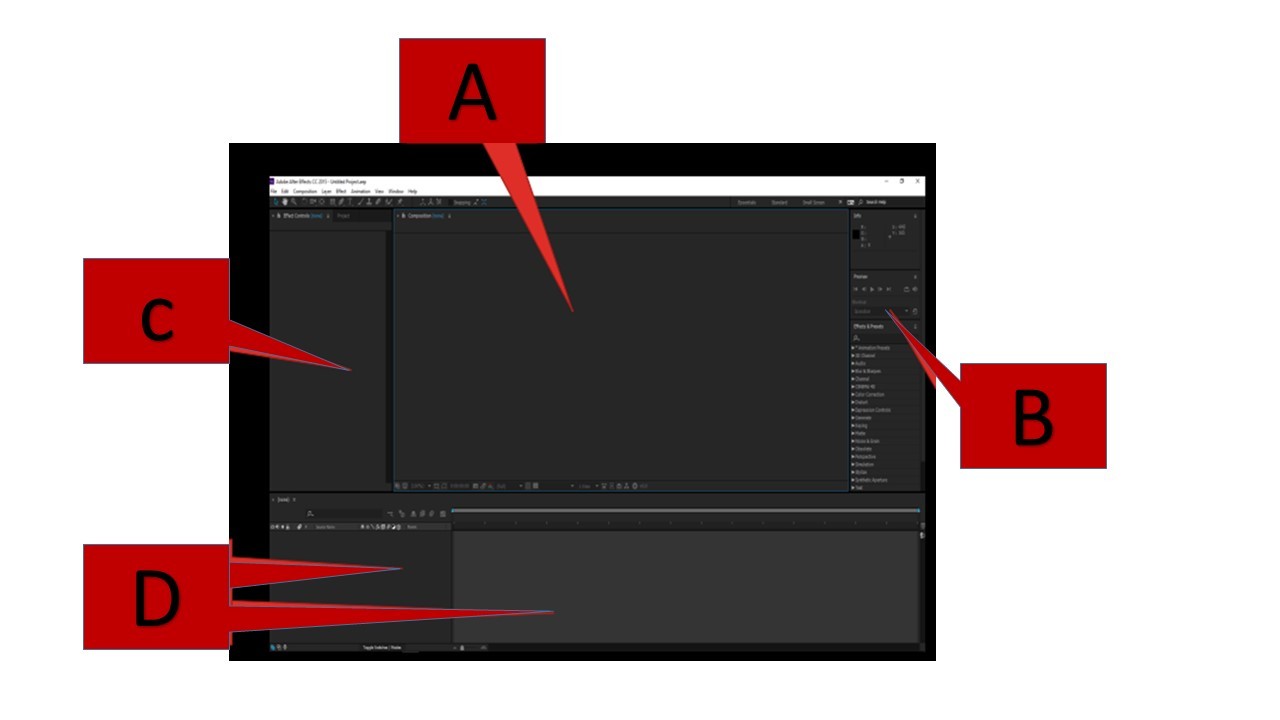
a)
A is Project Window
b)
B is Project Window
c)
C is Project Window
d)
D is Project Window
22.
a)
A is Timeline Window
b)
B is Timeline Window
c)
C is Timeline Window
d)
D is Timeline Window
23.
a)
A is Composition Window
b)
B is Composition Window
c)
C is Composition Window
d)
D is Composition Window
24.
What does After Effects do?
a)
Create simple and complex animations
b)
Process and create complex audio tracks
c)
Nothing much
d)
Penguin
25.
How can you rotate a picture in After Effects?
a)
A
b)
B
c)
S
d)
R
26.
What is the term given to changing the acceleration of a Key Frame?
a)
Ease in
b)
Lead in
27.
Layers are the components you use to build a composition?
a)
True
b)
False
c)
I have no idea
28.
The quickest way to create a mask is... 
a)
to select something and tap 'M'
b)

to use the drawing tools at the top.

c)
To select a Luma Key
29.
What tool would I use to create a path for my text
a)
Text tool
b)
Pan behind tool
c)
Pen tool
d)
None of the above
30.
To animate any effects or properties I need to use ... 
a)
Still images
b)
Keyframes
c)
Clips
d)
None of these answers
31.
Switching on Motion blur enables
a)
Cool motion blur like effects
b)
The motion switch
c)
Not much
d)
All effects on a layer
32.
when a Green line appears in the timeline as it is being previewed, this means that the frames are being ___________ to the RAM.
a)
Previewed
b)
Rendered
c)
Exported
d)
Tested with
33.
If you have Keyframed something in After Effects you have essentially  ____________
a)
scaled it
b)
rotated it
c)
moved it
d)
animated it.
34.
When you have a layer selected and you draw something it creates _________
a)
A shape
b)

A Mask

35.

Which file format is an After Effets project saved as?

a)

AS

b)

AN

c)

AEP

d)

AFE

36.
How do you save an After Effects file quickly using the keyboard
a)
CTRL + L
b)
ALT + S
c)
CTRL + S
d)
CTRL + Q
37.
Video clips, Audio clips and images are referred to as ______________ in Adobe Premiere Pro.
a)
Files
b)
Folders
c)
Assets
d)
Effects
38.
What panel allows you to move clips and trim audio in sample view?
a)
Project Panel
b)
Source Monitor Panel
c)
Timeline Panel
d)
Program Monitor Panel