
 Worksheets
ACA Premiere review
Total questions: 26
Worksheet time: 19mins


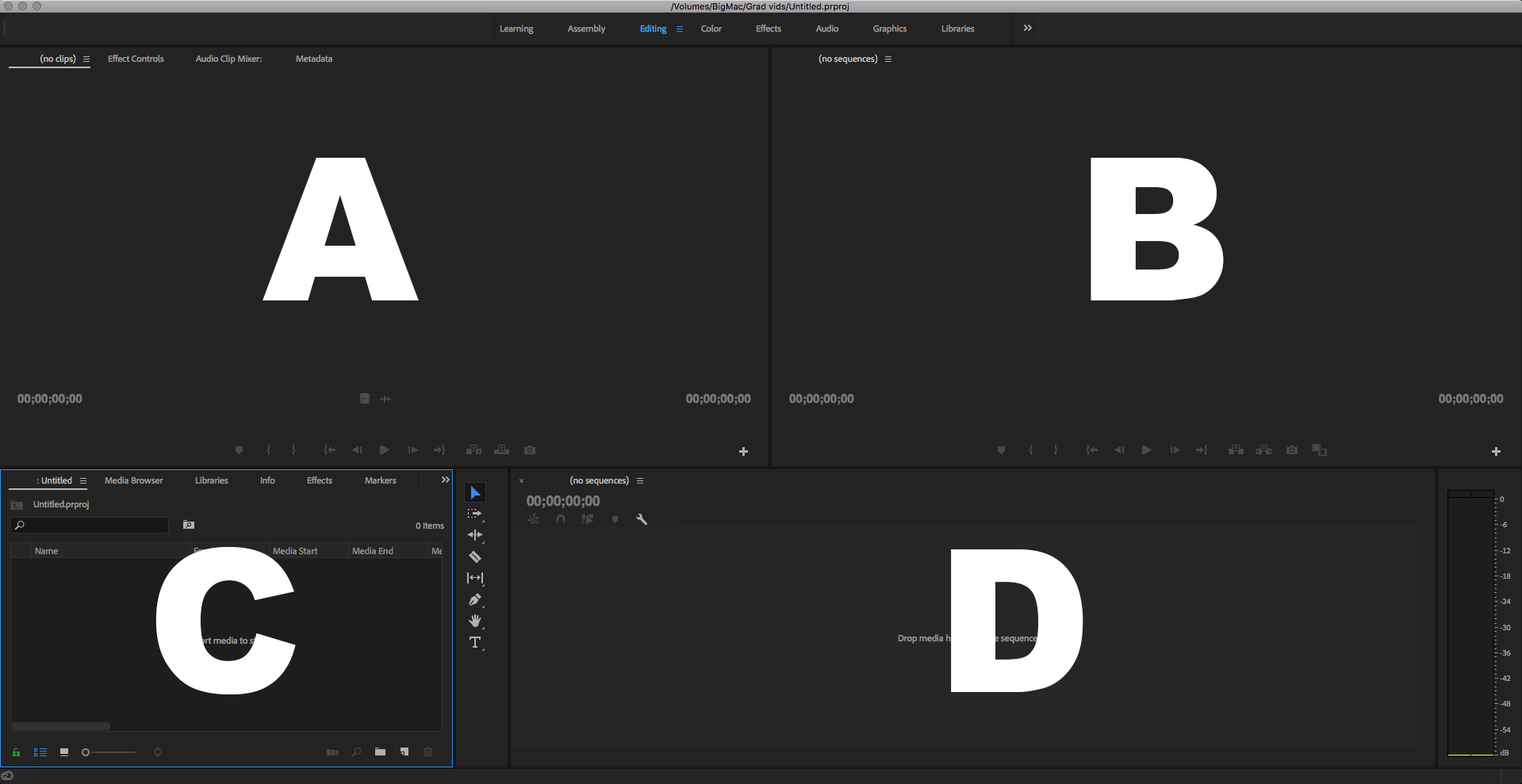
Which is the Timeline Panel?
A
B
C
D
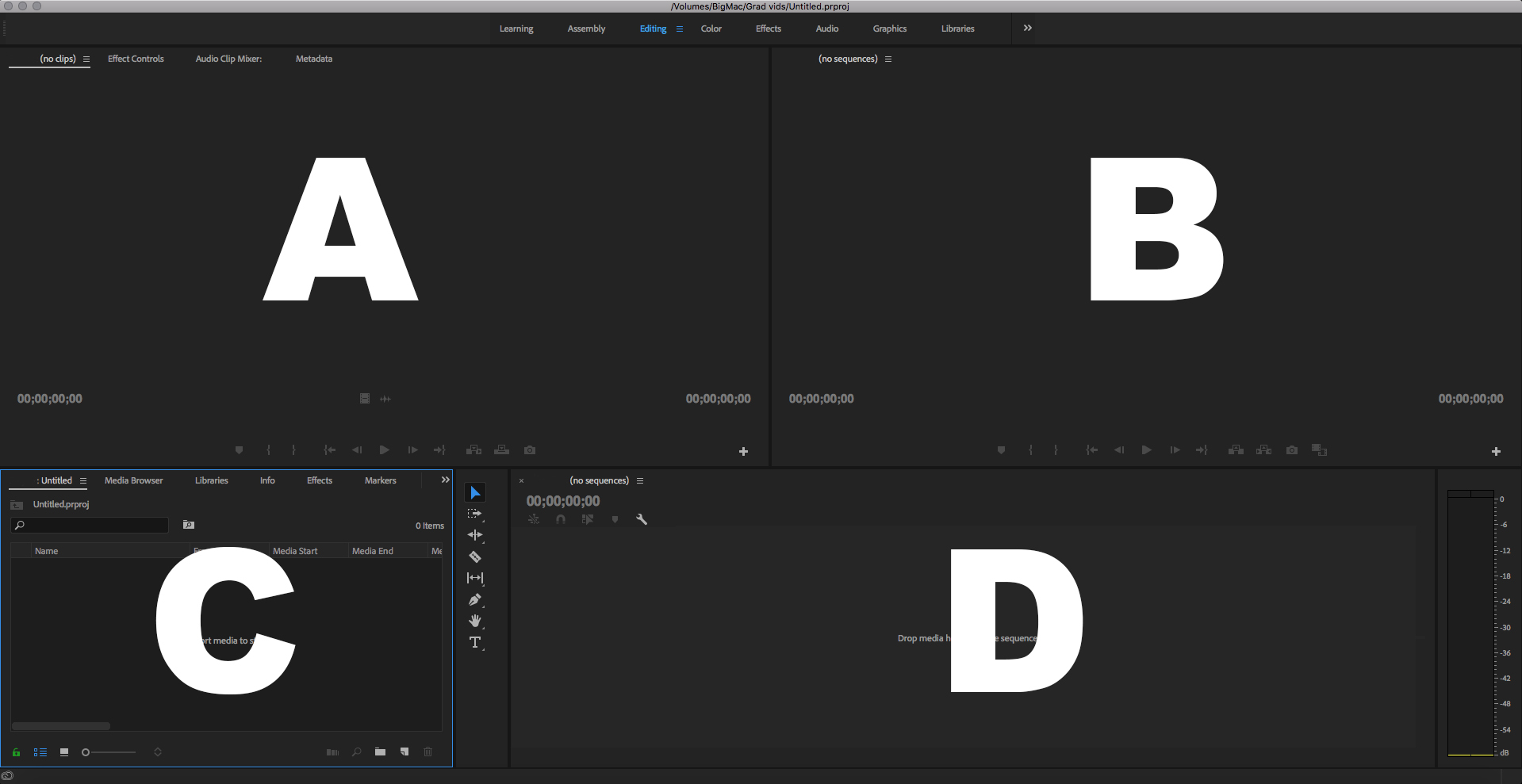
Which is the Project Panel?
A
B
C
D

Inside the Project panel, what does this Icon stand for?
A Clip
An Audio Clip
An Image
A Sequence

Inside the Project panel, what does this Icon stand for?
A Clip with Audio
An Audio Clip
A Sequence
A Subclip

Inside the Project panel, what does this Icon stand for?
A Subclip
A Sequence
A Clip with Audio
An Image

Inside the Project panel, what does this Icon stand for?
A Clip with Audio
A Subclip
A Bin
An Audio Clip

Inside the Project panel, what does this Icon stand for?
A Subclip
A Folder
A Bin
A Sequence

What Workspace is this?
Assembly
Color
Effects
Editing
Define Keyframe
A setting in the Effect Controls panel that allows you to play a transition backward
A setting in the Effect Controls panel that allows the color of the transition border to be set
An option in the Effect Controls panel that displays the starting and ending frames of clips to which a transition has been applied
A frame with settings that provide a snapshot of how you want a clip to look at a specified time
Define Scrubbing
A light blue triangle in the ruler with a vertical red line extending through the video and audio tracks
Measures the time in a sequence horizontally & displays icons for markers & in & our points
Clicking and dragging the CTI to preview a sequence
The area on the Timeline panel in Premiere Pro that shows the timecode for the current frame
What is a Video Montage
The arrangement of panels in the application window
Tabs found at the tops of panels
Video created with digital images, words, transitions, & music
A workspace that has been created by a user and saved with a unique name
When selecting, how many clicks is it of the mouse?
1
2
3
4

In the Source panel: you
see what you’ve edited
hear what you’ve edited
preview
preview raw video or audio

In the Timeline panel: the blue line is called
the red line
the indicator
speed/duration
the playhead

Copy
Cut
Paste
Save

Cut
Copy
Paste

Cut
Refresh or Reload
Save

