
 Worksheets
Computer Appreciation
Total questions: 97
Worksheet time: 52mins
What is the shortcut for Save?
Ctrl + S
Ctrl + C
Ctrl + X
Ctrl + V
You use it to see people while talking to them on the Internet.
webcam
mouse
You wear them on your head to hear sounds.
headphones
speakers
We use it to move around the screen.
mouse
modem
We use it to type information into a computer.
tower
keyboard
We use it to copy documents or pictures onto a computer.
screen
scanner
It is a device which uses a telephone line to connect computers.
modem
external drive
It is a tall box which contains the main parts of a computer such as the hard disk and the drives.
controller
tower

I love to listen to music while I work, so I (a) all my favourite songs on my computer.

You must always (a) your work before you close the file.
You must always (a) your work before you close the file.

David, can you please help me (a) this program from the Internet?

I’ll (a) a copy of the document for you.

You can keep the files you need and (a) the rest.

If you want to (a) to the Internet, click here.

I can help you (a) the photos from your digital camera to your computer, if you like.

To send the email, just (a) the ‘send’ button.
For sale - Limium Camera
14 megapixels - digital zoom
Bought 2 months ago but never used
Phone Miriam: 989034521
The advert says that the camera:
is a new model
hasn't been turned on
was used for 2 months
Dear Aunt Megan,
Thanks so much for the tennis rackets! They are a great present and I use them at practise. Hope you had a great weekend! Please send me some pictures!
Thomas
Why was Thomas written the letter?
To wish his aunt a nice weekend
To thank his aunt for a gift
To send his aunt some pictures
SMS MESSAGE - RECEIVED 09:13
Hi Mum! Can we give Maggie a lift to the concert tonight? We need to pick her up from her house, so we should leave home earlier than usual. We are also bringing her back home. Jenny
Jenny...
says she's going to the concert with Maggie's mum.
asks her mum to take her and Maggie to the concert.
tells her mum she will be home earlier than usual.
WANTED: PART-TIME WORKER
The café needs someone to work in the afternoons three days a week. The pay is 10£ per hour. Perfect for students. No experience is needed.
What is true about the job?
You don't need to have experience.
It's not appropriate to students.
You must work every day.
AFTER SCHOOL ACTIVITY - CHESS
We've decided to offer chess lessons again this year. If you're interested, please fill in the form and give it to Mr Gibbs. We aldo need written permission from your parents.
The notice informs that...
parents should talk to Mr Gibbs.
parents must agree to their children taking the lessons.
this is the first time the school offered chess lessons.


What is this?
This is a computer.
This is a keyboard
This is a monitor
This is a CPU

What is this?
This is a monitor
This is a printer
This is the CPU
This is a camera

What is this?
This is the keyboard.
This is the CPU
This is the monitor
This is a computer

What is this?
This is a camera
This is a monitor
This is a printer
This is a CPU

What is this?
This is a CPU
This is a mouse
This is a monitor
This is the keyboard

What is this?
This is the right click
This is the scroll
This is the left click
This is the CPU

What is this?
This is the right click
This is the scroll
This is the left click
This is the CPU
What is this?
This is the right click
This is the scroll
This is the left click
This is the CPU

What is this?
This is a camera
This is a monitor
This is a printer
This is a CPU

What is this?
This is the keyboard.
This is the USC driver
This is the monitor
This is a computer

What is this?
This is the right click
This is the scroll
This is the left click
This is the CPU
What is a machine?


Steps
Input ---> Process ---> Output
Input ---> Output ---> Process
Output ---> Process ---> Input

Input
Process
Output

Input
Process
Output

Graphics software
Word processing software
Spreadsheet software

Spreadsheet software
Graphics software
Word processing software

Word processing software
Spreadsheet software
Communications software
Can save file works


What is a Desktop?
DATA
an electronic machine
Screen that you can see after log on windows

Communications software
Spreadsheet software
Graphics software
Can save file works
Graphics software what to do?
Write
create art
numbers
Spreadsheet software what to do?
Charts
computer to computer
Write
Spreadsheet software what to do?
Charts
computer to computer
Write
Word processing software what to do?
Notes
Create art
Charts
Communications software what to do?
create art
charts
computer to computer


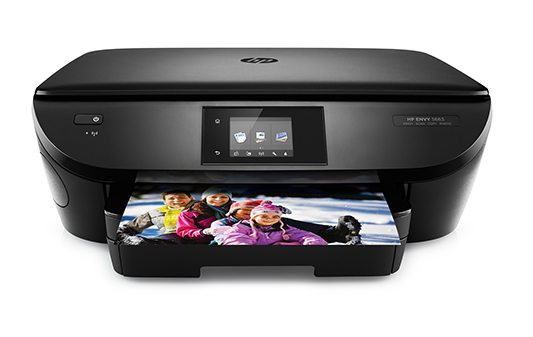


What is a computer?
An electronic device that receives input, processes it and provides an output in the desired format.
An electronic device to do homework, play video games or surf on the internet.
An electronic device that receives input, stores or processes the input and provides an output in the desired format.
Typing an essay in Word is an example of input.
Yes, because you're inserting data into the computer.
No, because you're not introducing data into the computer.
I don't know.
Taking a picture with the cell phone is an example of output.
Yes, because it's the result of processing data.
No, because it's not the result of processing data.
I don't know.
Printing a document is an example of output.
Yes, because it is the result of processing data.
No, because it's not the result of processing data.
I don't know.
Listening to audio through the speakers is an example of input.
Yes, because you're inserting data into the computer.
No, because you're not inserting data into the computer.
I don't know.
Is this a valid example of the Input-Process-Output Model?
Input: Scanning picture.
Process: Editing the picture.
Output: Printed poster with picture.
Yes.
No.
I don't know.
Is this a valid example of the Input-Process-Output Model?
Input: Text and numbers typed on keyboard.
Process: Calculations performed in a spreadsheet.
Output: Bank record.
Yes.
No.
I don't know.
Check all the examples of Input Units.
Keyboard
Microphone
Speakers
Mouse
Check all the examples of Output Units.
Screen.
Printer.
Headphones.
Keyboard.
The control unit, arithmetic logic unit and memory are together called Central Processing Unit or CPU.
Yes
No.
I don't know.
Hardware cannot be touched, only software can be touched.
Yes.
No.
I don't know.
Software is the set of instructions or programs that make a computer function. It cannot be touched or seen.
Yes.
No.
I don't know.
Check all the characteristics of computers.
Speed.
Accuracy.
Reliability.
Versatility.
Store capacity.
Check all the advantages of using a computer.
Computers can do the same task repetitively with the same accuracy.
Computers allow you to play video games.
Computers do not get tires or bored.
Computers have access to the internet.
Computers can take up routine tasks while releasing human resource for more intelligent functions.
Check all the disadvantages of using a computer
Computers only help you do homework.
Computers can work many hours at a time.
Computers have no intelligence. They follow instructions blindly without considering the outcome.
Regular electric supply is necessary to make computers work.

