
 Worksheets
ict grade 5
Total questions: 50
Worksheet time: 30mins
____________ is to give data to the computer.
Input
Processing
Output
Storage
_______________ is to process data and make calculations.
Output
Input
Processing
Storage
_______________ is to store information.
Processing
Output
Input
Storage
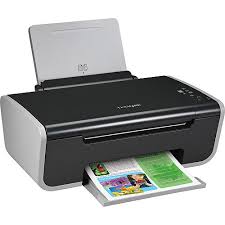
Is this device Input or Output?
Printer
Input
Output

What is the device shown in the picture?
A keyboard
A monitor
A mouse
A printer
What is the definition for?
Allows the user to see/hear data coming out of the computer
Input Device
Output Device
CPU stands for ____________.
Central Program Unit
Control Processing Unit
Central Processing Unit
Control Program Unit
IPO stands for ______________.
Internet Programs Output
Input Program Output
Intelligent Processing Output
Input Processing Output
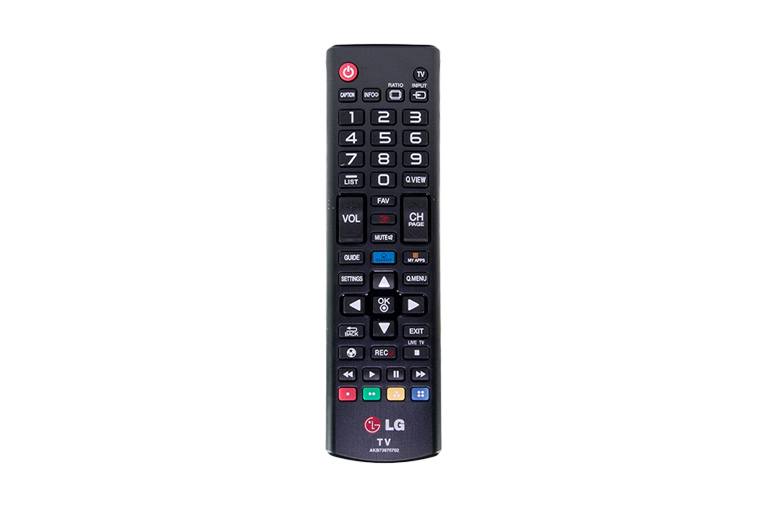
What type of device is this? (Remote Control)
Input
Output

What type of device is this? (Projector)
Input
Output

What type of device is this? (Headphones)
Input
Output
Microsoft Excel is what kind of software?
Word Processing Software
Spreadsheet Software
Database Software
Presentation Software
The letters in Excel represent the...
Rows
Columns
Cells
Data
The numbers in Excel represent the...
Rows
Columns
Cells
Data
What function adds all of the numbers in a range of cells?
Calculate
Compute
Sum
Max
What is the cell in the worksheet in which you can type data?
Main cell
Open cell
Active cell
Absolute cell
An Excel file format extension is
doc
xls
txt
mp3
What does Spread Sheet Software do?
Allows you to create complex presentations.
Allows you to spread your text across a wide page
Allows you to manage data in a grid of rows and columns
Allows you to embed and show videos
How do you add rows or columns to your spreadsheet?
Click and drag an existing row or column with the mouse
Right click on an existing row or column and choose the "insert" command.
Double-clicking on any cell will automatically add a new row and column.
There is no way to add new rows and columns.
What is the "Active Cell" in Excel?
The Bottom cell in a worksheet. It is indicated by a dark border onscreen.
The current cell in a worksheet. It is indicated by a dark border onscreen.
The top cell in a worksheet. It is indicated by a dark border onscreen.
The past cell in a worksheet. It is indicated by a dark border onscreen.
Define Cell?
The dark bordered box in excel.
A box in Excel that has formulas.
The intersection of a column or row in a worksheet or table.
Fx Bar where you input data.

These are known as
workbooks
worksheets
formula bar
cell
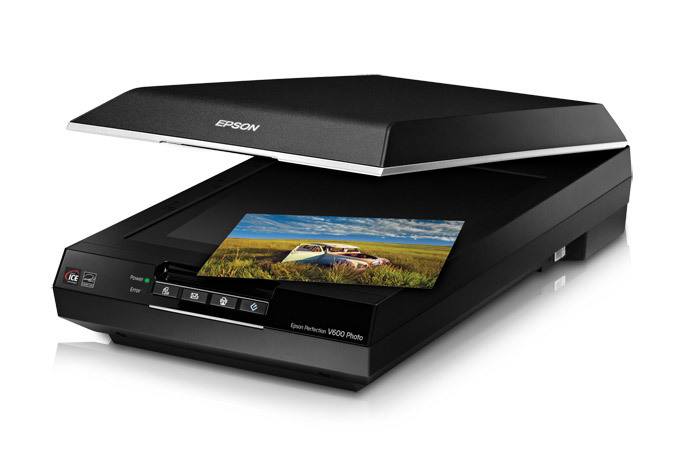



What kind of device is this?
Input
Output
Input and output

What kind of device is this?
Input
Output
Input and output
A processing device which is the brain of the computer.
Memory
Hard Disk Drive
CPU
Monitor
It is the primary storage device of computer.
Hard Disk Drive
External Hard Disk Drive
CPU
RAM
All of the following are the uses of MS Excel, EXCEPT:
Used for Calculations
Managing inventory
Presenting videos and audio
Collecting data from different sources
This is the file where data is stored in Excel.
Workbook
Folder
Worksheet
Publisher
To start Ms excel you click on
Ms Office---Ms Excel---All program---Start
Start---Ms Office---All program---Ms Excel
Start---All program---Ms Office---Ms Excel
All program ---Start---Ms excel---Ms Office
A collection of files in form of rows and columns is called
(a)
A collection of worksheets is called
(a)
A collection of continuous selected cell is called
(a)
An electronic device use to receive data, process data and produce data is called
(a)
The address of the first cell in a workbook is
(a)
In microsoft excel, words are called labels
true
false
In Ms Excel, numbers are called values
false
true
A formula is not a mathematical equation
False
True
The four basic mathematical operations in Ms Excel are
Addition
division
subtraction
squares
multiplication
Ms Excel is an__________________ software.
plus
data
application
active
letters
Ms Excel stores the ________ in form of tables.
application
data
plus
letters
active
Formula bar displays the formula of an _________ bar.
plus
application
active
letters
data
Columns in Ms Excel are labelled as _________
letters
active
application
plus
The mouse pointer changes to a ________ sign on the worksheet.
letter
plus
application
active
The name box displays the cell reference of the active cell.
True
False

