wayground logo

Free Printable Worksheets

Font size

S
M
L
XL
Worksheets

ICT Form1 Revision

Total questions: 104

Worksheet time: 1hrs 2mins

Name
Class
Date
1.
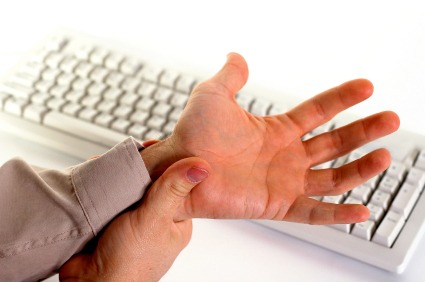
What is Carpal Tunnel Syndrome? 
a)
an injury to the spine
b)
Inflammation of Tendons in the wrist causing pressure on the median nerve
c)
something that young people do not have to worry about
d)
a virus
2.
What are the symptoms of Carpal Tunnel Syndrome?
a)
Pain, tingling, and numbness in the hands
b)
a sore back
c)
a painful elbow
d)
sneezing and coughing
3.
The best way to position your wrist while typing is
a)
resting on the desk
b)
wrists arched upward
c)
straight across
d)
it doesn't matter
4.
What does RSI stand for?
a)
Repetitive Standing Injury
b)
Real Strain Injury
c)
Repetitive Strain Injury
d)
Repeated Standing Injury
5.
Incorrect computer ergonomics can result in:
a)
Back aches,
b)
Carpal tunnel syndrome,
c)
Sore eyes,
d)
All of the above.
6.
It is important for children to learn correct computer ergonomics so that:
a)
They will play computer games better
b)
Be more comfortable and therefore able to reach their potential,
c)
They will sit quietly.
7.
When there is a glare on the computer screen what should the employee do?
a)
Try not to look at the glare.
b)
Do something that doesn't involve a computer.
c)
Change the brightness of the computer.
d)
Close the binds or drop them.
8.
Your computer screen should never be above?
a)
your head
b)
eye level
c)
shoulder level
9.

What is the best position for a laptop screen for your neck?

a)

In your lap

b)

At the same height as your eyes

c)

On a desk, level with your hips

d)

Slightly higher than eye level

10.

When sitting in a chair you back should be properly supported at a 90 degree angle to your hip

a)

True

b)

False

11.

The address for s single file on the internet is called it's:

a)

HTTP

b)

ISP

c)

HTML

d)

URL

12.
What do we call the device that allows your computer to communicate with the internet?
a)
Modem
b)
Peripheral
c)
Mydacam
d)
Ethernet
13.
What information is okay to give out on the internet?
A) Name
B) Address
C) Phone Number
D) None of the above
a)
A
b)
B
c)
C
d)
D
14.

What is connecting a computer to the Internet called? Choose the BEST answer.

a)

going online

b)

surfing the web

c)

browsing the web

d)

downloading

15.

What is the World Web usually called for short?

a)

surfing

b)

web

c)

browsing

d)

Internet

16.
the correct or acceptable way of communicating on the Internet
a)
phishing
b)
netiquette
c)
web browser
d)
comment
17.
the introductory page of a website
a)
homepage
b)
hyperlink
c)
search engine
d)
browser
18.
a program with a graphical user interface for displaying HTML files, used to navigate the World Wide Web
a)
search engine
b)
web browser
c)
comment
d)
textbox
19.

Which of these is an advantage of cloud storage?

a)

The user has no control over their data

b)

Many programs can be run at the same time, regardless of the processing power of your device

c)

Accessible anywhere with an internet connection

d)

Portability

20.

_____________ is a general term used to describe

a new class of network based computing that takes

place over the Internet

a)

Cloud Computing

b)

Network Computing

c)

Storage Computing

d)

None of the choices

21.

____________ provides shared services as opposed to local servers or storage resources

a)

Cloud Computing

b)

Network Computing

c)

Science Computing

d)

None of the choices

22.

Cloud technology has improved educational scenery except

a)

Lower cost

b)

Creation of virtual classroom

c)

Increase learning time

d)

Better access to education and training

23.

What is the drawback of cloud computing in education system?

a)

The need for high speed internet access

b)

The management of data and products

c)

The absence of hardware

d)

The wide connection of networks

24.

Cloud storage can be provided as a service by allowing your data to be stored...

a)

remotely on the host company's servers

b)

remotely on your local computer

c)

locally on your network

d)

locally on your remote computer

25.

Cloud computing services such as storage and software...

a)

Can be accessed on any device

b)

Are always free

c)

Can be accessed by any device that is connected to a LAN

d)

Can be accessed on any device that is connected to the internet

26.

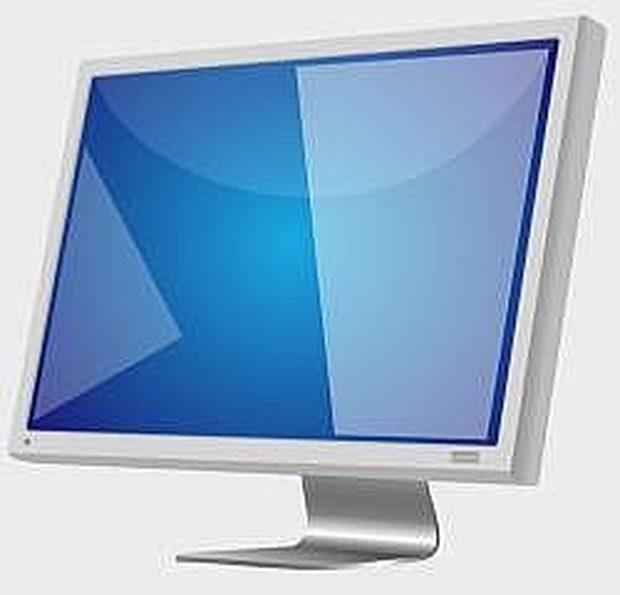
Which part of the computer is this?

a)

monitor

b)

scanner

c)

keyboard

d)

Computer CPU

27.

What does this key do?

a)

saves your work

b)

erases your work

c)

makes a capital letter

d)

moves down a line or enters a program

28.

This is a keyboard. Is it an input device or output device?

a)

output

b)

input

29.

Which part of the computer is this?

a)

computer

b)

monitor

c)

hard drive

d)

tv

30.

This key on the keyboard is?

a)

enter

b)

space bar

c)

tab

d)

shift

31.

Which is the biggest computer by size?

a)

Super computer

b)

Mini computer

c)

Micro Computer

d)

Mainframe computer

32.

The computer which can be used to direct war jets are called _____________

a)

Super frame Computer

b)

Super computers

c)

Micro Computers

d)

Mini computers

33.

A computer system is:

a)

An electrical device

b)

An input device

c)

hardware and software working together

d)

input and output working together

34.

A computer built to support more than one user

a)

Mainframe

b)

Super

c)

PDA

d)

Mini

35.

PDA stands for:

a)

Personal Diagram Assistant

b)

Personal Data Account

c)

Personal Digital Assistant

d)

Personal Digital Accountant

36.

What type of computer system can be found in the lab?

a)

Mini

b)

Micro

c)

Mainframe

d)

Super

37.

Identify the 2 types of Micro computers from the list below:

a)

laptop and smartphones

b)

smartphones and tablets

c)

desktop and embedded

d)

desktop and laptop

38.

Which type of computer is built to support an organization's information?

a)

Mini

b)

Mainframe

c)

Embedded

d)

Super

39.

This type of computer can be worn.

a)

Embedded

b)

Mini

c)

Wearable

d)

PDA

40.

This type of computer system is tiny and is mainly used to schedule appointments and send and receive emails.

a)

DPA

b)

PCA

c)

PDA

d)

PIA

41.

what am I?

a)

Desktop PC

b)

Mainframe/server

c)

Laptop

d)

Smart Phone

42.
Which one of these is the most expensive
a)
desktop
b)
laptop
c)
supercomputer
d)
mainframe
43.

Software is split into ______ categories.

a)

4

b)

3

c)

2

44.

Software is made up of _______ and ______ software.

a)

Internal and external

b)

Application and system

c)

Operating and utility

45.

Which of the following is NOT an operating system?

a)

YouTube

b)

Windows

c)

MAC OS

46.

System Software is ________

a)

not needed on your computer.

b)

found in the monitor.

c)

general purpose software.

47.

An example of system software is:

a)

Word Processors

b)

Antivirus

c)

Web browsers

48.

What is software?

a)

The physical parts of a computer

b)

The operating information used by a computer

c)

The memory bank of a computer

d)

The electrical current inside of a computer

49.

What is the name of this tool?

a)

Eraser

b)

Fill with color

c)

Pencil

d)

Magnifier

50.

We can use this tool for:

a)

Writing text

b)

Undo

c)

Drawing

d)

Erasing

51.

What is the name of this box?

a)

Toolbox

b)

Color box

c)

Brushes

d)

Shapes box

52.

To draw a traffic light, which shapes do we use?

a)

Circle

b)

Triangle

c)

Circle and rectangle

d)

Rectangle and line

53.

What is the name of this tool?

a)

Eraser

b)

Pencil

c)

Fill with color

d)

Magnifier

54.

Number 1 is used for

a)

Drawing

b)

Typing messages

c)

Change font colour

d)

Deleting

55.

Which device is used to zoom in?

a)

Number 2

b)

Number 4

c)

Number 5

d)

Number 6

56.

What is the name of this tool?

a)

Color picker

b)

Magnifier

c)

Fill with color

d)

Pencil

57.

What is the name of this tool?

a)

Line tool

b)

Size

c)

Color box

d)

Shapes

58.

What is the name of this tool?

a)

Color picker

b)

Text

c)

Eraser

d)

Pencil

59.

Which shape is used to draw a Square in Paint?

a)

Oval

b)

Star

c)

Rectangle

d)

Triangle

60.

What is the name of this tool?

a)

Eraser

b)

Pencil

c)

Brushes

d)

Fill with color

61.

Which tool is used for copying, cutting, and moving parts of your picture in MS Paint?

a)

Select Tool

b)

Pencil

c)

Color Picker

d)

Shapes box

62.

Keyboard is an __________ device.

a)

Input

b)

Output

c)

Storage

d)

Processing

63.

Which software is used mostly for typing text?

a)

Word

b)

Excel

c)

PowerPoint

d)

Paint

64.

Which key is used to start a new line?

a)

Shift

b)

Caps Lock

c)

Enter

d)

Space bar

65.

Font means _____________________.

a)

size of letters

b)

type style of letters

c)

bold letters

d)

italic letters

66.

Which of the following is the alignment option?

a)

Center align

b)

Right align

c)

Left align

d)

All of the above

67.

What are the short cut keys for Copy command?

a)

Ctrl + V

b)

Ctrl + X

c)

Ctrl + B

d)

Ctrl + C

68.

Which tab is used to put an image in your document?

a)

Home

b)

View

c)

Insert

d)

Review

69.

Choose the formatting option.

a)

Left align

b)

Enter

c)

Bold

d)

Copy

70.

What is meant by the term Point?

a)

Delete text

b)

Enter text

c)

Size of text

d)

Edit text

71.
What feature should be used before a document is printed?
a)
Alignment
b)
Spell Check
c)
Type Size
d)
Changing the Font
72.

List of commands

a)

Quick Access Tool Bar

b)

Status bar

c)

Title bar

d)

Menu

73.
Any type of motion or movement that occurs in your presentation is called?
a)
slide
b)
place holder
c)
animation
d)
movement
74.
An animation effect that occurs when a presentation moves from slide to slide in Slide Show view.
a)
ANIMATION
b)
SLIDE SHOW 
c)
DESIGN
d)
TRANSITION
75.
Which tab lets you insert clipart?
a)
View
b)
Degsin
c)
Insert
d)
Picture
76.
Which command is used to specify the length of the transition effect for each slide in a presentation?
a)
rehearse 
b)
preview 
c)
timing 
d)
duration
77.

What is this icon?

a)

CUT

b)

COPY

c)

PASTE

d)

CROP

78.
What is Microsoft Power Point used to create?
a)
Slide Show
b)
Pictures
c)
Tables
d)
Spread Sheets
79.
How you you save your Power Point?
a)
Go to Save As and Press Save
b)
Go to Save As / Name your Powerpoint / Save
c)
Go to Save As / go to your student # / Name your document / Save
d)
Go to Student # / Save As
80.
When you want to make a Power Point and you want to design it yourself you should?
a)
Open Powerpoint - Click Blank Presentation
b)
Open Powerpoint - Click Gallery
c)
Open Powerpoint - Click ION
d)
Open Powerpoint and 
81.
The first slide in the presentation; frequently contains special formatting so that it is easily distinguishable.
a)
CONCLUSION SLIDE
b)
TITLE SLIDE
c)
TEXT BOX
d)
PRESENTATION
82.
Which term refers to the size of alphabetic and numeric characters on a slide? 
a)
Font Size
b)
Type Size
c)
Theme 
d)
Typeface
83.
What is it called when one line of text comes in at a time?
a)
Transition
b)
Line jumping
c)
Smart Art
d)
Animation
84.
Code of morals of a particular person, group, or profession 
a)
Behavior
b)
Morals
c)
Ethics
d)
Etiquette
85.
Governs the usage or redistribution of copyright protected software 
a)
Software Licence
b)
Site Licence
c)
Shareware
d)
Free ware
86.
The author (owner) will let you download it, and if you like it and want to use it, you are expected to pay a fair price for it  
a)
Software Licence
b)
Site Licence
c)
Shareware
d)
Free ware
87.
Software you can download and use for free 
a)
Software Licence
b)
Site Licence
c)
Shareware
d)
Free ware
88.
Illegal or improper use of software—no license to use it 
a)
Unauthorized Use
b)
Software Piracy
c)
Plagiarism
d)
Fair Use
89.
Copying and using commercial software purchased by someone else 
a)
Unauthorized Use
b)
Software Piracy
c)
Plagiarism
d)
Fair Use
90.
Using a portion or piece of writing that has been copied from someone else and presenting it as your own work 
a)
Unauthorized Use
b)
Software Piracy
c)
Plagiarism
d)
Fair Use
91.
If you use copyrighted material in a report or project you should always give credit to the author or illustrator of work you are using (examples—when you use a photograph from the internet, a quote from a book)
a)
Unauthorized Use
b)
Software Piracy
c)
Plagiarism
d)
Fair Use
92.
The exclusive privilege that allows an author or owner to print or sell his/her own work 
a)
Fair Use
b)
Copyright
c)
Shareware
d)
Unathorized Use
93.

What does Green Computing mean?

a)

economically responsible and eco-friendly use of computers and their resources.

b)

environmentally responsible and eco-friendly use of computers and their resources.

c)

environmentally responsible and user-friendly use of computers and their resources.

d)

business responsible and user-friendly use of computers and their resources.

94.

What do you understand about "Green design"

a)

Minimizing the electricity consumption of computers and their peripheral devices

b)

Repurposing existing equipment or unwanted electronic equipment

c)

Designing energy-efficient computers, servers, printers, projectors and other digital devices

d)

Appropriately disposing of or recycling unwanted electronic equipment

95.

Choose few diagrams that best describe "Green Computing"

a)
b)
c)
d)
96.
Buying rechargeable batteries for your products
a)
Reducing
b)
Reusing
c)
Recycling
97.
Deciding not to upgrade your phone because your current one is still working fine
a)
Reducing
b)
Reusing
c)
Recycling
98.
Breaking down an old computer into its raw materials
a)
Reducing
b)
Reusing
c)
Recycling
99.
How should you recycle a hard drive?
a)
Send to data shredding company
b)
Physically destroy it so that the data is unrecoverable
c)
Throw in in the nearest recycle box
d)
Factory reset and put in the skip
100.
How could Green IT achieve its aims?
a)
By reducing the use of hazardous materials, maximizing energy efficiency during the product's lifetime and promoting the biodegradability of unused and outdated products.
b)
By getting a paint brush and painting everything green
c)
By using human power instead of a computer to accomplish tasks
d)
By closing down environmentally inefficient companies and sacking the employees.
101.

What advantages does Recycling Different Wastes have?

a)

It makes the surroundings unclean and unhealthy to live.

b)

It reduces the need for raw materials.

c)

It reduces the amount of energy required to manufacture new products.

d)

It makes home for flys because flys come where ever there is waste.

102.

What is the disposal of waste?

a)

Waste disposal, the collection, processing, and recycling or deposition of the waste materials of human society

b)

It is the process of cleaning the environment

c)

It is the process of making the environment unclean and dirty

d)

None of the above

103.

What does the "E" in E-Waste stand for?

a)

Exciting

b)

Energy

c)

Electronic

d)

Election

104.

Which of the following SHOULD NOT be thrown away?

a)

Paper

b)

Batteries

c)

Glass

d)

Empty chemical bottles