
 Worksheets
Revision Question (Topic 1.1 - Topic 1.3)
Total questions: 66
Worksheet time: 34mins
The information processing cycle is a processes that turns data into (a) .
Tick all that are apart of the information processing cycle...
input
onput
output
storage
Tick all of the input devices...
touch screen
joystick
mouse
printer
What device would be used in the storage stage?
speakers
routers
monitors
flash drive
What processes the information during processing?
Software
Hardware
Input Devices
CPU
Which of the following is an INPUT device?
Printer
Keyboard
Headphones
Speakers
Which of the following is an OUTPUT device?
Printer
Keyboard
Mouse
Scanner
Which of the following devices is an INPUT device?
Headphone
Printer
Webcam
Speaker
Which of the following is an OUTPUT device?
Keyboard
Webcam
Mouse
Headphones


Which stage is the following example considered " You hook your phone to the computer to download your pictures from your phone to your computer"?
Input
Processing
Output
Storage
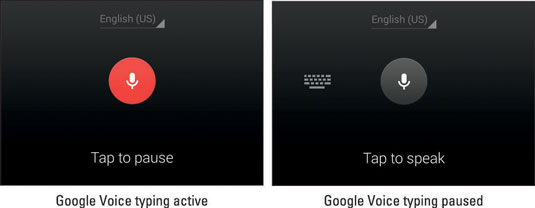
Which stage is the following example considered " You are using Google Voice typing to get your report entered into Google Docs?
Input
Processing
Output
Storage
A _____ is an electronic device that accept data, process the data, produce information and store the data for future use.
Hardware
Software
Computer
Input
Computer _____________ is a set of instructions that tells a computer what to do or how to perform a task.
Hardware
Software
System
Desktop
_____ is any part of your computer that has a physical structure, such as the keyboard or mouse. It also includes all of the computer's internal parts.
Computer
Hardware
Software
Storage
Hardware is something you can physically see and touch.
True
False
Tick all that are apart of the information processing cycle...
input
system
output
storage
Device that processes the data during processing?
Software
Hardware
Input Devices
CPU
Process to accept data form the user?
Storage
Output
Input
Process
Which part of Information Processing cycle when system print receipt to user?
Input
Output
Software
Hardware
To place information on a flash drive for future use is engaging what stage of the IPC?
output
communication
storage
processing
Printed papers are an example of which part of the Information Processing Cycle?
input
output
processing
The music coming out of the speakers would fall under which part of the Information Processing Cycle?
Output
Input
Which of the following is correct?
Information is processed Data
Data is processed information
Data is information
Data is...
a collection of unprocessed items
a collection of data that has been processed into meaningful form
a collection of processed data that is useful to people
Choose which examples refer to Information
Bar chart shows the number of people vaccinated
Table contain the list of information on KML students
Pie chart shows how many people likes and dislikes TikTok
Number of likes for a post in Instagram
How computer represent data?
By using decimal numbering system
By using two unique binary digits 1 and 0 which represents two states on and off
By using bits and bytes
The smallest unit of data the computer can process is _________.
Bit
Byte
Byte is a group of 16 bits to represent a character.
True
False
The usage of bit is
to measure the speed of data transfer
to measure storage capacity
to measure the efficiency of CPU
Advantages of using binary numbers rather than decimal numbers:
Faster execution since it is a machine language that a computer can understand
Provide simplicity since it uses two clearly distinct state (0 and 1)
Easy to design circuit because uses fewer arithmetic rules
Less amount of space (use less memory)
Require complicated programming to setup
Why we use hexadecimal notation?
It can represent binary values in a more compact and readable form
It is the way computer representing data
The conversion process between binary and hexadecimal number system is very efficient
1 and 0 is not natural language of a computer.
False
True
Computer represents data using...
binary
decimal
hexadecimal
octal
How can a computer represents non-numeric characters (character data)?
(a)
In Unicode , the number of bytes for the phrase given below are :
7+5=12
12
48
6
96
In EBCDIC, calculate the number of bits for the given phrase.
20/11*24
8
64
16
128
"Malaysia Prih@tin"
How many bytes based on the phases if the system are using ASCII.
17 x 8
17
19 x 8
19
"Malaysia Prih@tin"
How many bits based on the phases if the system are using ASCII.
17 x 8
17
19 x 8
19
"Malaysia Prih@tin"
How many characters based on the phases if the system are using Unicode.
17 x 8
17
19 x 8
19
Based on the statement given.
Letter T is converted to binary form and back using coding scheme.
A user presses the capital letter T (SHIFT+T) on the keyboard which turn created a special code, called a scan code, for the capital letter T . After that, what happen?


Based on the statement given.
Letter T is converted to binary form and back using coding scheme.
In step 3, the electronic circuitry in the computer converts the scan code for the capital letter T to its ASCII binary code (01010100) and stores it in memory for processing. Then, what happen?


Which is not an Information Coding Scheme?
ASCII
EBCIDIC
UNICODE
EBCDIC
Which is true about ASCII?
uses 8 bits to represent a character
uses 7 bits to represent a character
uses 16 bits to represent a character
uses 256 bits to represent a character
Which is true about Unicode?
uses 16 bits to represent a character
uses 8 bits to represent a character
uses 7 bits to represent a character
uses 256 bits to represent a character
Which coding scheme is best used in personal computers?
EBCDIC
UNICODE
ASCII
BINARY
Which coding scheme is best used in mainframes?
EBCIDIC
UNICODE
ASCII
EBCDIC
ASCII and EBCDIC is not large enough to accomodate characters from Asian and other languages.
TRUE
FALSE
Which coding scheme is implemented in Operating System?
ASCII
EBCDIC
UNICODE
ASCII uses more memory compared to UNICODE.
TRUE
FALSE
In ASCII, calculate the number of bits for the given phrase.
5^2*9+30
8
64
16
128
How many characters based on the phases if the system are using ASCII.
How many bits for the phase using:
a)ASCII
B)Unicode
b)96
b)192
b)192
b)96
Choose the coding scheme(s) that use(s) 136 bits to represent the word:
www.degruyter.com
ASCII
EBCDIC
Unicode
Choose the information coding scheme that uses 163 bits to represent the following word:
Matrikulasi
ASCII
EBCDIC
Unicode

Unicode can represent emojis
True
False

