
 Worksheets
Grade 2
Total questions: 100
Worksheet time: 51mins

Information Communication and technology

Select the work which you cannot do on a computer.
Play games
Draw cartoons
Swim
Play music
A computer can be used to send and receive___________.
messages
apples
A ______________ can be used to book an online railway ticket .
Scanner
CD
Camera
Computer
A computer is a electronic ____________________.
box
machine
Select the work which you cannot do on a computer.
Play games
Draw cartoons
Swim
Play music
A ______________ can be used to book an online railway ticket .
Scanner
CD
Camera
Computer
A computer can be used to send and receive___________.
messages
apples
We need an _________________ to send e-mails.
Bank account
e-mail account
_______ and _______ are called mobile devices because we can carry them anywhere with ease.
Printers and Scanners
Smartphones and Tablets
Computers can be used to ______________ sums
solve
draw
paint
book




What type of computer is this?
Laptop
Smartphone
Tablet
Flip phone

What type of computer is this?
Tablet
Phone
Flip phone
Smartphone

What type of computer is this?
phone
computer
Desktop
laptop
The _________ is a TV like device that shows us what we do on the computer.
Monitor
screen
keyboard
There are two types of devices in computer, ________ and _______
Input and Output Devices
In and Out devices
Monitor and Mouse devices

Computer components
speakers
keyboard
monitor

A computer component
USB
Printer
CD ROM

Computer components
monitors
printer
mouse
_______uses computer in preparing X-ray reports.


A computer helps to ____ to music.
hear
doctor
A computer helps to withdraw money from ________
police station
Bank
________ uses computers for preparing school results or reports.
What can you do on computer ?


A computer is used to send and receive ___________.
Messages
Chocolates
How do you use computers at railway stations?
We book the tickets.
We sleep at the station.
Which is Laptop?


Which are the parts of computer?


What is the name of this part of computer?
CPU
Monitor
Box

What is the name of this part of computer?
TV
Monitor
Box

Please type the name of this part of computer correctly.
(a)

Please type the name of this part of computer correctly.
(a)

Please type the name of this part of computer correctly.
(a)

Please type the name of this part of computer correctly.
(a)
It is an input device used to enter data and instructions to the computer by clicking its buttons.
Mouse
Flash Light
USB
This computer hardware displays the programs that you work unto your computer. It also enables us to see pictures, videos, and drawings.
Monitor
System Unit
Mouse
It is where you see the letters, numbers and pictures.
Screen
Power Switch
Base
Which of the following is NOT an action of a computer mouse?
clicking
dragging
jumping
True or False:
Never clean your monitor regularly.
True
False
True or False:
Always pull-out any cable of the monitor.
True
False
True or False
Through computer monitor, you can see the letters, numbers, videos and pictures on the computer
True
False
Identify CD.


Which storage place can be used to keep your books?
School Bag
Refrigerator
Trash bin

What is this?
This is a computer.
This is a keyboard
This is a monitor
This is a CPU

What is this?
This is a monitor
This is a printer
This is the CPU
This is a camera

What is this?
This is the keyboard.
This is the CPU
This is the monitor
This is a computer

What is this?
This is the right click
This is the scroll
This is the left click
This is the CPU

Cpu is also called _______ of a computer.
Brain
Friend
Remote

Input device
Output device
Input devices allow us to __________________to the computer.
Send information
Receive information
___________ gives us voice output.


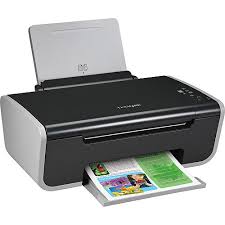
Is this device Input or Output?
Printer
Input
Output

What is the device shown in the picture?
A keyboard
A monitor
A mouse
A printer
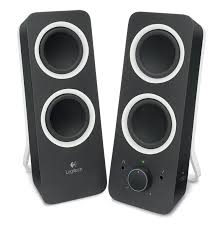
Speaker
_______ controls all the connected input and output devices.
CPU
Mouse
Keyboard
Monitor

Input device
Output device
Is this device Input or Output?
Printer
Input
Output

What is the name of this computer part?
Monitor
Keyboard
CPU
Printer

What do we call this computer part?
Keyboard
Monitor
Mouse
Speakers

This computer part is just like a television. What is it called?
Mouse
Monitor
Keyboard
Printer

This case contains the brains of the computer. We do we call the brains?
CPU
Mouse
Keyboard
Printer

You often see this plugged into a computer.
Monitor
Printer
Mouse
CPU

This computer part lets everyone listen to sounds.
Speakers
CPU
Microphone
Mouse

If you do not want to disturb other people, you should wear this.
Printer
Headset
Microphone
Webcam

This device lets you see people over the Internet.
Keyboard
Printer
CPU
Webcam

This allows you to record your voice.
monitor
microphone
Webcam
Headset

This computer is smaller than a desktop computer but larger than a ipad.
ipad
Laptop
Smartphone
Desktop

This computer is smaller than a laptop and great for playing games or watching movies. It has a touch screen.
Ipad
Laptop
Desktop
Smartphone

This computer is smaller than an ipad, it also has a touch screen. We can use this type of computer to message or call our friends and family.
Ipad
Laptop
Desktop
Smartphone

What am I?
Desktop PC
Smart phone
Laptop
Mainframe computer/server
These devices are used to keep information for later use.
Input Devices
Output Devices
Storage Devices
Processing Devices
What is the device shown in the picture?
A keyboard
A monitor
A mouse
A printer

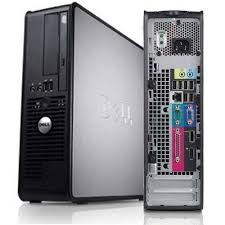
What part of the computer is this?
Central Processing Unit
Computer
Rectangle
Box
Which computer device is used to draw pictures and play games?
CPU
Mouse
Printer
Speaker
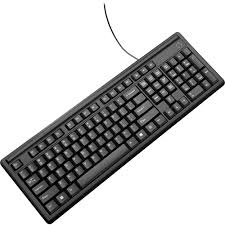
What is this called?
Speaker
Printer
Mouse
Keyboard
The output of a computer is seen on which device?
CPU
Mouse
Keyboard
Monitor


Identify this icon -
Networking
Drive
My Computer
Input Messenger

A computer works at a very high ...............................
Temperature
Speed
Diligence
.............................is the result of processed data
Output
Input
Data
In school, computers is used for preparing _________.
result
withdraw money
In banks, computers are used to withdraw money.
True
False
Computer is used for booking ticket at ____
Hospital
Bank
Airport
We use computers to attend our virtual classes.
True
False
Cpu is also called _______ of a computer.
Brain
Friend
Remote
Input device
Output device
___________ gives us voice output.

