
 Worksheets
ADOBE PREMIERE
Total questions: 10
Worksheet time: 5mins
Name
Class
Date
1.
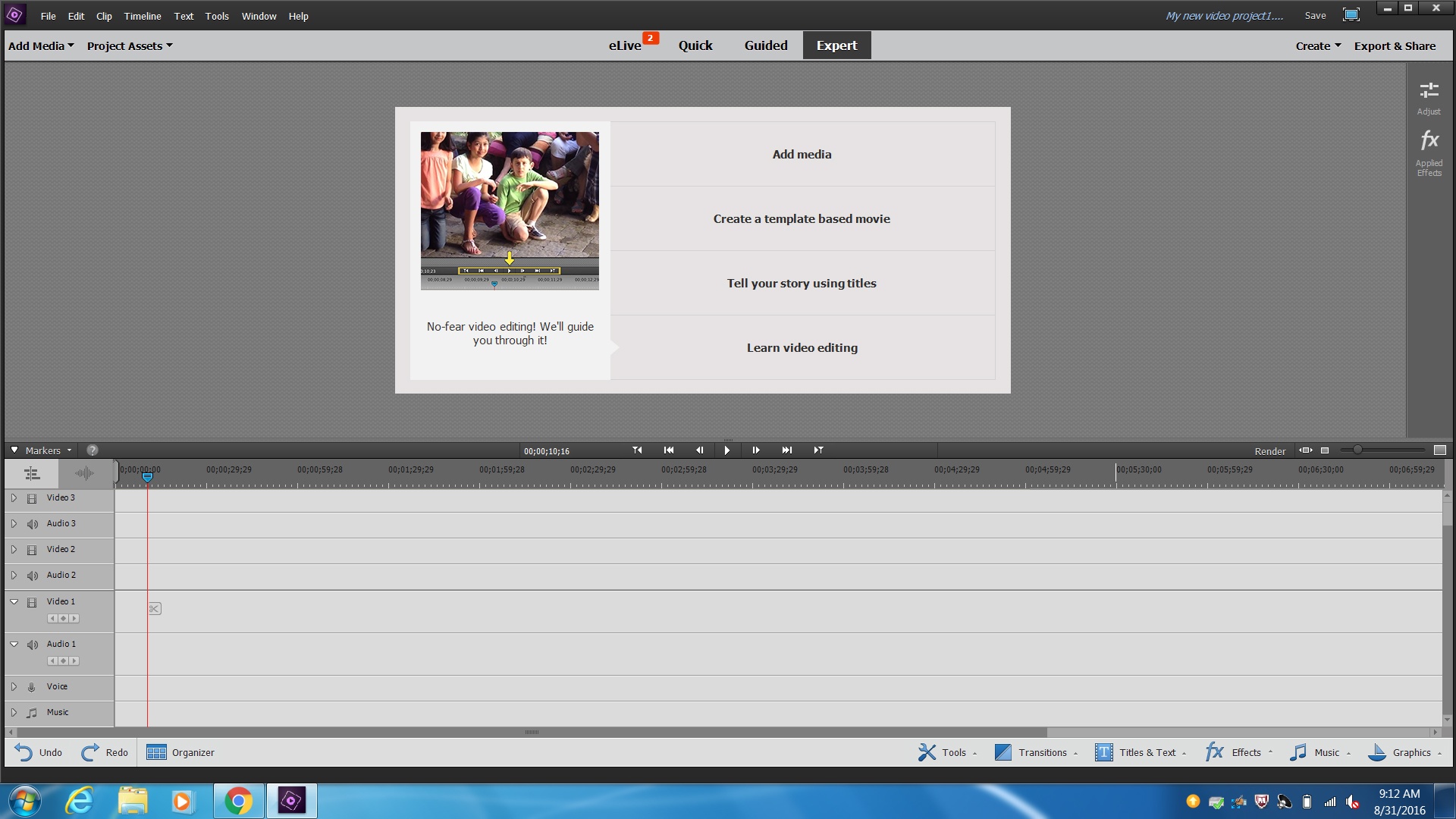
What do I click to add my videos, music, sound effects and images to my project?
a)
File, Open
b)
Add Media
c)
Edit, paste
d)
Tools, Movie menue
2.
What is the correct way to split a video?
a)
Edit, cut
b)
Ctrl-x
c)
Click on the scissors icon on the video
d)
Shift-c
3.

Video Layer 1 is my background layer, video layer 2 will be on top
a)
True
b)
False
4.
To convert your movie to a file that can be watched on any computer you must:
a)
File, save as
b)
Save a copy
c)
Make movie
d)
Export and share
5.

What layer should your sound effect or music go on?
a)
Music
b)
Voice
c)
Video 1
d)
Audio 3
6.

The video effect, Chroma Key, is used to do what in video editing?
a)
Add color to your video
b)
Remove a solid color background, usually green or blue
c)
Remove all color from your video
d)
None of the above
7.
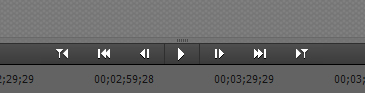
Which button is the play button?
a)
None of the below
b)
One triangle and a line facing left
c)
2 triangles and a line facing right
d)
Triangle
8.
Which file type is NOT a movie file type:
a)
.doc
b)
.mov
c)
.avi
d)
.mpeg
9.
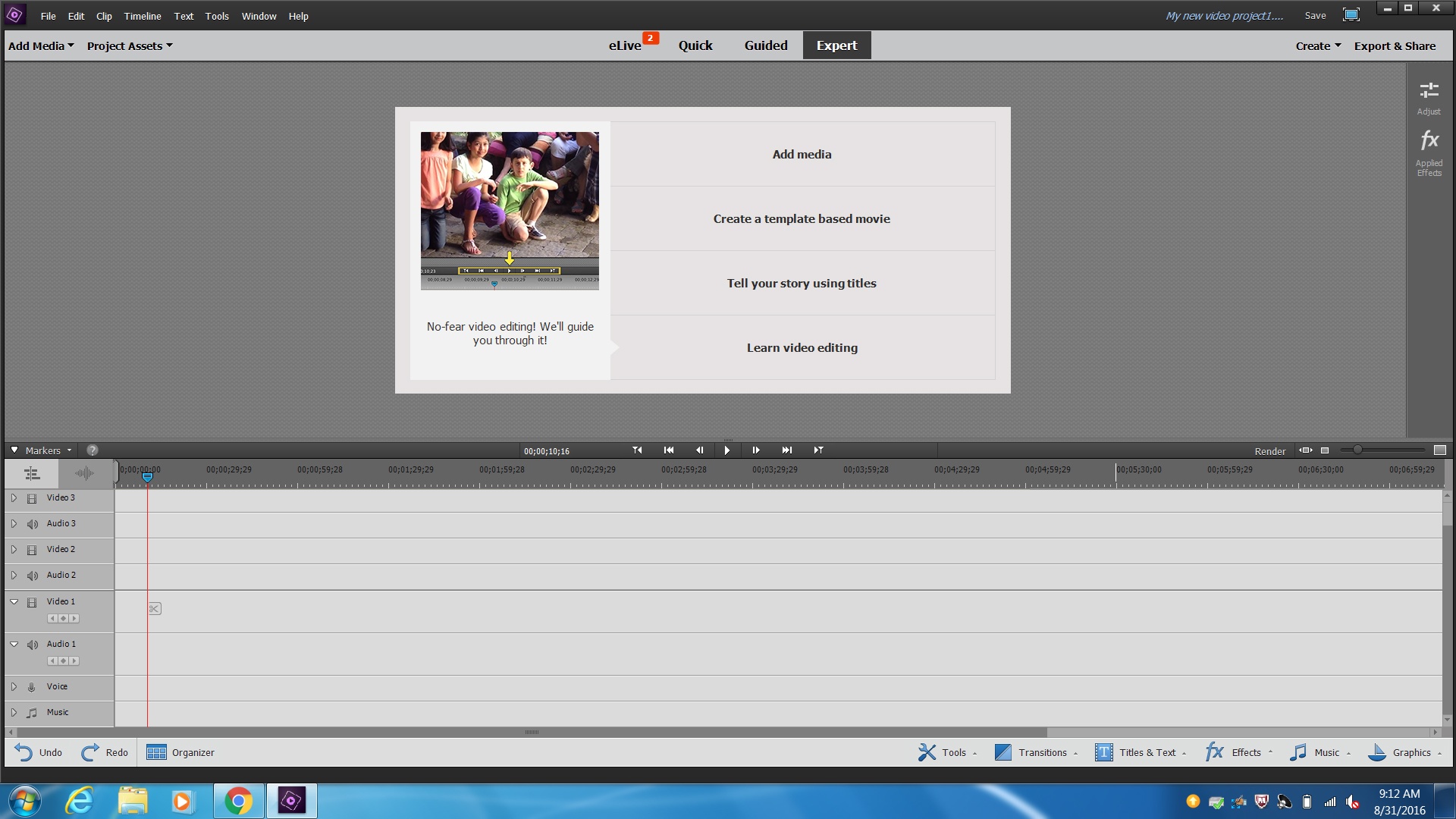
What is the area where you place and edit your videos called?
a)
Video Effects
b)
Preview Window
c)
Timeline
d)
Project Assets
10.

This slider does what to your editing space and videos?
a)
Deletes them
b)
Allows you to zoom in and out on the video clips on the timeline
c)
Reorders your video clips
d)
Allows you to zoom in and out on the video clips in the preview screen
100 %

