wayground logo

Free Printable Worksheets

Font size

S
M
L
XL
Worksheets

Computer Hardware

Total questions: 33

Worksheet time: 17mins

Name
Class
Date
1.

What do we mean by the term "Computer Hardware?"

a)

Always wear a hard hat when using the computer.

b)

Games on a computer that are hard to play.

c)

The physical parts of a computer that you can see and touch.

d)

The building supplies to create a computer

2.

What can point and click to tell the CPU what to do?

a)

Mouse

b)

Monitor

c)

Keyboard

d)

Speaker

3.

Laila needs a ____________ in order to see images on her computer screen.

a)

Hard Drive

b)

Network Connection

c)

Video Card

d)

Sound Card

4.

Which of the following is used to store programs installed on a computer?

a)

DVD Drive

b)

CD Drive

c)

Video Card

d)

Hard Drive

5.

_____ is used when computer programs are turned on. It is cleared once the machine is shut off.

a)

The optical disk

b)

Random Access Memory (RAM)

c)

The network interface

d)

Read Only Memory (ROM)

6.

_____ is used to plug peripherals into the system unit.

a)

A USB Port

b)

An audio card

c)

A flash drive

d)

A video card

7.

What is the main function of the motherboard?

a)

It allows a computer to display video

b)

It ties together all of the functions of a computer

c)

It connects a computer to the internet

d)

It processes the instructions given to a computer

8.

Which of the following is a peripheral device?

a)

Mouse

b)

Keyboard

c)

CPU

d)

Printer

9.

______ stores the data files programs have created and used. 

a)

Long-term memory

b)

Hard Drive

c)

Cache Memory

d)

Used Memory

10.
The main circuit board, especially of a personal computer
a)
monitor
b)
motherboard
c)
RAM
d)
hardware
11.
what does CPU stand for??
a)
Central Processing unit
b)
Control Processing unit
12.
what is the CPU usually called?
a)
the brain of the computer
b)
the heart of the computer
13.
What is this component called?
a)
Spinning Disk Drive
b)
Optical Disk Drive
c)
Hard Disk Drive
d)
Floppy Disk Drive
14.
What does the motherboard do?
a)
Processes instructions
b)
Keeps the computer safe
c)
Connects everything together
d)
Generates electricity
15.
Identify this computer part.
a)
CPU
b)
hard disk drive
c)
RAM module
d)
motherboard
16.
What does RAM stand for?
a)
Read All Memory
b)
Random Always Memory
c)
Read Access Memory
d)
Random Access Memory
17.
A place to connect something to a computer.
a)
Port
b)
Keyboard
c)
Monitor
d)
Hard Drive
18.

What is the name of this hardware?

a)

VGA

b)

Motherchip

c)

Processor

d)

Motherboard

19.

Which one from the pictures is called Power Supply or PSU?

a)
b)
c)
d)
20.
A computer memory that acts as the main storage available to user for programs and data
a)
RAM
b)
URL
c)
ROM
d)
flash drive
21.
Which is measured in GHz?
a)
Processor
b)
Hard Disk
c)
RAM
d)
Power Supply
22.
Which does not typically require cooling technology?
a)
Processor
b)
Case
c)
Power Supply
d)
Hard Disk
23.
Which loses its contents when the power is turned off?
a)
ROM
b)
RAM
c)
Hard Disk
d)
Power Supply
24.
About how many volts does a computer require?
a)
110 - 120
b)
5 - 15
c)
50 - 75
d)
1 - 2
25.
Video, sound, and network cards are all examples of _____.
a)
adapter cards
b)
hard disks
c)
peripherals
d)
external drives
26.
This is an image of what kind of hardware?
a)
Tower Casing
b)
CD/DVD Drive
c)
USB Port
d)
Portable Storage
27.

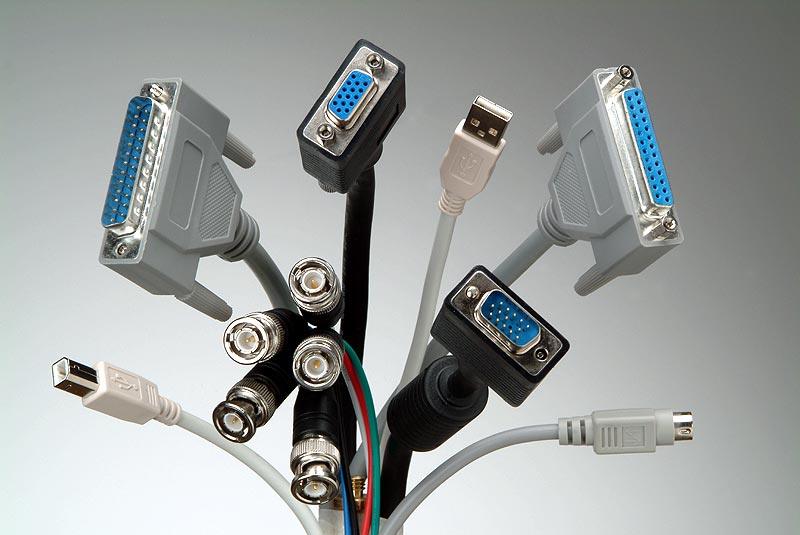
Name these ports.

a)

SSD

b)

USB

c)

RAM

d)

VGA

28.

The blue cord that connects computers to display devices

a)

HDMI

b)

VDI

c)

DMI

d)

VGA

29.

This port is used to connect the computer to the.....

a)

printer

b)

monitor

c)

internet

d)

keyboard

30.
What are the programs that run on a computer system called? 
a)
Algorithms
b)
Code
c)
Software
d)
Languages
31.

Which of the following is an application software?

a)
b)
c)
32.
How many months have 28 days?
a)
All
b)
Febuary
c)
March
d)
August
33.

What occurs once in a minute, twice in a moment, but never in a life?

a)

the letter m

b)

life

c)

time

d)

a second