
 Worksheets
PCA Grade 11 Assignment 1
Total questions: 86
Worksheet time: 45mins
What does GUI stands for?
Graphic Universal Interchange
Graphical User Interface
Graphs Universe Interface
Great Universe Intellectual
Which one of the following is not a Gadget that can be placed on the desktop of Window 7?
Games
Calendar
Clock
Selfie
Why was Windows 8 generally unpopular amongst users?
It was too dirt cheap.
Users do not welcome the introduction of the number 8.
Windows 8 was designed to be more compatible with touch screen, tablets and mobile devices.
The interface changes were unpopular and made it difficult for some users to learn.
Which one of the following attributes does "R" stands for?
The file is read-only.
The file is hidden in the directory display.
The file will be archived the next time that the disk is backed up.
The file is marked as a system file, and a warning is given if an attempt is made to delete or modify the file.
How many characters are allowed in Windows file naming convention?
72
100
255
300
Characters such as slash (/ \) are allowed in Windows naming convention.
True
False
Which one of the following is not true about Windows libraries?
A library is a virtual folder that presents content from different locations within the same view.
When Windows 10 is installed, each user has six default libraries, as shown in the figure.
In Windows 10 and Windows 8.1, the libraries can be found in plain sight on the tools panel.
Right-click the left pane of the File Explorer window for the context menu option that can show the libraries.
To open or execute a file using elevated permission, right-click the file and ________________________________.
choose Open.
choose Run as Administrator.
choose Open file location.
choose Pin to task bar.
In Windows 10 and 8.1, the _________ feature allows you to access the various devices and drives installed in the computer.
The Computer
My PC
Clock and Region
Appearance and Personlization
Which of the following choices is not how File Explorer can be used?
Navigate the file system.
Preview some types of files.
Scan for malwares and viruses.
Manage files, folders and subfolders.
The start button is found at the bottom ___________ corner of the desktop.
right
left
center
Booting allows you to _______________________?
Shut down the computer
Turn on the computer
Load the operating system into main memory
Load the application software into main memory
A picture or graphic symbol used to represent an application or folder is an (a) .
The __________________________ contains the start button, task buttons (open windows), and the system tray.
task bitmoji
task button
task bar

This is a _________________________.
window
desktop
door

This part of the windows desktop is known as the _____________________.
system tray
system unit
You may want to delete objects to keep your computer clear of junk or to make room for new items. Which one would you use?


What part of the Desktop is this?
Start button
Notification area
Icons
Folder
True or False? Windows is an operating system developed by Microsoft.
True
False
The picture that appears as the background of a desktop is called the _______________
screen
windows
wallpaper
lockscreen
Windows is a/n ........... created by Microsoft
Computer
Web Browser
Operating System
Wordprocessor
The main workspace of a Windows computer is called the ________
Desktop
Folder
Taskbar
Shortcut

The icon in this image is most likely a ________.
Folder
File
Shortcut
Document
Supposing you're having trouble locating a file on your computer. Which of the following are good places to look for the file? Select all that apply.
The Recycle Bin
The Downloads folder
Default folders like My Documents
The screensaver
If you want to move a window, you can click and drag the ________.
taskbar
Start button
Close button
top of the window
Suppose you have several windows open on your desktop, but some of them are hidden behind other windows. What is the easiest way to switch to one of the hidden windows?
Press Ctrl+Alt+Delete on your keyboard
Press your computer's Power button
Click the icon on the taskbar
Close all programs and reopen them one-by-one
True or False:
When you move a file to the Recycle Bin, it will be immediately deleted from your computer.
True
False
When you double-click a file on the desktop, it will open in the ________.
Start menu
most recently-opened application
default application for that file type
Control Panel
True or False:
You can only have one user account on a Windows computer.
True
False
When would you use the Ctrl+Alt+Delete keyboard shortcut?
When you want to delete a file
When a program first opens
When you first boot up your computer
When a program is unresponsive
Which of these are correct ways to uninstall an application?
Select all that apply.

From Desktop

From Control Panel

From Start Menu

From Command Prompt (with given code)
Which shortcut is for copying selected file/text?
CTRL + A
CTRL + X
CTRL + C
CTRL + V
Which shortcut is for pasting previously copied file/text?
CTRL + A
CTRL + X
CTRL + C
CTRL + V
Which shortcut is to cut selected file/text?
CTRL + A
CTRL + X
CTRL + C
CTRL + V
Which shortcut is for selecting all files/text in current area?
CTRL + A
CTRL + X
CTRL + C
CTRL + V


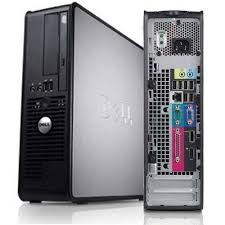



What is the purpose of a camera?
It takes picture.
It can see you.
It records.
It can see videos.

What is the purpose of the speaker?
It allows the user to see what is on the computer.
It allows the user to type.
It allows the user to take pictures.
It allows all the people to hear the sounds of the computer.

What is the purpose of the screen?
It takes pictures.
It lets the user type.
It shows what is on the computer.
It moves on the computer.

What is the purpose of the mouse?
It moves things around.
It takes pictures.
It lets the user type.
It clicks on things on the computer.
It can type words, numbers and symbols
Printer
Keyboard
Speaker
Microphone
It prints the results of your work from the computer screen on a sheet of paper
Printer
Photocopier
Scanner
CPU
Which of the pictures below is the CPU?


Which is correct in taking care of the computer?
Shut down the computer after using it.
Press the keyboard as hard as you can.
Clean the computer with any cloth.

Behavior in the classroom should...
Include running and horseplay
Not include running and horseplay
Be according to students' preference
You should secure power cords from _____.
electricity
traffic
danger
dust
It is not OK to ______near the computer
sing
eat
take a picture
use a light
Always shut your computer down by pressing the which button
Volume Button
Enter Button
Power Button
Monitor Button
When exiting the computer lab do which of the following?
leave your work station clean and in proper order
Log off/shutdown following the designated procedure
push your chair in
all answers are correct
Software should be installed by ?
Your classmate
Your litter brother or sister
Your teacher or any adult
Anyone who can turn the computer on
True or False: You should never use your computer during a storm.
True
False
When cleaning the hardware, you should never...
open the inside of the computer
spray household cleaner directly on the hardware
use wet hands to touch the cords
None of these are safe
What should you buy to protect your computer against surges of electricity?
Electrical power strip
Norton Antivirus software
Surge Protector
Generator
If your computer is not working properly what should you do ?
Turn off your computer system
Alert an adult
Call your classmate
Open the computer yourself
A computer should not be moved during ?
A sunny day
On your birthday
During a storm
Classtime
A _______ is a computer program that can alter (change) or damage your computer
code
modem
tablet
virus
Never open an __________ unless you know and trust the person who sent it.
letter
website
webpage
Do not accept ________ from Internet sites that you don't know and trust.
downloads
e-mails
web addresses
links
______________ is what computer experts do to keep the inside parts of a computer working well.
Sharing
Loading
Editing
Reformatting
Do not use the computer during a storm.
True
False
Spray your computer with household cleanser to keep it clean.
True
False
Spilling liquid on your computer won't hurt it.
True
False
Keeping your computer dust-free can help it last longer.
True
False
Your mouse should never need cleaning.
True
False
It's won't hurt to eat a peanut butter & jelly sandwich while using the computer.
True
False
Downloading from Internet sites could expose your computer to dangerous viruses
True
False
Canned air can be used to clean your computer keyboard.
True
False
If your computer is not working properly what should you do ?
Turn off your computer system
Alert an adult
Call your classmate
Open the computer yourself

